
The conventional ways of B2B transactions are being shattered. Automation is the driving force behind how organizations get paid these days. Paper checks have been completely replaced by electronic transfers in the consumer arena; however, the payment options in the B2B space have always been slower to evolve.
Disruptive payment technology has made it easier for people to network and connects from all over the world. Market, however, has become flooded with a lot many options for those looking for a holistic B2B payment platform.
We have compiled a detailed guide to guide you on everything happening around the B2B solution process, ranging from popular types, solutions, and secure transactions.
The Most Popular Types of B2B Payments
B2B transactions or payments are made between two companies and involve issuing, receiving, and processing payments that help to greatly improve the positive cash flow. Here is a list of the most popular types of B2B payments:
1. Credit Cards
Credit cards are convenient and inexpensive ways to facilitate transactions. The cards incur interest rates (like an annual percentage rate (APR)) when the resolving balance is paid fast; Businesses can also compare business rewards cards when looking for options that provide additional value on their business spending.
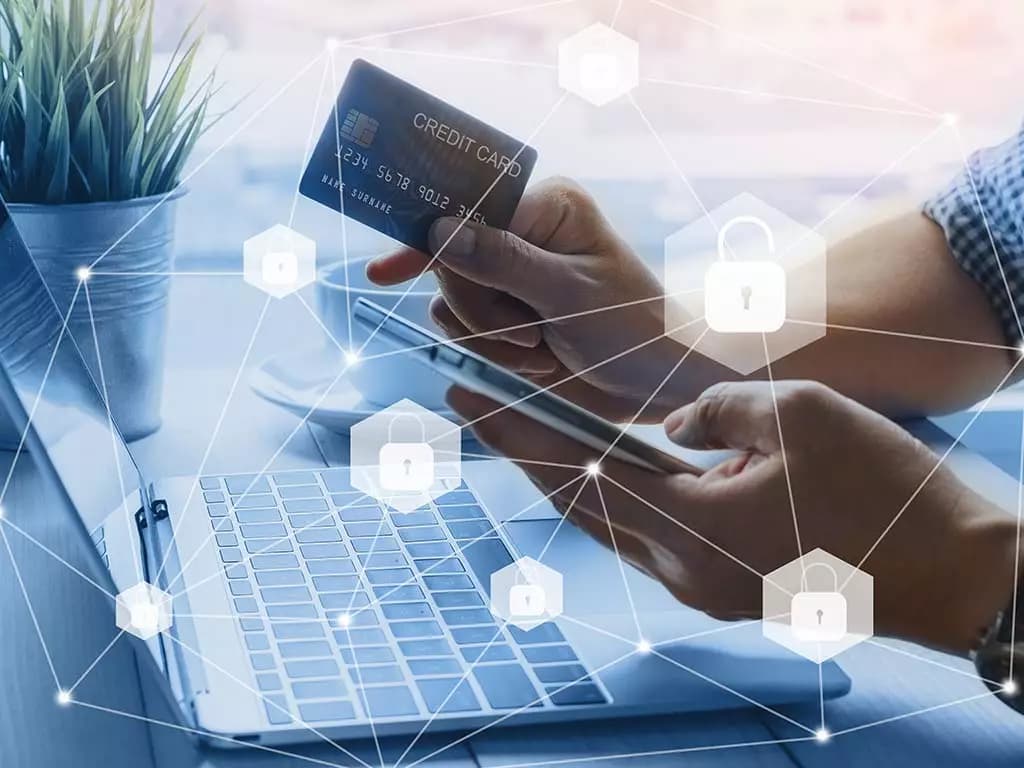
Credit card transactions are highly secure which helps avoid fraud. Transactions appear on a single statement at the end of the billing cycle. As businesses seek out innovative payment methods that offer convenience and adaptability, adopting no buró card alternatives provides newfound flexibility. These alternatives can cater to businesses and entrepreneurs who require funds but wish to avoid traditional credit checks.
2. Automated Clearing House (ACH Payments)
ACH, which stands for Automated Clearing House, is another form of B2B digital payments that is faster and more efficient than hard-copy methods. This type of transaction moves electronically from one entity to another using a routing number and bank accounts. ACH payments work great for B2B recurring payments.
Many organizations use ACH as it is cost-effective, and help marketers manage cash flow and settle accounts. There is a daily cut-off time for ACH payments and they are only used in America.
3. Wire Transfers
Wire transfers are a digital form of payment that facilitates B2B transactions. For real-time payments, companies often use wire transfers for eCommerce and other digital transactions. For international payments, wire transfers are the way to go. Companies looking for a quick transfer find wire payments to have the best terms and timing. Some wire transfers also have a daily cut-off time. There are two types of wire transfers: cash and digital. In a cash-based wire transfer, funds are sent to a cash office for a recipient to collect. In digital wire transfer, funds are sent electronically from one bank account to another.
4. Digital Payment Platforms
A popular form of B2B digital payment option is using an online platform from popular fintech brands such as:
- PayPal
- Venmo
- Google Pay
- Dwolla and
- Skrill
These platforms can be used to electronically transfer money from one account to another. While some of these payment platforms like Venmo and Google Pay are available through mobile apps other like Paypal are used through a PC and/or mobile device. One downside of using these platforms is that the fee incurred can sometimes be a lot higher than other forms of digital payments.
5. Paper Checks
There has been a decline in the use of paper checks since the past decade; however, the companies are still using these to pay other businesses. Convenience-seeking customers are often more interested in speed over security. For others, speed is of lesser concern when serving other vendors.
With the help of checks, brands can better track cash flow and inventory because there’s always a definitive audit trail which isn’t possible with other digital payments. Paper checks offer benefits like:
- Security & fraud detection
- Traceable checks
- Easier budgeting, and
- The facility of delayed deposit
6. Cash
Cash, in some cases, facilitates better B2B transactions than other types of payments. Businesses paying cash never have to pay an annual fee such as a line of credit.
The advantages of using cash include keeping your transaction expenses at a minimum. In some cases vendors only accept cash. Any other type may lead to late fees and inconvenience.
On the downside, paying with cash, all the time, produces a negative cash flow balance. Credit cards and electronic payments might be delayed. Paying with direct cash eliminates the amount from your cash flow balance immediately.
Top B2B Payment Solutions for Businesses in 2021
As automation is driving B2B payments, conventional payment methods such as cash have become outdated pretty soon. Several new trends have evolved in the B2B payments space, including:
a) Mobility
The use of mobile devices has become a predominant trend for B2B marketers. Companies have started rolling out enhanced mobile capabilities and payment portals as demand continues to rise. This, in turn, gives a business more flexibility with its business operations.
b) Real-Time Processing
Another trend gathering momentum is real-time payments. Companies use real-time payment systems and infrastructures are being developed and planned in more countries.
Companies require speed, ease, convenience, security, and swift processing of their payments. This drives more innovation and disruption in the payments industry.
Peer-to-peer Payments
The biggest trend in B2B payments seems to be the path of peer-to-peer payments. All this starts with speed and reliability. After all, companies need to be paid on time to keep running and conveying whatever solution they need to deliver as quickly as possible.
Here is the list of the top B2B payment solutions for businesses:
1. PayPal
This arguably is the most popular B2B payment platform and has been a player in the P2P financial space since 2003. The Paypal ecosystem in addition to accepting online payments also offers other services such as barcode scanning, inventory tracking, and eCommerce.
The additional features include online invoicing, credit card reader, express checkout, mobile card reader, and “Bill me Later” financing.
Opening up a simple PayPal account is absolutely free. However, an additional cost might be involved depending on the methodology of changing and receiving the payments. Business accounts start at $30/month.
The advantages of using the platform include global acceptability with international transactions, fully customized online checkouts, and P2P transactions that are absolutely free of cost.
The downside of the platform includes long holds being put on funds for a variety of reasons, inaccessible customer service, and lack of integration.
2. Transferwise
This UK-based company believes that money should have no borders. They specialize in global payments at a mid-market rate with no unexpected fees. It’s fast, secure, and simple. The additional features include:
- Handling up of large transfer amounts
- Multi-currency account for spending, accepting, and holding money, and
- Simple transfers from one account to another
Creating an account with Transferwise is absolutely free. A fee is however involved to add funds and convert currency. The site has a calculator so that the marketers are never guessing rates.
The site facilitates international money transfers, is user-friendly and easy to navigate, the transfers are fast and efficient and the platform is amongst the most affordable ones for rates. On the downside searching for payees in this system can sometimes be difficult.
3. Nickel
Nickel is a business-focused accounts receivable and accounts payable platform that has branded itself with a focus on small industrial businesses. Nickel’s core differentiators are its focus on reliability and low costs when making large transactions.
One of the only platforms to offer unlimited free ACH to customers, businesses can send and receive ACH payments up to $1M with no per-transaction or percentage-based fees on the Nickel platform.
Plans range from a free Core plan which limits individual transactions to $25K, $45 per month for the Plus plan that removes that transaction limit, and $300 a month for Nickel Pro which offers API access and other advanced features.
Nickel has consistently been rated the easiest-to-use and best-value payments platform on platforms like G2 and Capterra, and has native QuickBooks online and desktop support.
4. Tipalti
This is amongst the most trusted brands for B2B payments that one can find. The platform has over 150,000 suppliers and MTLs in the required states.
The platform automates the entire payment management process and eliminates up to 80% of the accounts payable workload. They offer bi-directional integration competencies (Netsuite, Quickbooks Online, etc.) to large ERPs with an automated file import/export system.
The pricing starts at $149 per month and this platform benefits both the supplier and payer. With growth, businesses can adopt for more advanced capabilities of Tipalti alternatives.
The platform has specifically designed the Supplier Manager Portal for national and international compliance and facilitates easy and error-free payment management in 196 countries.
Data can be normalized across any payment as the brand offers strong automation functionalities. Searching for the payees in the system can sometimes be difficult.
5. Square
This platform has been designed to easily and securely process transactions with long-term contracts or extra fees. All forms of payments can be accepted such as tap, swipe, dip, key-in, invoices, appointments, and online payments.

The open API of the platform also allows businesses to build their own custom solutions. Some interesting additional features include issuing and redeeming gift cards, accepting split tender payments, managing online store orders, generating custom reports, and connecting a Bluetooth scanner and cash drawer.
The standard processing fee is 2.6% + 10 cents for swipe, chip, magstripe, and contactless. Extensive reporting and in-depth analysis is a key competency of the platform. The cost for an instant deposit is high compared to other systems and it’s challenging to switch accounts between multiple locations.
6. Remitly
Remitly is an international payment system that leverages mobile technology to transact across the globe. They’ve sent over $15 billion in funds across the globe with no hidden charges. The tool is fundamentally faster than most financial tools with global functions.
The economy package of Remitly is free. Safe and fast currency conversion is amongst the upsides of the platform. Even the transfer rates are highly competitive and not all countries allow cash pickup.
7. Payoneer
This platform boasts a mass payout service, allowing companies to pay their employees with a single click – regardless of their geographical locations. The software promotes an accommodating and secure payment process, providing top-notch services.
This brand is the worldwide member service provider of Mastercard and facilitates cross-border payment. The transaction fee is $2.99 for a local bank transfer & $15 for a USD SWIFT transfer.
One of the biggest strengths of the platform is that it can be used to receive funds domestically as well as internationally. However, on the downside rates and exchange fees are higher than the market average.
8. Skrill
This platform serves your businesses efficiently and eliminates worries. The transactions using this brand facilitate anti-fraud screening and provide mobile management for transactions on the go. The brand provides several online tools to avoid cart abandonment.
This payment option is absolutely free as long as brands are active and consistently logged in. The platform offers hassle-free online payments, offers more currencies than PayPal. The platform is highly accessible in many different markets. However, a minimum monthly fee is required to keep the account open and not all international banks have a tie-up with the payment facilitator.
9. Neteller
This brand allows users to shop securely and safely anywhere in the United States & offers more than 100 different payment options. Businesses benefit as they can make instant payments to thousands of sites around the world.
All the customers need is an email address and a password to pay & the average cost for processing is around 2.5% per transaction. Neteller is your ultimate virtual wallet with top security; however, the third-part funding can have hidden fees.
10. Paysera
This brand facilitates the quick and easy transaction of international funds. It remains an inexpensive option for money transfers in more than 180 different countries. The platform facilitates easy transfers in minutes to more than 5,000 e-shops. It is easy to manage business revenue with Paysera checkout; however, the card is only used in European countries.
11. Stripe
This platform is amongst one of the most popular B2B payment systems around. The brand is headquartered in San Francisco and focuses on ease of use. They also offer open API, which helps to customize the platform, streamline the payment process and avoid bottlenecks.
The brand provides Stripe Radar for advanced fraud management and is an affordable option for businesses of any size. The tool is easy to install, manage and update and can be customized in many different ways. However, one requires a staff developer to use the open API.
Each of the above-listed B2B payment options is advantageous to marketers in ways more than one. They help optimize cash flow, simplify the accounting process, increase security and optimize time and labor.
Ways to Protect Your B2B Payments from Security Threats
As the cybersecurity landscape continues to evolve, hackers take advantage of digital and hyper-connectivity to access networks and systems. The spread of malware and ransomware attacks has become quite common. Supply-chain attacks like SolarWinds and Accellion take advantage of third-part data and software to find backdoor entries into enterprises.
A recent analysis by IBM revealed that the average cost of a data breach is around $3.86 million and mega-breaches cost around $392 million.
So, B2B marketers must safeguard their transactions and file exchanges and mitigate risks to high-value digital assets. Enterprises can strengthen their security posture using the following three techniques:
a) By Limiting Exposure
To prevent intruders from sneaking into their trusted zones, marketers need to establish a strong foundation that covers the digital entry points where external information comes into the safe zone for your enterprise. Ensure that your IT security teams follow best practices like encryption, authentication, and authorization.
Implementing strong edge security for Managed File Transfer (MFT) can help identify whether the incoming payloads are clean and coming from trusted sources.
b) Learn to limit the spread
Despite putting in the best efforts, marketers may find a bad player within their trusted zones. It’s up to them then how they prevent it from spreading further. Another best practice is to avoid the use of common protocols like IBM Sterling Connect: Direct over SFTP which provides high-volume and security-rich enterprise file transfers.
Restricting the number of endpoints and using proprietary protocols and a solution architected for enterprise-class secured file transfer helps limit the damage due to the spread and assists in the next step – recovery.
c) Initiate Recovery
Once the impacted systems are identified, the environment should be immediately cleaned and restored. Restoration involves a complete rebuilding of the systems from the operating system up and changing all credentials and certificates.
The process involves having multiple stores for managing systems individually on each server. This requires multiple stores or managing them individually so that a considerable amount of time can be saved. The overall resiliency framework of organizations requires a complete rebuild of the operating system and changing all the credentials and certificates. The process can get very complex and time-consuming and requires businesses to use unique solutions such as IBM Sterling Partner Engagement Manager (PEM). This tool makes it possible for businesses to change all the credentials and certificates in one place.
Business model resilience needs to be a comprehensive part of your business continuity plans. Organizations should realize that business models can be just as big a threat to the continuity of operations. The key is to ensure that your business model is as resilient to outside disruptions as the rest of your business is.
Daniel Sun, VP Analyst at Gartner states, “Companies need to leverage a systematic approach to strengthen the resilience of their current business models to ensure their ongoing operation during COVID-19.” He further emphasizes that CIOs can play a key role in this process since digital technologies and capabilities influence every aspect of business models.
Gartner also recommends a five-step process for ensuring business resilience:
1: Defining the current business model
2: Identifying Uncertainties
3: Assessing the Impact
4: Designing Changes
5: Execute Changes
Organizations must not only plan for disruption to resources and processes but should also recognize that business models can be just as big a threat to the continuity of operations.
Wrap Up
B2B payments require more time to approve and settle the transaction that may take days or weeks. Each B2B payment method has its own set of benefits compared to the others; however, they also have profound differences. According to Pymnts.com, 63% of invoices require anywhere between two to five signoffs while as many as 80% of all B2B payments can be made by checks. Also, it takes an average of 14 days to process an invoice. B2B payments can be slow, cumbersome, paper-based with companies who buck the trend might be able to realize competitive advantages.
The world of B2B payments has changed dramatically since the intrusion of the novel coronavirus. The above guide aims to guide companies on how to choose payments and become an expert on modern payment trends and best practices.
Valasys Media is a pioneer in the B2B Media publishing space providing marketers with an array of data-driven services such as Lead Management, Data Solutions, Sales Pipeline Management, and Business Intelligence Solutions.
Contact us to optimize your marketing and advertising endeavors for maximum traction.