

Lead-Gen now on Auto-Pilot withBuild My Campaign
Valasys Media — Empowering marketers with powerful insights

Top 3 tips to Fight Back the Negative SEO Fever

Negative SEO refers to deteriorative strategies of competitors conspire to lower your organic rankings on Search Engine Result Pages (SERPs).

Valasys Media
Valasys Media
Last updated on: Nov 9, 2023
Negative-SEO

One of the foremost concerns of B2B marketers is improving the web discoverability of their websites to help them achieve the desired bottom-line business goals. Search Engine Optimization (SEO) is the practice of improving the reach of the website to the prospects or simply its discoverability across the search engines. So far, so good. You are doing SEO to boost your organic traffic and completing your endeavors with some paid advertising.

Read more on Top 10 PPC Trends for 2020

Fantastic, terrific!

But are the real-world scenarios so easy to perfect? I mean think about this, you do have competitors and let’s face it in the competition age of modern times, they can and will, for obvious reasons try their best to ruin your rankings.

Your website traffic can go for a toss within the blink of an eye if you don’t know what standard negative SEO practices are and what to do to combat them. It’s better to figure out what’s cooking in your competitors’ minds before they make you encounter distaste with dropping website rankings.

Negative SEO can be defined as a group of deteriorative strategies that your competitors may conspire to lower the ranking of your website and pieces of content on Search Engine Result Pages (SERPs). Common SEO attacks that qualify under negative SEO often include off-page tactics such as building unnatural links to a website and stealing and reposting its content in disguise (sometimes also confused with content syndication).

Read more on 10 Benefits of Employing a Powerful Content Syndication Strategy

So while negative SEO can’t be the only reason for the fall in your SEO rankings, you can always keep a check on them to avoid any possible occurrences.

Understand the Malicious Dark Realm of Negative SEO to Combat It

Good SEO is definitely an invincible asset for your website. In the words of blogger Jill Whalen, Transformational Consultant at Jill Whalen Consulting good SEO can help you sustain your website’s organic rankings amidst the constant changes in the Google search rank algorithms:

“Good SEO work only gets better with time. It only searches engine tricks that need to keep changing when the ranking algorithms change.”

Read more on Google Algorithmic Update: SEO Best Practices for B2B Brands

Negative SEO often leads to devastating aftermaths even if the rankings are unaffected. It can adversely impact your branding and omnichannel reputation management endeavors.

Many people confuse negative SEO with black hat SEO. The two terminologies bear entirely different meanings though. Negative SEO refers to a set of remote, often daunting and deteriorative SEO practices by your competitors aimed at costing you the organic rankings in your SEO space.

The negative SEO definition includes activities such as content strapping, building spammy and unnatural links to the website and also practices such as hacking of the website.

Black hat SEO, on the other hand, refers to the unethical practices, violating the guidelines of search engines to improve the rank of a website or a page on the search engines. These practices are often executed by the owners of the websites themselves or someone having a legitimate authority in this regard, unlike the negative SEO game played by your competitors.

The dark art of negative SEO includes purchasing hundreds or thousands of spammy links using all sorts of different software.

The process called disavow SEO can be used to monitor and discard the harmful links. Marketers can use Google Search Console to disavow links.

With negative SEO comes the corruption of data that are employed to make decisions about the search results. Negative SEO in the form of bad links will push your data over the permissible limit of the number of links in the Google Search Console (GSC). Negative SEO causes bad links to outnumber the good ones, resulting in an increased cost to data visualization.

Content duplication or copied content is another most common negative SEO tactic. Syndicating content to a number of third-party content syndication websites is one thing while copied content costs you your website traffic which is unnecessarily diverted to third-party websites.

Negative SEO not only adversely impacts rankings but internal links too, get converted to syndicated links.

Nofollowe malware links found in User-Generated Content (UGC) and hacked content (when your competitor injects HTML on a part of the page on your website) are the lesser-known negative SEO malaises.

Apart from risking your revenue, negative SEO also runs you to a situation of Fear, Uncertainty and Doubt, i.e. FUD.

With negative SEO practices not only is involved the risk of being penalized by the search engines in terms of organic rankings, but there’s also an additional situation created where your SEO is totally ineffective and just wouldn’t work.

The following tactics can help marketers fight back against the negative SEO tactics put to play:

1. Creating Canonical burn pages

Suppose there’s a page on your website that you want to rank and is very important for your business. It might have the information pertaining to your products or services or any other critical information.

In such a situation marketers need to create another version of the original page with a canonical link pointing back to the original one. All your link-building should be directed to the canonical page.

A canonical burn page is an excellent answer to the negative SEO practitioners. Suppose somebody is doing negative SEO. They can either do it for the page that’s ranking or the page that’s getting linked to. Normally the page ranking falls prey to negative SEO. When this happens, marketers can remove that page, retaining just the canonical burn page which doesn’t have any negative links.

In case the negative SEO practitioners target your canonical burn page, marketers can remove that page, retaining just the original page. In such a situation, your hard-earned links might be sacrificed but that SEO hopes alive for the future, nonetheless.

2. Stop your Content Thieves with Embedded Style Attribution

Your content thieves might not be copying your CSS stylesheet. Get these sheets published to all of your competitor websites. Make sure the published content has big and catchy fonts with the author’s name on it or with some interesting phrases.

This strategy often scares and frustrates your content thieves and prevent them from doing the deed.

3. Track the links pointing to Your Website

Track real, good-quality links and add them to your link list. You can do this with the help of Moz’s Link Explorer, having a functionality called Link Lists.

Keeping a track record of good links can help you easily demarcate the bad ones being fetched by a campaign. This strategy helps figure out what’s actually being ignored by Google, amongst the links that matter most to you. Thus, it helps combat the negative SEO game.

Wrapping Things Up

You can be hit by a tactic anytime. Therefore, care should be taken to keep yourselves geared up to face any adversity that arises. Your SEO practices even in the worst scenarios shouldn’t be halted altogether.

Using data-driven SEO practices keep marketers from falling prey to negative SEO and keeps the critical data safe for taking data-driven decisions. While it’s not possible to determine with absolute certainty whether the fall in the organic rankings is because of or any other reason, marketers must always be prepared to fight negative SEO scenarios.

Remember organic SEO is amongst the most inexpensive and effective ways to optimize organic rankings and hence it is important for marketers to keep it certain by avoiding the negative SEO practices. Also, the tactic pays off to keep paid advertising and other forms of advertising only reasonably valuable.

Valasys Media is a one-stop B2B service provider, leveraging pro-level expertise to help marketers minimize their marketing investment and yet scale-up their revenue games. Our hyper-tailored services include Event Marketing, Content Syndication, Lead Generation, Contact Discovery, Account-Based Marketing, Lead Nurturing & Appointment Setting services to help marketers continually improve their marketing endeavors.

Related Posts

credit-card-online-security-checklist

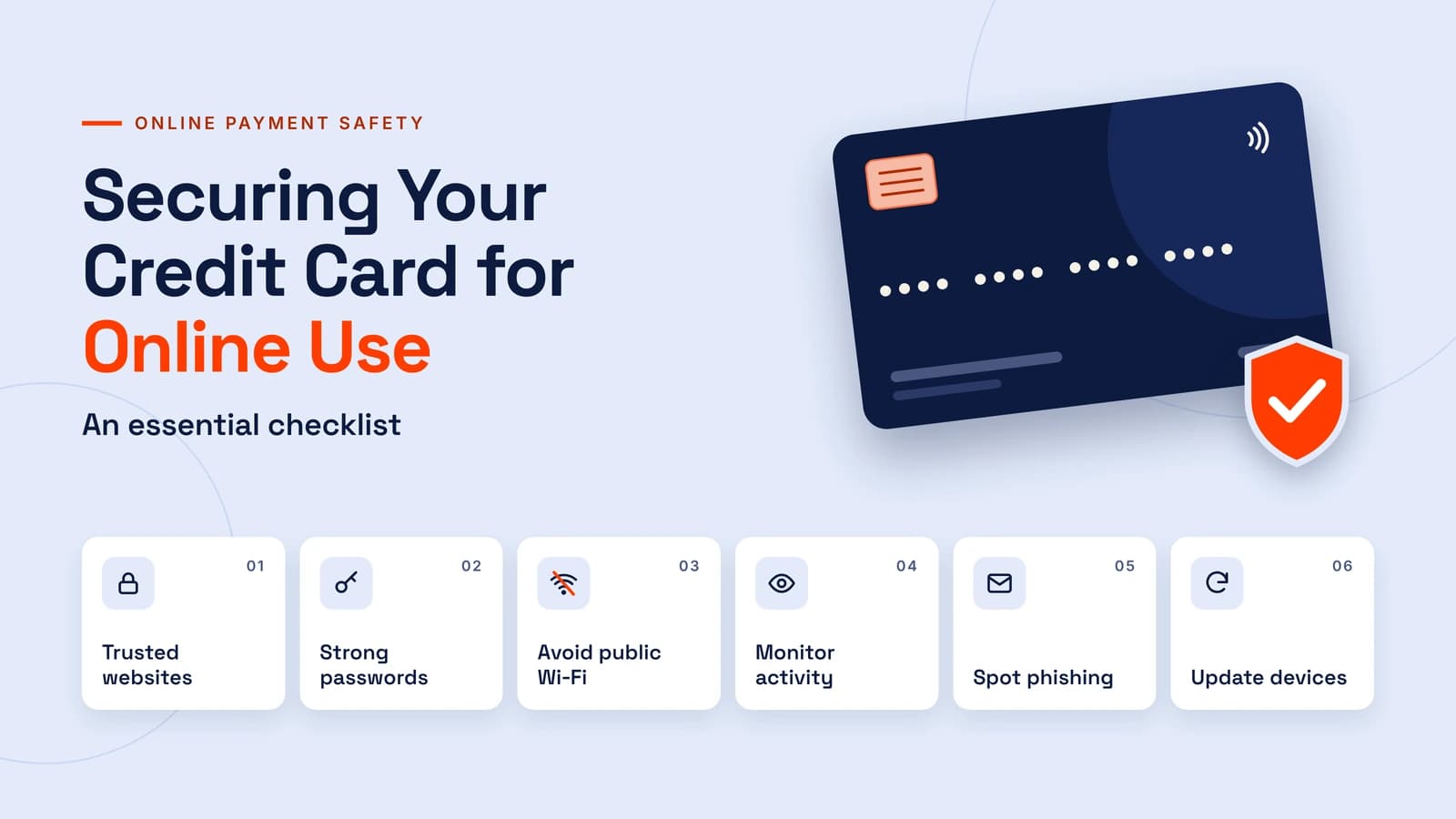
Securing Your Credit Card for Online Use: An Essential Checklist

Guest Author

Our modern lifestyle increasingly relies on convenience and connectivity. This is reflected in nearly all aspects of living, including how we obtain goods and services. Today, e-commerce has evolved into a dominant force in daily life, allowing consumers to access everyday essentials and other products from the comfort of their homes. However, along with the rise of online transactions comes the growing risk of falling victim to cybersecurity threats. Because individuals often rely on credit cards to make electronic payments, it‘s essential to practice greater vigilance when using these financial tools online to prevent their personal and financial information from being compromised. To that end, here are some practical considerations that can help individuals secure their credit cards when making purchases online: 1) Use Secure and Trusted Websites for Online Purchases One of the most important steps in ensuring secure online credit card transactions is verifying that the website used for a purchase is legitimate and secure. Reputable websites typically use encrypted connections that protect the information entered by users. You can often confirm this protection by checking for “https” at the beginning of the website address or by viewing the security icon displayed by most web browsers. Also, take time to evaluate unfamiliar online stores before entering payment details. Fraudulent websites may imitate legitimate retailers in order to collect credit card information from unsuspecting users. Reviewing the website’s domain name, examining its contact information, and searching for independent customer feedback before you use your Maya credit card can help you determine whether the site is trustworthy. 2) Strengthen Account Protection with Strong Passwords Many e-commerce platforms store payment information within user accounts to simplify future purchases. While this feature adds convenience, it also risks exposing saved credit card details if an account is accessed without authorization. As such, individuals should use strong passwords for their shopping and payment accounts. A secure password usually contains a combination of letters and numbers and avoids easily guessed information such as names or birthdays. In addition, it’s helpful to use different passwords for different online services. When the same password is used across several websites, a single security breach may allow attackers to gain access to multiple accounts. A number of platforms also provide additional authentication steps that require a verification code during login attempts. These features add another layer of security that can help prevent unauthorized users from accessing accounts that contain stored payment information. 3) Avoid Public Wi-Fi When Entering Credit Card Information Public wireless networks, which are often available in cafes, airports, or hotels, may offer convenient internet access, but they may not provide the same level of security as private connections. Some public networks lack proper encryption, which can make it easier for cybercriminals to intercept information transmitted through the connection. Thus, entering credit card details while connected to an unsecured network may increase the risk of data exposure. When making online purchases, it’s safer to use a trusted private internet connection such as a home network or a secure mobile data connection. If you must complete a purchase while away from home, confirm that the website uses encryption and avoid connecting to unknown networks. 4) Monitor Credit Card Activity Regularly Regularly reviewing credit card activity can help you detect unauthorized transactions before they cause significant financial harm. Most financial institutions provide mobile banking applications or online platforms that allow cardholders to view their transaction history. You should also make it a point to check recent purchases on a routine basis so that there’s a better chance of you quickly identifying charges you don’t recognize. The most reputable credit card providers also offer SMS, email, or app notifications that alert cardholders when a transaction occurs. Prompt awareness of unusual activity allows consumers to report suspicious transactions to their financial institution without delay, which often helps prevent additional fraudulent charges. 5) Be Cautious of Phishing and Online Scams Phishing scams are designed to trick individuals into revealing personal or financial information through deceptive messages. These scams often appear as emails or text messages from senders pretending to be a bank, payment platform, or online retailer. The message may request urgent action, such as confirmation of account details, or direct the recipient to a fraudulent website that asks for credit card information. Individuals should approach unexpected payment requests or account warnings with caution. Before clicking links in suspicious messages, you’ll want to visit the company’s official website by typing the address directly into your browser to verify whether the message is from a trusted source. Legitimate institutions rarely ask customers to provide sensitive financial information through unsolicited messages. Being mindful of these tactics can help prevent the accidental disclosure of credit card details. 6) Keep Devices and Software Updated Computers, smartphones, and tablets rely on operating systems and applications that occasionally require updates. These updates often contain security improvements that address newly discovered vulnerabilities. It’s crucial to pay attention to these updates to prevent exposure to malware that could capture financial information. Keeping devices updated helps maintain a safer environment for online payments. By installing software updates promptly and using reputable security programs, you can reduce the likelihood of malicious software being installed on a device. Credit cards are valuable for enhancing convenience and flexibility in managing payments in today’s digital economy. While these financial tools come with protective features of their own, maintaining secure electronic transactions still largely depends on your credit card use habits and online practices. If you can leverage your card’s security features, stay aware of common cybersecurity threats, and maintain safe online behavior, you should be able to ensure that your personal and financial information remains secure. This approach not only limits online security risks but also allows you to enjoy the benefits of e-commerce with greater confidence and control.

The Role of a Security Operations Centre in Managing Cyber Risks

The Role of a Security Operations Centre in Managing Cyber Risks

Guest Author

Cyber risk is not managed by tools alone. Firewalls, endpoint agents and identity controls all generate signals, but somebody has to watch them, decide what matters and act before a minor intrusion becomes a reportable breach. That is what a security operations centre provides: a defined team, working to defined processes, responsible for noticing trouble and responding to it. Past a certain size, it is the difference between knowing an incident happened and hearing about it from a customer. What Is a Security Operation Centre? A security operations centre monitors an organisation’s systems for signs of attack and coordinates the response when something is found. It may be a staffed room, a distributed team working in shifts, a managed service, or a hybrid. The physical arrangement matters far less than the operating discipline. Understanding what a Security Operation Centre does is easier once separated from the technology it runs. Detection platforms, log correlation and automation tooling are instruments. The centre is the capability: defined roles, documented procedures, escalation paths that work at 2 a.m., and accountability for outcomes rather than dashboards. Core Functions of a Security Operation Centre Continuous Monitoring and Threat Detection Monitoring means collecting telemetry from endpoints, networks, cloud workloads and identity systems, then applying detection logic. The aim is not to see everything, but to see what indicates compromise: unusual authentication patterns, privilege escalation, unexpected outbound traffic, tampering with logging itself. Incident Response and Containment When a detection holds up, the centre moves to action: isolating hosts, disabling accounts, blocking infrastructure and preserving evidence. The quality of this stage depends on preparation. Teams that have rehearsed a ransomware scenario behave differently from those reading the plan for the first time. Threat Intelligence and Proactive Hunting Mature centres do not wait for alerts. They use intelligence about attacker techniques to hunt for activity the detection rules missed, then feed what they find back into new detections. This closes the gap between what is known publicly and what the organisation can see. How a Security Operation Centre Reduces Business Cyber Risk Risk reduction comes from compressing time. Most damaging incidents involve a period during which an attacker is inside the environment and nobody knows: establishing persistence, harvesting credentials, locating valuable data. Detection shortens that period, and every hour removed reduces what must be contained, reported and remediated. Four further contributions tend to matter to boards: Decision support. Someone can say whether an exposure affects the organisation, rather than forwarding an advisory. Regulatory readiness. Breach notification deadlines are short, and case records let the team meet them with evidence. Third-party assurance. Customers and insurers increasingly ask who monitors the environment and how. Prioritised remediation. Observed attacker behaviour shows which weaknesses matter most, which beats a severity list. In-House vs Outsourced Security Operation Centre Models Building internally gives the deepest business context. An internal analyst knows which server runs payroll and which odd login is the finance director travelling. The cost is substantial: round-the-clock coverage realistically needs eight to twelve people, plus tooling, training and the attention to retain them. Outsourcing to a managed provider buys coverage immediately and spreads cost across clients. The trade-off is context. External teams work from runbooks rather than familiarity, so escalations arrive with less interpretation and handover needs real attention. The hybrid arrangement is now the common choice for mid-sized organisations. The provider handles first-line triage and out-of-hours monitoring; an internal lead owns escalation, incident command and the relationship with the business. What makes it work is unambiguous ownership of decisions, written down before the first incident rather than negotiated during one. Security Operation Centre Roles and Team Structure A functioning centre has distinct roles rather than a pool of generalists. First-line analysts triage alerts against documented criteria. Second-line analysts investigate what survives triage and lead containment. Detection engineers build and tune the content that generates alerts. Intelligence specialists provide adversary context, and a manager owns process, metrics and executive reporting. Two structural points are consistently underrated. The first is authority: a centre that must request permission to isolate a machine during an active intrusion loses time it cannot recover, which is whypublished SOC design strategies place mandates alongside structure and staffing. The second is career progression. Triage work burns people out, and teams without a route upward lose trained analysts to employers who offer one. SOC Metrics That Show Cyber Risk Is Falling Alert counts measure activity, not effectiveness. Useful measures track the process: time to detect, time to triage, time to contain, and the proportion of incidents found internally rather than reported by a third party. That last ratio is the clearest indicator of whether monitoring works. Two further measures deserve attention. Detection coverage against known attacker techniques shows where visibility is missing. Alert quality, the share of escalations that prove genuine, shows whether analysts spend time on real work or noise. Metrics should also be reported in business terms. Executives respond to dwell time and containment of material systems, not volumes of events processed. Common Security Operation Centre Challenges The constraints are consistent across organisations.Annual security operations surveys repeatedly find that the obstacles teams cite most often are missing context around what they are seeing and a shortage of skilled staff, with limited enterprise-wide visibility close behind. The same research notes that most centres are small, commonly eleven to twenty-five people, relative to the volume they handle. Three responses help. Automate enrichment so analysts receive context rather than gathering it manually. Invest in asset inventory, because detection without knowing what a system does produces alerts nobody can judge. And tune aggressively: a quieter queue of higher-quality alerts beats comprehensive coverage nobody has time to review. Conclusion A security operations centre manages cyber risk by turning scattered signals into decisions and decisions into action, quickly enough to limit damage. The model matters less than the fundamentals: clear roles, documented processes, real authority to act, visibility into the systems that matter, and measurement showing whether detection and containment are improving. Organisations that treat it as a staffed capability with executive

Why MQLs Do Not Become HQLs: 5 Common Reasons

Why MQLs Do Not Become HQLs: 5 Common Reasons

Pranali Shelar

Marketing reports 400 MQLs. Sales asks how many are worth calling. Suddenly, that impressive number needs a little explaining. The gap between lead volume and actual business impact raises a bigger question: are MQLs really reflecting revenue potential? You’re investing in demand generation, paying for lead delivery, and meeting campaign targets. But if Sales keeps rejecting the leads, what exactly is that investment producing? The problem may not be the qualification framework itself. It may be the lack of alignment between how marketing and sales interpret it. When both departments apply different definitions of what makes a lead qualified, the same MQL can meet Marketing’s expectations but fall short of Sales’ requirements.  MQLs do not become HQLs when the initial criteria used to capture and classify interest don’t match what Sales needs to consider a prospect qualified. Why Do MQLs Fail to Become HQLs? MQLs fail to become HQLs when they meet basic marketing criteria like engagement and demographic thresholds but lack additional evidence of buying interest, such as repeated website visits, longer sessions, or search propensity across search and generative engines, and fall short of the business requirements for further sales qualification. Common causes include audience mismatch, incomplete lead information, confusion between data verification and qualification, unclear delivery expectations, and inadequate sales feedback. 5 Reasons MQLs Do Not Become HQLs Several issues can prevent an MQL from progressing into an HQL. The following table summarizes the five common reasons, what each looks like in practice, and how it affects lead quality. Reason What it looks like Business impact The campaign attracts the wrong audience Responses come from people outside the intended audience Lower audience relevance Contact details don’t tell the whole story Lead records lack useful business context Sales cannot assess the prospect confidently Verification gets mistaken for qualification Valid contact details are treated as proof of qualification Unqualified contacts move forward Provider and buyer have different delivery expectations Both sides interpret lead requirements differently More delivery disputes and rejected leads Sales feedback doesn’t explain the rejection Rejection reasons are vague or missing The same problems continue across campaigns Let’s look at each reason more closely. 1. The Campaign Attracts Interest, but Not the Right Audience A campaign can generate plenty of engagement without reaching the people most likely to become customers. For example, a cybersecurity report may attract IT students, consultants, practitioners, and senior security decision-makers. All may download the asset, but not all belong to the intended buying audience. This often points to a mismatch between campaign targeting and the intended customer profile. A clearly defined ideal customer profile helps establish which market and audience the campaign should reach. 2. Contact Details Don’t Tell the Whole Story A lead record may contain a valid business email, company name, and job title. That makes the contact identifiable, but it doesn’t necessarily make the person a qualified prospect. Sales may still lack basic context about the person’s business requirements or relevance to the solution. In other words, a complete contact record isn’t automatically a useful qualification record. Agreed HQL criteria help clarify what information should support a qualification decision. Incomplete lead information is one reason an MQL may fail to progress. The broader process of converting MQLs into HQLs depends on more than a valid contact record.   3. Verification Gets Mistaken for Qualification A verified email address confirms that contact information meets a basic validity check. It does not establish whether the prospect meets the buyer’s qualification requirements. Verification goes beyond email validity or contact accuracy.  This distinction is easy to miss when lead delivery reports emphasize verified records and completion rates. But verification and qualification answer different questions: Verification: Does the lead information meet the agreed verification requirements?  Qualification: Does the prospect meet the agreed requirements for further sales engagement? Treating these as interchangeable can make a campaign look successful on paper while leaving Sales with leads that aren’t ready for consideration. This distinction is particularly important in content syndication lead validation. 4. The Provider and Buyer Have Different Definitions of Delivery A provider may deliver the agreed number of leads and consider the campaign complete. The buyer, however, may evaluate success based on whether those leads meet its qualification requirements. For example, a campaign delivers 500 leads against the agreed target. Yet Sales rejects a significant portion because the contacts don’t match the expected audience or qualification criteria. The issue isn’t necessarily the delivery volume. It’s the difference between what the provider considers a completed lead and what the buyer considers a usable HQL. Similar disagreements can arise when sales rejects delivered leads. Both sides need to agree on qualification requirements before the campaign begins. 5. Sales Feedback Doesn’t Explain the Rejection Sales marks a lead as “poor quality” in the CRM. Marketing sees the rejection but has no idea what went wrong. Was the contact outside the target audience? Was the information inaccurate? Did the prospect lack a relevant business requirement? Without specific rejection reasons, marketing and lead generation teams cannot identify recurring problems. The same issues can continue across campaigns because nobody has enough evidence to pinpoint them. This is one reason the HQL generation process needs clear visibility into why leads are accepted or rejected. Why These Problems Matter When Evaluating HQL Programs A campaign can meet its delivery target and still fail to support the sales pipeline. That’s why businesses should evaluate HQL programs on more than lead volume. Look at whether the delivered contacts meet the agreed audience and qualification requirements, whether lead information is usable, and whether rejection reasons are documented. The distinction between HQL, MQL, SQL, and BANT also matters when teams set expectations. These terms represent different qualification contexts, and treating them as interchangeable can create avoidable delivery disputes. Fix the Diagnosis Before Scaling Lead Volume When MQLs fail to become HQLs, generating more leads isn’t automatically the answer. The first step is identifying whether the problem lies in audience targeting, lead information, qualification standards, or the feedback