
Lead-Gen now on Auto-Pilot withBuild My Campaign
Valasys Media — Empowering marketers with powerful insights

Is Bing AI image generator helpful | Best AI image generator?

Bing AI image generator by Microsoft is powered by advanced version of Dall-E. But is it helpful? Or are there any better alternatives?

Alok Chakraborty
Alok Chakraborty
Last updated on: Apr 8, 2026
Is Bing AI image generator helpful - Best AI image generator

Microsoft Presents Bing AI Image Generator

AI is currently rampant. Especially generative AI in content has been revolutionary. But AI is really stepping up ever since. It’s usage in image and video creation has really swooned people’s imagination and captured their interest. Midjourney AI, Leonardo and even SORA have been making rounds on our social feeds all the time. But you know it is a big deal, when incumbents like Microsoft with Bing AI Image Generator also makes a move to capitalize on this growing market.

Microsoft brings Bing AI Image Generator that literally has the power to transform your words into images. Yes, you’ve read that write. Just describe what you want, and Bing AI image generator will render an image based on your description. Nothing less than magical but essentially, this is the real power of AI!

Bing has been a popular search engine, second to Google and Edge has been a long-standing prevalent browser for many years now. Especially, with the growing insecurity regarding data privacy and third-party ad interference, users have been steadily shifting from mainstream search engines and browsers to traditional options.

But when it comes to AI image creators and generators, there has been numerous small to mid-scale labels that have already made an entry into the market with good impact. A stable diffusion platform like Midjourney AI within months of its launch really caught the attention of all netizens.

What makes Bing AI image generator unique?

Recently, the introduction of new AI-powered Bing image creator and Microsoft Edge for co-piloting your web searches created an uproar. Installed within Skype, this chat-format-prompt allows you to type in a simple prompt and create images based on your input. This chat experience has made the experience for the users immersive. The Bing AI image generator is built on an advanced and powerful version of Dall-E and partnering with OpenAI. This enabled Bing to create images from texts. Apart from generating text, Bing has brought GenAI in one place by integrating image creator in the same platform.

You can find this feature both in Bing searches and Bing chats. Their ideology behind this integration was that a human brain reacts and responds well to visuals. A human brain registers an image 60,000 times faster than a text. This makes visual searches and responses central to the way people search and interact with content online today. Also, Bing search engine noticed that image searches are preferred by the user. Such image searches were limited to search engines. But with Bing, now this is implemented in the IM chats like Skype. This has made using AI image generators much easier to access and use. Bing typically translates simple text-based prompts into images in its chat experience.. This feature also comes with preview features. Microsoft Edge will be the only search engine that will come with the AI image generator option.

Microsoft’s AI Standards

As already touched upon, data privacy concerns are at an all-time high. And with AI, the ethical and responsible usage have only heightened. This is why Microsoft is taking utmost care in preventing any data thefts and mitigating any privacy or guideline related risks.

Microsoft, in collaboration with OpenAI, is committed to promoting responsible AI practices, particularly in the development and deployment of Image Creator within Bing. By integrating OpenAI’s safeguards and implementing additional measures, they strive to prevent the misuse of Image Creator. Controls are in place to identify and block prompts that may lead to the generation of harmful or unsafe images, with users promptly warned when such content is detected. Moreover, Microsoft ensures transparency by clearly indicating that images are AI-generated and includes a modified Bing icon for recognition.

The rollout of Bing Image Creator follows a phased approach, starting with a preview for selecting users before expanding its availability. Initially featured in Bing’s Creative mode, Microsoft aims to gradually introduce Image Creator in Balanced and Precise modes. Ongoing optimizations are underway to enhance its functionality, particularly in multi-turn chats. Through this iterative process, Microsoft encourages open testing and feedback from users to responsibly refine and improve the technology for broader adoption.

Comparing Prompts of Bing AI Image Generators with Leonardo

Here’s an example of image generated, one by Bing on Skype and the other by Leonardo:

Prompt 1:

Generate a mountain scenery with river in rural United Kingdoms. Realistic image with serene touch.

On Bing AI Image Creator:

Bing AI Image Generator replicating a landscape of UK.

Bing has a better reality touch as compared Leonardo with play of light and heavy touches. It makes better use of contrast with depth in perspective.

Build My Campaign

On Leonardo AI:

Leonardo AI rendering an output on the same prompt

Leonardo AI, on the other hand, uses light touches with minimal contrast and pastel feel.

Prompt 2:

Give me an image of cyber space for futuristic world depicting a city life and transport

On Bing AI Image Creator:

A futuristic cyber space on Bing AI Image Generator

This particular prompt on Bing AI Image Generator is overlain with futuristic look and feel. It captures motion lapse effectively, but it overly emphasizes the futuristic version.

On Leonardo AI:

Leonardo AI generating a future cyber space with better details

This graphic cyber space by Leonardo AI has better balance and creates far more realistic aspects and elements to the image.

Prompt 3:

Create a fusion of Renaissance with futuristic Punk

On Bing AI Image Generator:

Bing AI Image Generator: Fusion of Renaissance and Futuristic Punk

This Renaissance-Punk fusion has a nice balance to all the colors.

On Leonardo AI:

Poor interpretation of fusion between Renaissance and futuristic punk

This on the other hand fails to capture the Renaissance and heavily relies on Futuristic Punk.

Bing AI Image Generator

All in all, while some may prefer using other AI image generators, many would agree that Bing AI Image Generator is indeed a useful tool that can help designers and netizens create extension of thoughts, and explore creativity from a whole new perspective. While Bing AI image generator, at this point may lack some features, it also provides some crucial characteristics that are missing in others. Either way, Bing AI Image Generator is a fun tool that everyone should explore. Who knows, you might stumble upon something that will replenish your creative juices.

Related Posts

curated programmatic deals checklist

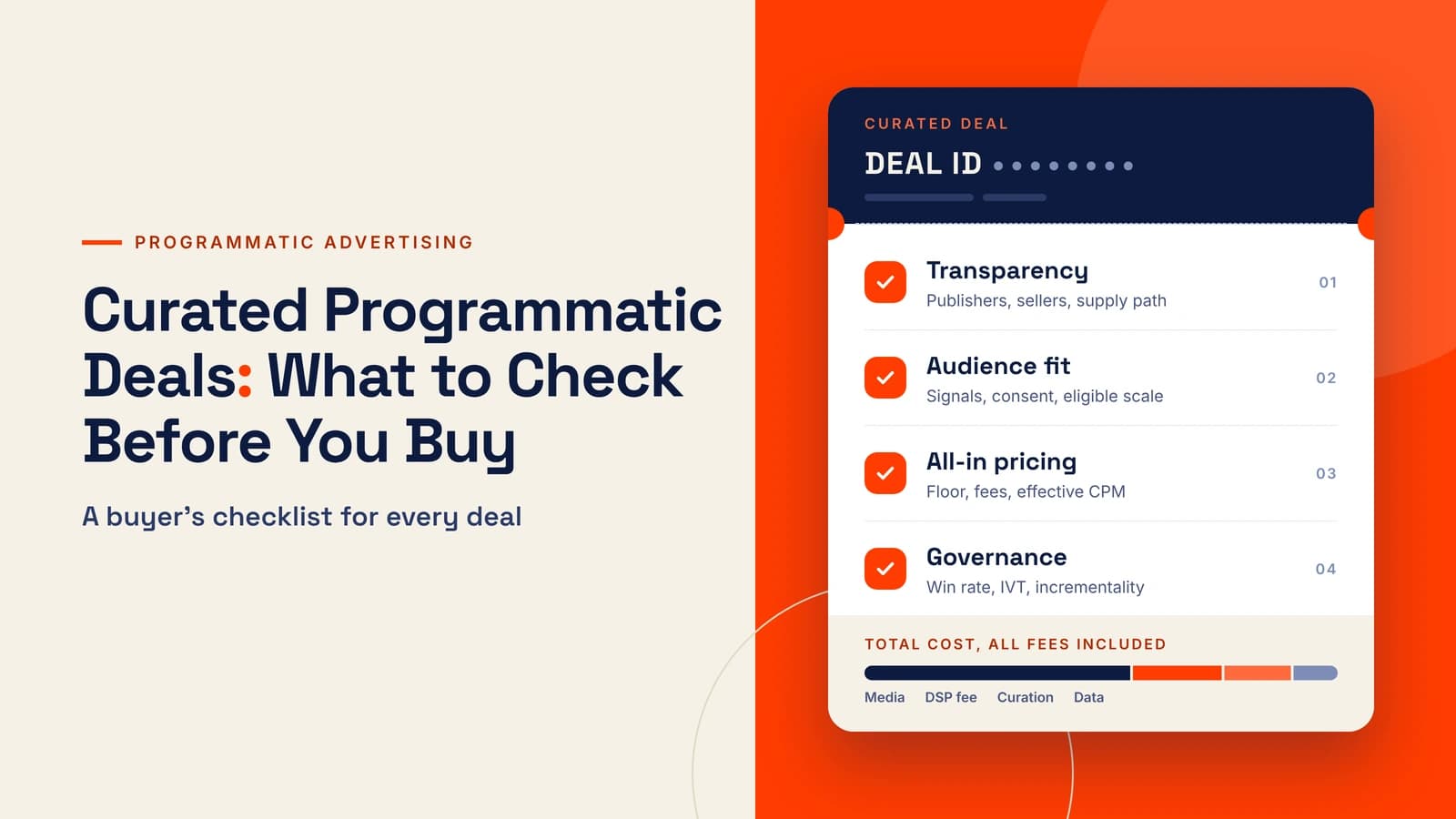
Curated Programmatic Deals: A Buyer Checklist for Transparency, Audience Fit, and Pricing

Guest Author

Curated deals promise easier access to relevant ad inventory, but packaged ad impressions are not automatically a better buy. . Before activating a deal, check what inventory it includes, whether it matches your target audience, and how much you will pay in total, including all fees. buyers can add a curated deal to a campaign and manage it like any other: set budgets, bids, and targeting. The demand-side platform for advertisers from SmartyAds includes access to curated deals, giving teams a practical starting point for comparing packages against campaign requirements. What Are Curated Programmatic Deals and Why Do Buyers Use Them? A curator groups inventory using publisher selection, contextual signals, or audience criteria, often making the package available through a deal ID. This can simplify discovery across publishers. Unlike guaranteed deals, where the number of impressions is agreed in advance, curated deals still run on auctions. How many impressions you get depends on your bids and competition. Transparency Checklist: Supply Path Visibility, Publisher Lists, and Fee Disclosure Before activating a curated deal, use this checklist to verify the supply path and ensure your budget reaches legitimate inventory without hidden markups: Request the publisher or app list, seller identities, and any exclusions. Ask whether supply is direct or passes through resellers, and who can change the package after launch. Check ads.txt or app-ads.txt authorization where applicable. Remember that a deal name alone is not proof of inventory quality. Audience Fit Checklist: Data Signals, Contextual Alignment, and Scale Validation Before committing budget to a curated audience package, run through these checks to confirm that data sources are compliant and available scale meets your campaign goals: Ask what qualifies an impression and whether the signals are contextual, first-party, or third-party. Verify consent and permitted data use, and remember that an audience label describes a group, not verified individuals. Estimate eligible reach after geographic, device, and frequency restrictions, as a narrowly defined package may match the brief yet deliver too little volume to test reliably. Pricing Checklist: Deal Floor Mechanics, Curation Markups, and Margin Efficiency Clarify whether pricing uses a fixed rate, an auction floor, or dynamic pricing. A floor is a minimum acceptable bid, not necessarily the clearing price. Compare: DSP fees. Curation charges and data costs. Effective CPM for valid, viewable impressions. Check whether additional costs are included in the quoted rate or billed separately. Ongoing Governance: Monitoring Performance, Incrementality, and Deal Hygiene Track spend, win rate, viewability, invalid traffic, and qualified conversions by deal ID. Recheck publisher lists as packages change. Test curated supply against a comparable non-curated option, controlling for audience overlap where possible. Higher click-through rates alone do not establish incremental value. Conclusion: Turning Curated Deals into a Repeatable Buying Advantage Use a documented checklist for every deal. Keep packages that deliver verified audience fit and acceptable all-in economics; renegotiate or pause those that do not.

lms-software-training-delivery

How LMS Software Streamlines Training Delivery Across a Company

Guest Author

Company training often breaks into disconnected sessions, spreadsheets, and inbox reminders. A learning management system brings courses, assignments, records, and reporting into one workflow. Employees see what they need, managers track progress, and administrators control recurring requirements. The result is a repeatable process that supports onboarding, compliance, product knowledge, and role-based development. The following article explains how this structure improves delivery across departments and locations without creating extra administrative work for busy training teams. A company needs one training record even when its workforce includes office staff, field technicians, contractors, and remote employees. Separate spreadsheets create duplicate assignments and unclear ownership. With LMS software, each learner follows the assigned path, while managers receive a consistent view of completion, scores, and overdue work. That shared record supports faster decisions about retraining and access to job-specific duties. A Single Training Record Centralized course delivery removes the need for trainers to email separate files or repeat the same instructions. Administrators publish a course once, then assign it to selected teams, locations, or job roles. Updates reach every assigned learner through the same record. This approach keeps policy language consistent and gives employees one place to find required training. Scheduling tools turn training plans into timed workflows. A new employee can receive orientation tasks after a start date, while a supervisor can assign refresher work before a certification expires. Automated reminders reduce manual follow-up, and enrollment rules prevent gaps when teams change. Managers spend less time building rosters and more time reviewing completion data. One Workflow For Different Audiences Training rarely follows one pattern across a company. New hires need orientation, customer-facing staff need product updates, and supervisors need safety or compliance refreshers. An LMS stores these paths separately while keeping administration in one system. Role-based enrollment assigns the right content without asking every employee to browse a catalog. This approach reduces irrelevant coursework and improves completion. Progress Data Guides Intervention Completion reports show more than whether someone opened a course. Administrators can review assessment scores, time spent, overdue assignments, and repeated attempts. Those details reveal where a learner needs help or where a course needs revision. A manager can schedule coaching after a failed assessment instead of waiting for an annual review. Clear reporting also supports audit preparation by keeping records in one location. Dashboards help leaders compare completion by department, location, or role. They can identify teams with overdue requirements and direct attention where it is needed. A training administrator can export evidence for an internal review without asking supervisors to reconstruct attendance from email threads. This arrangement makes follow-up more precise and timely. Compliance Records Stay Current Regulated training depends on accurate dates, version control, and renewal rules. An LMS records when an employee completes a course and can assign the next requirement according to a defined schedule. Administrators can retire outdated material, publish revised content, and keep a history of learner activity. This approach reduces the risk of outdated instructions or missed renewal deadlines. Standardization Improves Training Quality A shared course template gives authors consistent fields for objectives, instructions, assessments, and completion rules. Learners encounter familiar navigation across departments, while administrators spend less time correcting missing information. Content owners can review a course on a set schedule and update examples when work practices change. The record then shows which version each learner completed. Connect Training To Business Routines An LMS connects training with routine workforce processes through defined roles and permissions. An administrator can limit editing rights to approved content owners while allowing managers to view team progress. Integrating with existing employee records can reduce duplicate data entry, but the setup should align with the company’s privacy and access rules. Clear ownership keeps records accurate after staff changes. Plan Implementation Around Measurable Work Successful adoption starts with a defined training map. Before configuring the LMS, leaders should list required courses, target roles, completion deadlines, and evidence owners. The team should then test enrollment rules with a small group and check reports against expected results. This process identifies missing permissions, confusing instructions, and incorrect due dates before broad rollout. Beneficial measures include completion rate, assessment performance, overdue work, and time to completion. A training team can review those measures by role or location each month. If one group falls behind, managers can check scheduling, course length, or access before assigning more reminders. This approach makes reporting a routine management task. Conclusion Company-wide training works best when delivery, records, and follow-up share one process. LMS software organizes assignments by role, sends timely reminders, records completion, and gives managers usable evidence. The next practical step is to map every required course to a role, owner, and deadline. Then test one enrollment path, review its report, and correct gaps before expanding across the company. This sequence builds control without adding unnecessary administrative steps to the training calendar.

credit-card-online-security-checklist

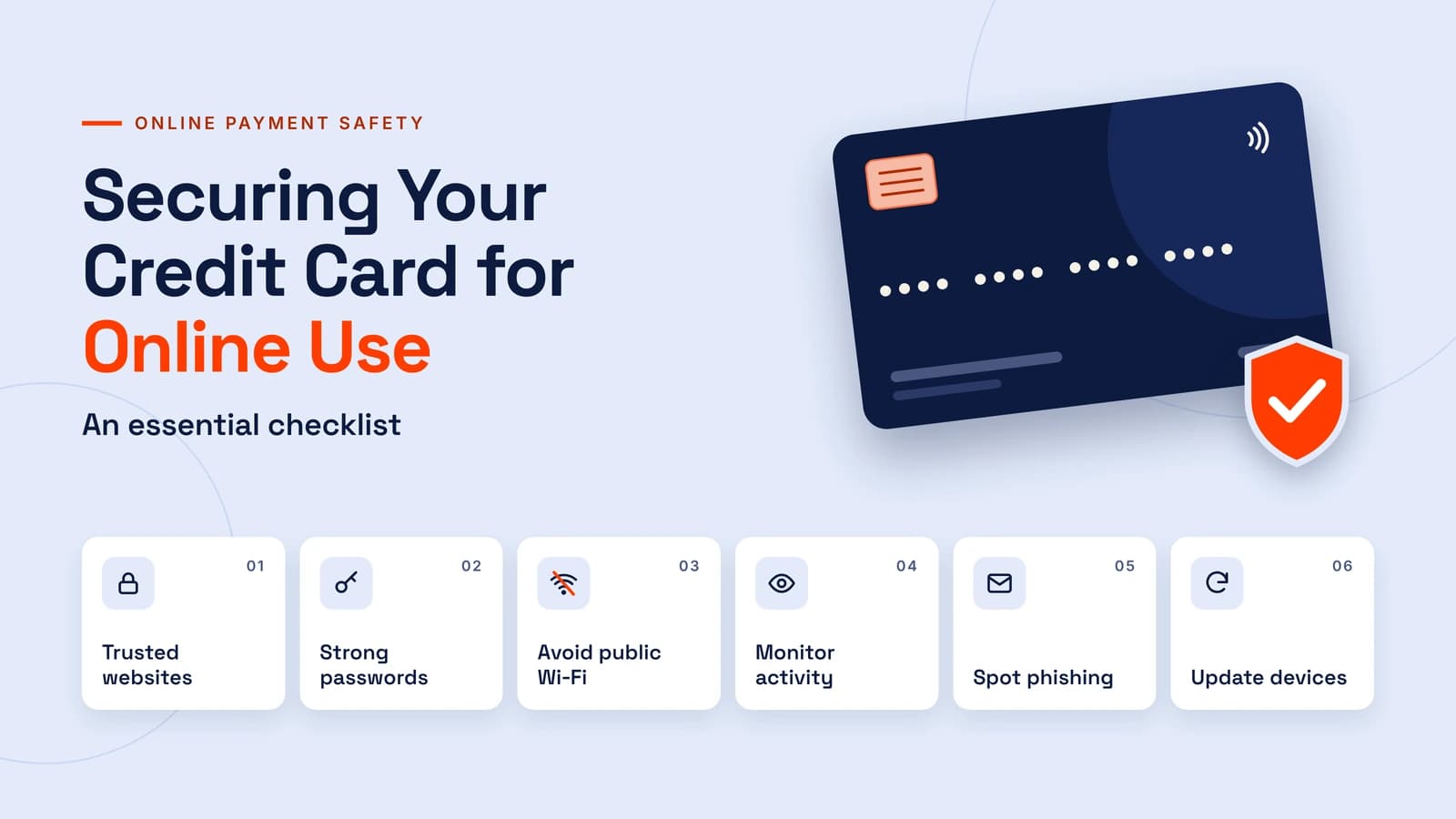
Securing Your Credit Card for Online Use: An Essential Checklist

Guest Author

Our modern lifestyle increasingly relies on convenience and connectivity. This is reflected in nearly all aspects of living, including how we obtain goods and services. Today, e-commerce has evolved into a dominant force in daily life, allowing consumers to access everyday essentials and other products from the comfort of their homes. However, along with the rise of online transactions comes the growing risk of falling victim to cybersecurity threats. Because individuals often rely on credit cards to make electronic payments, it‘s essential to practice greater vigilance when using these financial tools online to prevent their personal and financial information from being compromised. To that end, here are some practical considerations that can help individuals secure their credit cards when making purchases online: 1) Use Secure and Trusted Websites for Online Purchases One of the most important steps in ensuring secure online credit card transactions is verifying that the website used for a purchase is legitimate and secure. Reputable websites typically use encrypted connections that protect the information entered by users. You can often confirm this protection by checking for “https” at the beginning of the website address or by viewing the security icon displayed by most web browsers. Also, take time to evaluate unfamiliar online stores before entering payment details. Fraudulent websites may imitate legitimate retailers in order to collect credit card information from unsuspecting users. Reviewing the website’s domain name, examining its contact information, and searching for independent customer feedback before you use your Maya credit card can help you determine whether the site is trustworthy. 2) Strengthen Account Protection with Strong Passwords Many e-commerce platforms store payment information within user accounts to simplify future purchases. While this feature adds convenience, it also risks exposing saved credit card details if an account is accessed without authorization. As such, individuals should use strong passwords for their shopping and payment accounts. A secure password usually contains a combination of letters and numbers and avoids easily guessed information such as names or birthdays. In addition, it’s helpful to use different passwords for different online services. When the same password is used across several websites, a single security breach may allow attackers to gain access to multiple accounts. A number of platforms also provide additional authentication steps that require a verification code during login attempts. These features add another layer of security that can help prevent unauthorized users from accessing accounts that contain stored payment information. 3) Avoid Public Wi-Fi When Entering Credit Card Information Public wireless networks, which are often available in cafes, airports, or hotels, may offer convenient internet access, but they may not provide the same level of security as private connections. Some public networks lack proper encryption, which can make it easier for cybercriminals to intercept information transmitted through the connection. Thus, entering credit card details while connected to an unsecured network may increase the risk of data exposure. When making online purchases, it’s safer to use a trusted private internet connection such as a home network or a secure mobile data connection. If you must complete a purchase while away from home, confirm that the website uses encryption and avoid connecting to unknown networks. 4) Monitor Credit Card Activity Regularly Regularly reviewing credit card activity can help you detect unauthorized transactions before they cause significant financial harm. Most financial institutions provide mobile banking applications or online platforms that allow cardholders to view their transaction history. You should also make it a point to check recent purchases on a routine basis so that there’s a better chance of you quickly identifying charges you don’t recognize. The most reputable credit card providers also offer SMS, email, or app notifications that alert cardholders when a transaction occurs. Prompt awareness of unusual activity allows consumers to report suspicious transactions to their financial institution without delay, which often helps prevent additional fraudulent charges. 5) Be Cautious of Phishing and Online Scams Phishing scams are designed to trick individuals into revealing personal or financial information through deceptive messages. These scams often appear as emails or text messages from senders pretending to be a bank, payment platform, or online retailer. The message may request urgent action, such as confirmation of account details, or direct the recipient to a fraudulent website that asks for credit card information. Individuals should approach unexpected payment requests or account warnings with caution. Before clicking links in suspicious messages, you’ll want to visit the company’s official website by typing the address directly into your browser to verify whether the message is from a trusted source. Legitimate institutions rarely ask customers to provide sensitive financial information through unsolicited messages. Being mindful of these tactics can help prevent the accidental disclosure of credit card details. 6) Keep Devices and Software Updated Computers, smartphones, and tablets rely on operating systems and applications that occasionally require updates. These updates often contain security improvements that address newly discovered vulnerabilities. It’s crucial to pay attention to these updates to prevent exposure to malware that could capture financial information. Keeping devices updated helps maintain a safer environment for online payments. By installing software updates promptly and using reputable security programs, you can reduce the likelihood of malicious software being installed on a device. Credit cards are valuable for enhancing convenience and flexibility in managing payments in today’s digital economy. While these financial tools come with protective features of their own, maintaining secure electronic transactions still largely depends on your credit card use habits and online practices. If you can leverage your card’s security features, stay aware of common cybersecurity threats, and maintain safe online behavior, you should be able to ensure that your personal and financial information remains secure. This approach not only limits online security risks but also allows you to enjoy the benefits of e-commerce with greater confidence and control.