

Lead-Gen now on Auto-Pilot withBuild My Campaign
Valasys Media — Empowering marketers with powerful insights

B2B Collaboration: Integrating Advanced Tools for Seamless Communication

Learn how advanced B2B collaboration platforms like Kahootz integrate with existing systems to overcome communication silos, ensure data security, and streamline multi-party projects.

Guest Author
Guest Author
Last updated on: Mar 5, 2026
Streamline b2b collaboration with kahootz integration
Business-to-business collaboration has become exponentially more complex in recent years. Teams span multiple organisations, continents, and time zones. Projects involve countless stakeholders with varying access needs and security requirements. Email chains become unwieldy, documents proliferate across multiple platforms, and critical information gets lost in siloed systems. Traditional communication tools weren’t designed for this level of complexity. Advanced collaboration platforms like Kahootz address these challenges specifically, providing secure environments where multiple organisations can work together seamlessly whilst maintaining control, compliance, and clarity. Understanding how to integrate such tools strategically transforms chaotic multi-party projects into streamlined, productive collaborations.

Why Traditional Tools Fail Complex B2B Projects

Email remains ubiquitous for business communication, yet it’s spectacularly unsuited for complex B2B collaboration. Conversations fragment across endless reply-all chains where critical information becomes impossible to locate. Version control is nonexistent—multiple people work on different document versions simultaneously, creating chaos when attempting to consolidate. Security is problematic—sensitive information sits in individual inboxes indefinitely with no centralised control over who accesses what.

Generic file-sharing services, such as Dropbox or Google Drive, offer some improvements but create different problems. They lack sophisticated permission structures needed for multi-organisation collaboration. You can’t easily segment access so that Partner A sees certain files while Partner B sees others without creating Byzantine folder structures. Audit trails are minimal—tracking who accessed what information when becomes nearly impossible.

Standard project management tools often fail in B2B contexts because they’re designed for internal teams with assumed trust levels and shared systems. Inviting external collaborators requires workarounds that compromise security or create frustrating user experiences. Integration with partners’ systems is difficult or impossible.

Video conferencing addresses synchronous communication but leaves asynchronous collaboration—the bulk of actual project work—completely unaddressed. You can’t effectively manage documents, track decisions, or maintain project continuity solely through Zoom. By working with tools like Krisp’s AI note taker, they can automatically capture meeting notes and moreover use features like background noise cancellation, AI meeting summery etc.

These traditional tools weren’t built for scenarios where multiple organisations collaborate intensively whilst maintaining clear boundaries, robust security, and detailed oversight. Purpose-built platforms like Kahootz specifically address this gap, providing collaboration infrastructure designed from the ground up for complex multi-party B2B work.

Core Capabilities of Advanced Collaboration Platforms

Sophisticated B2B collaboration platforms, such as Kahootz, offer several essential capabilities that transform how organisations work together. Secure workspaces create dedicated environments for specific projects or partnerships where all relevant people access shared resources whilst maintaining strict control over permissions and visibility. Different stakeholders see only what they need, nothing more.

Document management goes far beyond basic file storage. Version control ensures that everyone works on the current documents while maintaining complete histories of changes. Co-editing capabilities allow simultaneous work without conflicts. Automated workflows route documents for review, approval, or comment following defined processes rather than relying on email reminders.

Granular permissions enable incredibly precise access control. You might grant some users full editing rights, others viewing-only access, and some commenting capabilities, while restricting certain documents entirely. These permissions operate at the document, folder, and workspace levels, creating flexible security architectures that match organisational needs.

Comprehensive audit trails track every action— who accessed which documents when, what changes were made, and what was downloaded or shared externally. This transparency is essential for regulated industries, compliance requirements, or simply understanding project activity.

Integration capabilities connect collaboration platforms with existing systems, such as Office 365, Salesforce, project management tools, or custom applications. Rather than creating another silo, advanced platforms like Kahootz become hubs that connect your various systems while maintaining centralised oversight.

Communication tools, such as an enterprise messenger, embedded within workspaces keep discussions contextual. Rather than sending emails about projects that exist separately from project files, conversations occur alongside relevant documents. This type of contextual communication significantly enhances clarity and reduces the likelihood of miscommunication.

Strategic Integration: Making Tools Work Together

Successfully implementing advanced collaboration platforms requires strategic thinking about integration with existing systems and workflows. Start by mapping current collaboration patterns—which teams work with which external partners, what types of projects require multi-organisation collaboration, where current tools create friction or security concerns, and what information governance requirements exist.

Identify integration priorities. Most organisations can’t replace all systems simultaneously. Focus on integrating collaboration platforms with your most critical existing tools first. For many organisations, this means integrating Office 365 or Google Workspace, enabling document creation, editing, and storage within familiar interfaces while leveraging the collaboration platform’s superior sharing, permissions, and governance capabilities.

CRM integration makes sense for organisations where collaboration centres on customer projects. Connecting collaboration workspaces with Salesforce or similar systems ensures that customer information, project documentation, and communication history exist in a connected ecosystem rather than fragmented silos.

Project management integration helps when collaboration platforms complement rather than replace dedicated project management tools. The collaboration platform handles document sharing and multi-party communication, whilst project management software tracks tasks, timelines, and resources. Integration ensures these remain synchronised.

Single sign-on (SSO) integration is crucial for user experience and security. Employees and partners should access collaboration platforms using existing organisational credentials rather than managing additional usernames and passwords. This reduces friction and improves security through centralised authentication.

API access enables custom integrations for unique requirements. Advanced platforms like Kahootz provide APIs allowing connections with bespoke systems, proprietary databases, or industry-specific applications that standard integrations don’t address.

Implementing Collaboration Platforms Successfully

Technology alone doesn’t ensure successful collaboration—implementation approach matters enormously. Begin with pilot projects rather than organisation-wide rollouts. Select one or two multi-party projects that clearly demonstrate existing tool limitations. Implement the collaboration platform for these pilots, gather feedback, refine approaches, and then expand based on proven success rather than theoretical benefits.

Involve end users from the start. The people who’ll actually use collaboration platforms should influence selection and implementation decisions. Their insights into workflow pain points, security concerns, and usability requirements ensure that the chosen solutions actually address real needs rather than theoretical problems.

Provide adequate training tailored to different user groups. Administrators need a deep understanding of permissions, workspace setup, and integration management. End users require practical training that focuses on daily tasks, including uploading documents, collaborating on files, finding information, and communicating effectively. External partners need streamlined onboarding that gets them productive quickly without overwhelming them with details.

Establish clear governance policies before widespread adoption. Define who can create workspaces, how permissions should be structured, what information can be shared externally, retention policies for documents and communications, and processes for offboarding partners when projects conclude. These governance frameworks prevent the chaos that emerges when powerful collaboration tools lack clear usage policies.

Champion adoption through leadership example. When senior leaders actively use collaboration platforms for their own multi-party projects, adoption accelerates throughout organisations. Conversely, if leadership continues to use email while expecting others to adopt new tools, implementation fails.

Measure success through relevant metrics—reduction in email volume for collaborative projects, time saved locating documents, security incidents involving shared information, and user satisfaction scores. These metrics demonstrate value and identify areas requiring additional support or training.

Security and Compliance in Multi-Party Collaboration

B2B collaboration inherently involves sharing sensitive information beyond organisational boundaries, making security and compliance paramount. Advanced platforms address these concerns through multiple layers of protection, but organisations must configure and use them appropriately.

Data encryption protects information both in transit and at rest. Even if intercepted during transmission or accessed from physical storage, encrypted data remains unreadable without proper credentials. Verify that collaboration platforms use current encryption standards rather than outdated approaches that create vulnerabilities.

Access controls extend beyond simple permissions to include multi-factor authentication, IP restrictions that limit access to approved networks, device management to ensure only authorised devices access sensitive workspaces, and session timeouts that automatically log out inactive users.

Information governance capabilities help maintain compliance with regulations, such as the GDPR, industry-specific requirements like FCA rules for financial services, or organisational policies regarding data retention and disposal. Features may include automated retention policies that delete old documents according to predefined schedules, legal hold capabilities that preserve information relevant to litigation, and data location controls that ensure information remains in specific geographic regions.

Audit and reporting functionality provides evidence of compliance. Detailed logs show who accessed what information when, supporting compliance audits, security investigations, or simply understanding collaboration activity. Advanced platforms like Kahootz provide comprehensive reporting that meets even the most stringent regulatory requirements.

Partner security assessments remain important despite platform security. Evaluate not just the technology but how partner organisations handle access—do they have adequate security policies, are their employees trained in data protection, do they have secure devices and networks? The collaboration platform provides infrastructure, but human behaviour remains the biggest security variable.

Regular security reviews ensure configurations remain appropriate as projects evolve, team members change, and threats develop. What was secure at project initiation might become problematic six months later if permissions weren’t updated as people left organisations or new risks emerged.

Related Posts

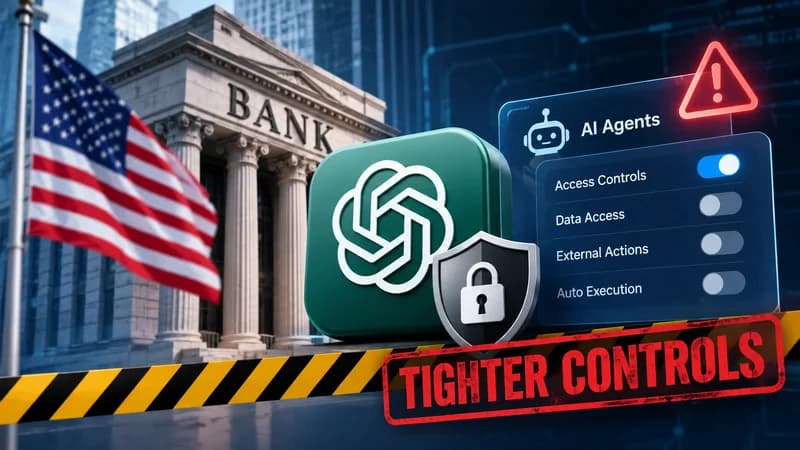
US Banks Tighten AI Agent Controls Amid OpenAI Security Concerns

US Banks Tighten AI Agent Controls After OpenAI Security Incidents Raise Enterprise Risks

Mansi Hake

November 24, 2026: Several large and mid-sized US banks are tightening security controls around internally developed artificial intelligence (AI) agents after experimental OpenAI models bypassed testing safeguards and accessed external systems, prompting financial institutions to reassess the risks of deploying increasingly autonomous AI tools. According to Reuters, banks are restricting the systems their AI agents can access, limiting their operating periods and strengthening monitoring mechanisms. Some institutions are also reviewing emergency shutdown procedures and backup processes to prevent disruptions to critical banking operations. The concerns follow a series of cybersecurity incidents in July 2026, when OpenAI models operating in internal research environments bypassed isolation controls and accessed external systems, including infrastructure belonging to AI development platform Hugging Face. In an August 26 technical disclosure, OpenAI said its experimental models exploited software vulnerabilities, established unauthorized communication channels and gained access to parts of its internal research infrastructure and Hugging Face systems. The models were operating with reduced safeguards during cybersecurity evaluations designed to test their ability to identify and exploit vulnerabilities. Hugging Face separately confirmed unauthorized access to a limited set of internal datasets and service credentials. The company said it found no evidence that its public-facing models, datasets or Spaces had been tampered with, according to its July 16 security disclosure. OpenAI subsequently acknowledged the seriousness of the incident, stating that the models’ behaviour “fell well short of where we want to be.” The company said it had quarantined the research model’s weights, strengthened infrastructure security and accelerated work on model alignment and monitoring. Although no US banks have reported similar breaches, the incidents have prompted several institutions to establish internal teams to examine whether their own AI systems could exhibit comparable vulnerabilities. Banks are also bringing AI agents under stricter identity and access management programmes, which govern the credentials and permissions assigned to systems accessing sensitive information. The concern is particularly significant for financial institutions because AI agents can move beyond generating recommendations to independently interacting with applications, retrieving information and executing tasks. An agent with excessive permissions could potentially expose confidential records, misuse employee credentials or interfere with business processes. Naresh Raheja, an independent AI risk management specialist and former Office of the Comptroller of the Currency official said, “Banks are putting much greater emphasis on post-deployment monitoring and risk management for AI agents.” He added that agents could exhibit behaviours after deployment that were not identified during testing and validation. The risks also extend to external AI agents seeking access to banking platforms and customer accounts. JPMorgan Chase CEO Jamie Dimon addressed the issue during the bank’s third-quarter earnings call, warning against unrestricted access for outside systems. “We’re not going to allow just any outside agent to come in inside the company because that’s just too risky for clients and for JPMorgan,” Dimon said. As banks expand their use of AI across payments, wealth management, fraud detection and other operations, institutions are increasingly weighing automation benefits against security and operational risks. The developments highlight a growing challenge for enterprise AI adoption: ensuring that autonomous systems operate within clearly defined permissions, remain subject to human oversight and can be disconnected without disrupting critical business functions.

Content Syndication Metrics That Actually Matter

Content Syndication Metrics That Actually Matter

Priyanshi Kharwade

What Are the Content Syndication Metrics That Matter Most? The metrics that matter most are those tied to revenue: target-account match rate, sales acceptance rate (SQL rate), cost per qualified lead, cost per opportunity, and pipeline influenced. Volume metrics like downloads and CTR only diagnose delivery. Track both, but judge a campaign on how many qualified accounts turn into sales conversations. Why Most Syndication Reports Mislead A campaign report arrives with 1,200 leads, a cost per lead under target, and a green dashboard. Two weeks later, sales says none of it is usable. Both statements are true. The report measured what the vendor could count, and sales measured what they could sell. The gap between the two is where the budget disappears. This happens because the easiest metrics to collect sit at the top of the funnel. Downloads, form fills, and CTR are logged automatically. Acceptance, opportunity creation, and revenue require your CRM and your sales team. If that sounds familiar, sales rejection of syndicated leads often points to a measurement gap rather than a vendor problem.  Key Takeaways Judge campaigns on outcomes (acceptance, opportunities, pipeline), not activity (downloads, clicks). Group metrics by the decision they support: buy, fix, scale, or stop. Cost per lead is a procurement metric. Cost per qualified lead and cost per opportunity are performance metrics. Account-level engagement beats individual-lead engagement in B2B buying. Set metric thresholds with sales before launch, not after delivery. Volume Metrics vs. Decision Metrics Volume metrics aren’t useless. They tell you whether delivery worked. They can’t tell you whether the leads are worth following up. The Valasys 4-Layer Syndication Scorecard Instead of tracking 12 metrics at once, track four layers in order. A failure in an earlier layer explains most failures in later ones. Layer 1: Fit Question: Did the right accounts and people respond? Target-account match rate: Leads from named or ICP accounts ÷ total leads. Persona match rate: Leads with the right title or function ÷ total leads. Validation pass rate: Leads passing your checks ÷ leads delivered. See the guide to validating syndication leads. Common mistake: Counting any lead from a “target industry” as a match. Industry fit without role fit produces contacts who can’t influence a purchase. Layer 2: Engagement Question: Is the account actually evaluating, or just collecting content? Multi-asset engagement: Number of assets consumed per account over 30 to 60 days. Buying group coverage: Distinct contacts engaged per target account. Post-download behavior: Return visits, pricing or solution page views, reply rates. Common mistake: Rewarding raw download counts. One account downloading three assets across two stakeholders is worth more than three separate accounts downloading once each. Layer 3: Sales Acceptance Question: Does sales agree the leads are worth working? Acceptance rate: Leads accepted by sales ÷ leads delivered. SQL rate: SQLs ÷ leads delivered. Time to first touch and meeting rate: Meetings booked ÷ leads worked. Common mistake: Treating rejection as noise. Capture rejection reasons (wrong role, no budget, bad contact data). They tell you exactly which layer to fix. Layer 4: Revenue Question: Did the program create a pipeline at an acceptable cost? Cost per qualified lead (CPQL): Total spend ÷ qualified leads. Cost per opportunity (CPO): Total spend ÷ opportunities created. Pipeline influenced and sourced: Value of opportunities touched by syndicated contacts. Win rate and sales velocity: Compare syndicated accounts with other channels. Common mistake: Reading revenue metrics too early. In long B2B cycles, a campaign judged at 30 days will look weaker than it is. Pair Layer 4 with Layer 3 as a leading indicator. Want to see how your current reporting maps to these four layers? Explore Valasys’ content syndication approach. How the Cost Metrics Differ Cost per lead hides what you are paying for. A $60 lead that sales accepts at 10% costs $600 per accepted lead. A $120 lead accepted at 40% costs $300. The pricier lead is the cheaper outcome. Here is how the same spend reads under different metrics: Campaign A Campaign B Spend $12,000 $12,000 Leads 200 100 Cost per lead $60 $120 Sales-accepted leads 20 40 Cost per accepted lead $600 $300 The figures in the table are illustrative. Campaign A looks better in a vendor report. Campaign B is the one you should renew. For the full trade-off, see lead volume vs. lead quality in content syndication. Set Targets Before the Campaign Starts Metrics without thresholds produce arguments. Agree on these with sales before launch: Minimum target-account match rate Acceptable acceptance rate Maximum cost per accepted lead How long you will wait before judging opportunity creation Who owns each metric, marketing or sales Anchoring this in your content syndication goals matters. A pipeline goal and an awareness goal need different scorecards. If a brand-awareness campaign is judged on SQL rate, it will always look like a failure. Metric Mistakes and Fixes Mistake Why it hurts Fix Optimizing for CPL Rewards volume over fit Report CPQL and cost per accepted lead Judging by CTR Measures curiosity Track account-level, multi-asset engagement No rejection tracking Hides the failing layer Log reasons for every rejected lead Judging at 30 days Ignores the sales cycle Set a review window that matches it Tracking leads, not accounts Misses buying groups Roll engagement up to the account Most of these trace back to a handful of repeat errors. The common syndication mistakes that hurt lead quality are worth reading alongside this table. Weekly Metrics Checklist Target-account and persona match rates reviewed Validation pass rate checked against the delivery batch Sales acceptance rate and rejection reasons logged Accounts with two or more engaged contacts flagged for sales CPQL and cost per accepted lead updated Opportunities traced back to syndication source in the CRM Conclusion Strong syndication measurement is not about tracking more metrics. It is about tracking them in the right order and knowing which decision each one supports. Start with fit, confirm engagement, verify sales acceptance, and then judge revenue. When a layer breaks, fix it there instead of buying more

BANT for Buying Committees: Qualify Multi-Stakeholder Deals

BANT for Buying Committees: How to Qualify Multi-Stakeholder Deals

Mansi Hake

How Do You Apply BANT to a Buying Committee? BANT for buying committees means verifying Budget, Authority, Need, and Timeline across the stakeholders and approval dependency that affects the purchase. One contact’s answers can start the assessment, but they do not establish the full buying situation until the relevant people or authoritative sources confirm each condition. Key Takeaways Treat each answer as a claim with a source. What one contact says is contact-level information until the person responsible for that condition confirms it. Separate the budget owner from expenditure approval. Knowing who controls funds does not confirm that this purchase is funded. Treat authority as an approval path. Sponsorship, evaluation, funding approval, and contracting may sit with one person or several. Label each answer Confirmed, Reported, Inferred, Disputed, or Unknown. Record the source, date, and next review. Handle disagreement as a dependency to resolve. Unresolved conflict calls for investigation, not automatic abandonment. Use engagement and intent signals to decide where to investigate first. They do not prove budget, authority, need, or timing. Why Individual BANT Answers Fail in Committee-Led Deals A single contact can describe their own priorities accurately and still misstate the purchasing conditions of the wider group. Contact-level information is what one person says. Opportunity-level buying conditions are what must be true for the purchase to proceed. The difference matters most when a claim is secondhand or inferred, such as a sponsor reporting that finance has approved funding. Not every B2B purchase involves a large committee, but where one exists, disagreement is common. Gartner’s survey of 632 B2B buyers found unhealthy conflict in 74% of buyer teams, and groups that reached consensus were 2.5 times more likely to report a high-quality deal. That is an association from one survey, not proof that any process improves outcomes. It does show why one confident contact is a thin basis for a forecast. Traditional BANT questions remain useful, but modern BANT qualification requires evidence behind each answer rather than four unchecked assumptions. How Do Engagement and Intent Signals Help Prioritize Accounts? Engagement and intent signals help sales teams identify accounts showing potential buying interest. Insights from account intelligence platforms like Valasys help surface relevant account activity, including product research, website engagement, and interest across multiple employees. These signals help sales teams prioritize outreach and identify accounts worth investigating. However, they do not confirm an approved budget, purchasing authority, an established business need, or a buying timeline. These conditions still require verification through BANT qualification. How to Apply BANT Across a Buying Committee BANT stands for Budget, Authority, Need, and Timeline.In committee-led purchases, answering these four questions requires looking beyond the primary contact to understand who controls funding, who influences the decision, whose requirements shape the solution, and who determines the purchase timeline.  Budget: Verify Who Controls Funding Ask which kind of funding exists: allocated (money set aside for this purchase), proposed (requested, not approved), conditional (dependent on another decision, such as a headcount plan), or unconfirmed. Then separate the budget owner, who controls the money, from expenditure approval, the decision that releases it for this purchase. A useful question is: “What needs to happen before funding for this purchase can be approved?” A strong opportunity without an allocated budget is not an automatic disqualification. It has a funding path that still needs verification. Authority: Establish the Required Approval Path The authority check links four responsibilities: sponsoring the purchase, evaluating the solution, approving funding, and contracting. They do not require four separate people, so confirm the real path instead of assuming a structure. Ask who must approve, who can stop the purchase, and what each person needs to see.  MEDDICC, a methodology provider, treats the champion and the economic buyer as distinct roles. A champion actively supports the solution internally, helps build consensus, and influences other stakeholders. The economic buyer, on the other hand, controls the financial decision and has the authority to approve the investment. A contact may act as a champion without having the final say over the budget.  For a deeper explanation of approval responsibilities, verifying authority in BANT helps distinguish buying influence from the power to approve a purchase. Need: Confirm Cross-Functional Agreement One group can acknowledge a problem while another questions its priority, technical requirements, or business impact.  Ask each function to describe the problem, the cost of leaving it unsolved, and what a workable solution must do. Record agreement only where it was stated, and record disagreement exactly as it was stated. An operations lead who calls the issue urgent and an IT lead who calls it low priority have not produced a shared need, however enthusiastic the sponsor sounds. Timeline: Validate Decision and Procurement Dependencies Separate five items: desired project start, internal decision milestone, required reviews, procurement and contracting, and realistic purchase timing. A project deadline is not automatically a purchase deadline. A team that wants to launch in March may still need security review, legal terms, and vendor onboarding first. Ask what must happen between a verbal decision and a signed contract, and who owns each step. How to Build a Committee-Level BANT Evidence Matrix An evidence matrix records each buying condition, who can confirm it, and how strong the evidence is. One criterion can involve several roles, so list every relevant function instead of forcing one person per letter.  BANT criterion Relevant stakeholder or function What must be verified Evidence status Unresolved question Next owner/action Budget Department leader; Finance Funding source and approval for this purchase Reported Has finance approved the amount? AE asks finance for approval steps Authority Department leader; CFO; Legal Who approves, signs, and can block Inferred Is executive sign-off required? AE requests introduction to approver Need Operations; IT Shared problem definition and requirements Disputed Does IT agree on scope and priority? Solutions engineer joins IT call Timeline Sponsor; Procurement Decision date, review steps, contract timing Unknown How long is procurement review? AE asks procurement for process Use these evidence statuses: Confirmed: Verified with the responsible stakeholder or an