
Account-based marketing strategists and event teams routinely spin up segmented landing pages, intent-driven ad copy, and multi-touch email nurtures in hours. Yet the video assets needed to anchor those vertical campaigns often sit four weeks behind in agency queues or overloaded internal post-production pipelines. By the time a tailored solution explainer or webinar promo clears review, the target account’s buying signal has cooled and the campaign window has shifted.
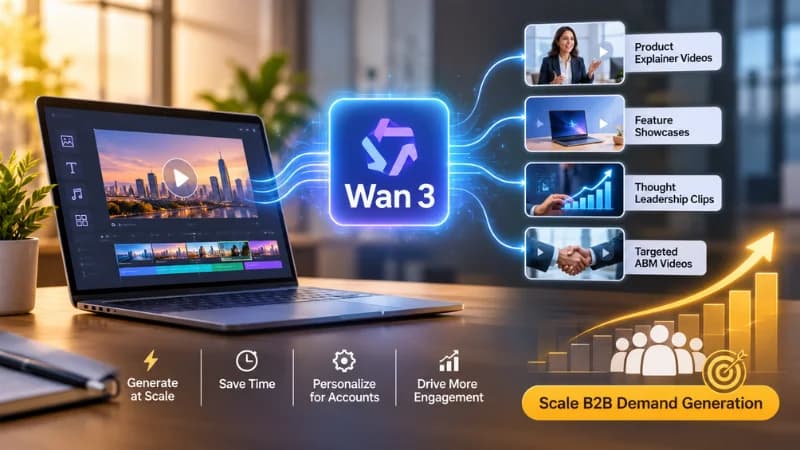
Closing that velocity gap requires bringing video creation directly into the daily MarTech workflow alongside CRM segmentation and landing page builders. Since Alibaba’s Tongyi Lab opened the Wan 3.0 public beta on August 6, 2026 and made it generally available on August 24, 2026, B2B marketing teams have accessed these capabilities through Wan 3, an independent browser workspace powered by the Wan 3.0 video API alongside Wan 2.6 video and integrated image models, operating without affiliation or endorsement from Alibaba or Google. Because the architecture generates continuous 2 to 30 second video clips in a single pass—doubling the 15-second cap of Wan 2.7—demand-generation marketers can produce complete vertical narratives without stitching 5-second or 10-second fragments across jarring jump cuts.
Mapping Single-Take 15 to 30 Second Clips to Top-of-Funnel Cadences
In B2B video marketing, viewer retention drops sharply when early-stage promotional clips look like spliced micro-loops or generic stock montages. A continuous 15 to 30 second single-take generation matches the natural consumption window of top-of-funnel LinkedIn feeds, executive webinar invitations, and personalized ABM microsites. Instead of cutting rapidly between disconnected scenes to hide duration limits, campaign managers can pace a complete problem-to-solution arc inside one unbroken camera move.
When setting up Text to Video generations for multi-channel distribution, operations teams select aspect ratios that align directly with ad inventory specs: 16:9 for embedded microsite hero headers, 1:1 or 4:3 for desktop and tablet social feeds, and 9:16 or 3:4 for mobile-first vertical placements. To keep a 20-second or 30-second single take visually engaging without relying on post-production edits, prompts should choreograph progressive spatial movement rather than static shots. A strong B2B prompt defines three chronological beats:
- Seconds 0 to 8 (The Operational Friction): Establish the industry environment—such as a logistics control room or an enterprise SOC desk—with a slow push-in toward the primary subject navigating legacy complexity.
- Seconds 8 to 20 (The Workflow Shift): Guide the camera in a smooth lateral pan or rack focus as the environment transitions toward clean data visualization or collaborative decision-making.
- Seconds 20 to 30 (The Resolution Hold): Settle into a stable, well-lit composition with clear negative space where lower-third titles or registration calls to action can sit cleanly.
Enforcing Visual Brand Governance Across Segmented Campaigns
Speed means little to a Marketing Operations manager if generative outputs drift from corporate visual standards or distort product hardware. Rather than relying purely on open-ended text prompts, B2B teams enforce visual compliance by anchoring generations to pre-approved design files. The browser workspace supports four distinct generation modes that map to different levels of brand governance.
When animating an approved static design—such as an event keynote graphic or an architectural product render—the Image to Video mode preserves the uploaded starting frame’s original aspect ratio. The most reliable production practice here is prompting only what moves and changes, such as subtle camera parallax, ambient office activity, or light reflections, rather than re-describing the static image already visible in the frame.
For stricter narrative bookending, First and Last Frame mode locks both an opening image and a closing image so the model interpolates the camera movement, lighting shift, or product transition between the two endpoints. An ABM specialist can upload a vertical-specific pain-point graphic as the first frame and an approved corporate solution slide or UI layout as the closing frame, guaranteeing the clip lands on an exact brand-compliant composition. Meanwhile, Reference Images mode accepts up to 9 tagged reference images—referenced directly as Image 1, Image 2, and so forth inside the prompt—to keep spokesperson faces, executive wardrobe, hardware geometry, and office environments consistent across separate shots in a multi-touch campaign.
Producing Spoken Value Propositions and Ambient Audio in One Pass
Historically, generating AI video meant exporting silent MP4 files and routing them into separate voiceover tools, stock music libraries, and timeline editors to align sound with picture. Using a generative video workflow that synthesizes synchronized native audio in the exact same pass as the video removes those extra handoffs for rapid webinar promos and social teasers. The engine generates three distinct sonic layers simultaneously: spoken dialogue, ambient background environments, and Foley sound effects timed to on-screen motion.
To generate clear spoken value propositions for a 15-second webinar invite, marketers place the exact script inside quotation marks within the prompt while specifying vocal delivery and acoustic context. For example, a prompt might specify an operations director standing in a glass-walled server corridor saying, “Automate quarterly compliance audits before your next board review,” accompanied by a quiet HVAC hum and crisp footsteps on polished concrete. Keeping quoted sentences concise—typically 12 to 18 words per 10 seconds of video—ensures natural pacing and clean lip synchronization without rushing the speaker’s cadence.
When producing hero background loops for ABM landing pages or trade show booth displays where auto-playing sound would disrupt the user experience, teams can toggle audio off prior to generation. This flexibility lets one prompt framework serve both sound-on social feeds and silent web placements.
Forecasting Campaign Unit Costs and Licensing Governance
Marketing Operations leaders evaluate every MarTech tool through the lens of predictable unit economics, resolution compliance, and commercial usage rights. Because generations are billed per second of video with the exact credit cost displayed before submitting—and backed by automatic credit refunds if a job fails—ops managers can calculate exact cost-per-asset figures before launching a multi-segment ABM sprint.
Output resolutions scale from 480p and 720p for rapid internal storyboarding up to 1080p, 2K, and 4K for final campaign delivery. On the Wan 3.0 Standard tier, a 5-second clip requires 13 credits at 480p, 25 credits at 720p, 50 credits at 1080p or 2K, and 58 credits at 4K, with a 7-credit minimum per clip; scaling to a 30-second 1080p explainer requires 300 credits, while annual subscribers use 30% fewer credits per generation. New accounts in eligible regions can validate workflows using 13 free sign-up credits (valid 30 days, covering one 5-second 480p test clip) alongside 2 to 3 daily check-in credits (valid 7 days).
For production deployments requiring commercial usage rights, clean MP4 downloads, and 2K/4K resolution access, teams choose between recurring plans—Starter at $29.90/month (500 credits) or $179.40/year, Pro at $49.90/month (1,000 credits) or $299.40/year, and Premium at $89.90/month (1,900 credits) or $539.40/year—or 30-day credit packs ranging from $9.90 (150 credits) to $69.90 (1,400 credits) for seasonal event pushes.
Operationalizing the Workflow Across Demand-Gen Teams
To integrate browser-based video generation into a B2B demand-generation engine without creating review bottlenecks, MarTech leaders should standardize a three-step operational playbook. First, curate a shared library of approved Reference Images and First and Last Frame brand slides so field marketers never prompt from scratch. Second, draft modular prompt templates at 480p to verify camera pacing and spoken dialogue timing at minimal credit cost. Finally, render approved takes at 1080p or 4K for immediate deployment across LinkedIn ABM tiers, webinar nurture tracks, and vertical microsites.