


Choose an AI Video Generator for B2B Marketing
Learn how to choose the right AI video generator for B2B marketing based on features, video quality, pricing, and business goals.


Rachel has three tool demos to compare and every finished video to get through legal. In this fictional example, she leads a four-person demand generation team at a logistics scheduling SaaS company. Next quarter, she plans account-based marketing videos for 50 priority accounts across three industry tiers. Her manager wants a choice for that campaign, with the review work included.
Choosing an AI video generator for B2B marketing starts with that workload. Define the campaign, build a shortlist, score the evidence, then pilot an approved brief before expanding.
Define the Campaign Job Before the Demo
Write down which video Rachel needs first. An account introduction needs an industry-specific message. A product update needs accurate feature descriptions. An event invitation needs approved event details. Mixing those jobs in one trial makes the comparison harder to interpret.
For this example, start with the account introduction. Rachel needs one base message and a version for each industry tier. Those are industry variants; account-level personalization would require separately approved account details. Mark which script fields may change and which product claims must stay fixed.
Attach the brand colors, fonts, and approved assets. Assign an owner to each requirement. Legal must review every finished version, so the test needs to include that handoff.
Build a Shortlist Around Team Needs
Rachel should assemble her own shortlist from the requirements. Ask each candidate’s provider how the proposed workflow handles approved assets, changes between versions, and files for review. Keep the answers beside the relevant documentation.
Wizstar’s article framed around the best AI video generator discusses Seedance 2.5 and marketing needs such as consistency and revisions. It offers questions to investigate; it is a single-model article, not a comparative shortlist. Rachel still needs evidence for each of her three candidates.
A workflow can combine generation with separate editing and review tools. Record those dependencies. If brand text must be added in an editor, include that work in the trial. If a requirement remains unverified, leave it open rather than accepting a sales assurance as proof.
Score an AI Video Generator for B2B Marketing
Use the same five dimensions for every candidate. Before viewing outputs, define the scale: 0 means the requirement failed, 1 means it needs additional work, and 2 means the agreed requirement was met. Leave untested items blank. Resolve blank rows before purchase.
| Dimension | Evidence Rachel should collect | Score and evidence reference |
| Brand consistency | Approved colors, fonts, and assets checked across versions | Leave blank until tested |
| Personalization | Industry wording changes while fixed claims stay intact | Leave blank until tested |
| Approval | Legal can identify, review, and sign off each version | Leave blank until tested |
| Data security | Relevant data handling and access terms reviewed internally | Leave blank until checked |
| Cost | Account requirements, production work, and revisions fit the budget | Leave blank until estimated |
Define the passing condition for each row. For brand consistency, compare the finished video with the supplied brand guide. Inspect visible text as well as colors. For this first personalization test, check the changed industry line and the product claim immediately after it. Record account-specific changes separately if the campaign requires them.
Approval can happen outside the generator. A numbered export, shared review record, and explicit signoff may fit Rachel’s process. The trial must show who reviews which file and how a requested correction reaches the next version.
Set mandatory requirements before adding scores. An unresolved permission or failed required claim should block selection even when other rows score well. Keep the individual scores beside any total so Rachel can see which requirement failed.
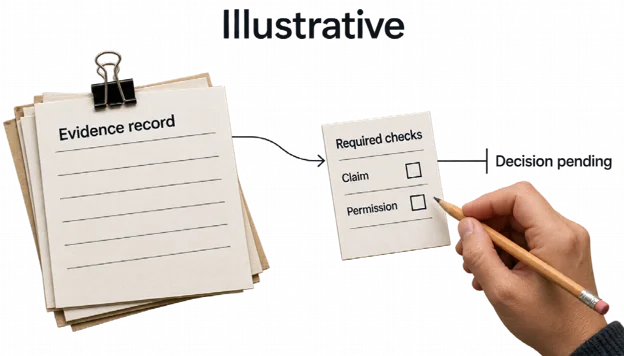
Illustrative workflow: An empty evidence record cannot resolve required claim and permission checks; the selection remains pending until those checks have support.
For cost, count staff editing and review time alongside the access needed to finish the work. Record repeated generations and rejected drafts. Compare the effort required for an approved asset, without assuming a low subscription charge means low production cost.
Pilot One Approved Account Brief
Choose one account brief your team is authorized to use. Rachel’s fictional trial can use invented account details and an approved industry problem, without uploading confidential customer information. Describe a scheduling problem her SaaS genuinely addresses. Have the product owner approve that description before generation.
Give all three candidates the same script, authorized assets, and acceptance criteria. Keep a record of required setup and any unsupported input. Where a route needs another editor, retain that step in the comparison. Rachel should count the editor handoff when comparing production work.
Start with one base video. Then request the industry variations planned for the three tiers, changing only the approved fields. Check whether the fixed message survives. A changed account reference should never introduce an unsupported integration, customer endorsement, or product capability.
Send each finished version through the same review sequence. The product owner checks the software claims. Brand checks the visual requirements. Legal reviews the proposed use and wording. Rachel records the version, requested correction, owner, and final disposition.
Name the defect in each rejected version. “Industry line changed an approved feature claim” is actionable. “Not suitable for ABM” leaves too much unexplained. Retain the rejected file and its revision notes, then check whether the correction preserves the rest of the approved material. Use these notes to judge the proposed workflow, without claiming a general winner or campaign lift.
Check Data Use and Content Rights
Resolve data questions before adding real account material. Ask what happens to uploads, how long they are retained, whether they can be used for training, who can access them, and how deletion works. Send the relevant terms and answers to the people responsible for security and legal review.
Record unanswered data questions on the scorecard. A provider’s feature description alone cannot establish that Rachel’s intended customer data use is acceptable. If the team lacks permission to upload a detail, omit it from the trial.
Check commercial rights for the generated output and every supplied asset. Review music and stock material separately. Confirm that the approved use covers the planned campaign. Treat unclear permission as a reason to pause that route, and record the decision with the file version it covers.
Expand One Account Tier at a Time
If the pilot meets the mandatory requirements and each version receives approval, Rachel can plan a limited rollout within one tier. Use the same brief, approved fields, and review responsibilities. Keep a record connecting each account to its final asset and signoff.
Check the first set before adding another tier. If revisions change the staffing estimate or a required check fails, revise the workflow or reconsider the candidate. Add the reason for that decision to the scorecard.
Copy the five-row scorecard for the three tools your team is considering. Fill one row with evidence from an approved brief, then decide what still needs testing before committing the campaign.

