
How to Use the Find Prospect Feature in Valasys AI Score?
Account-based marketing is no longer just about building a long list of target companies and hoping something sticks.

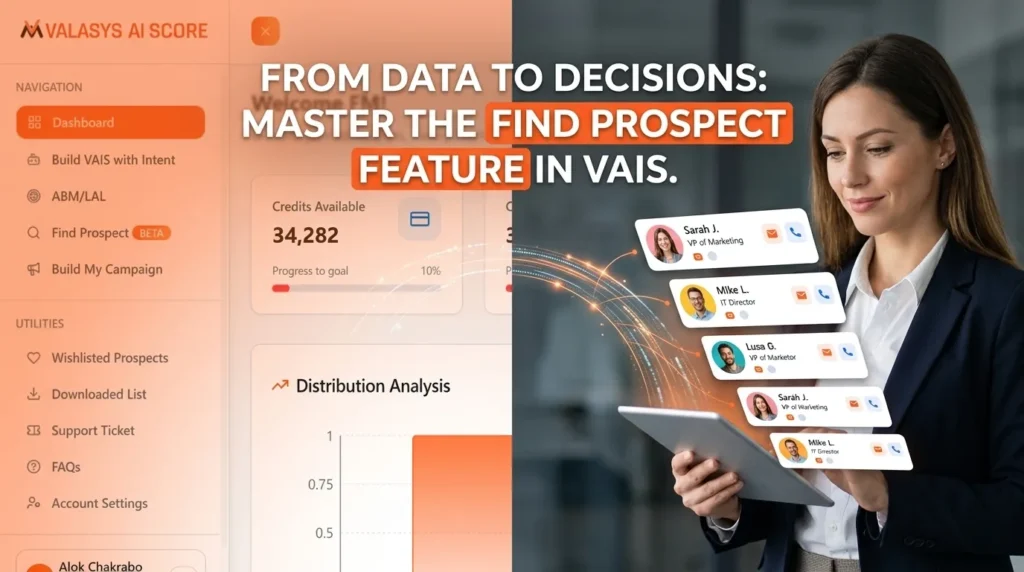
Account-based marketing is no longer just about building a long list of target companies and hoping something sticks. Modern B2B revenue teams are expected to know which accounts are actually researching solutions, how well they match their ideal customer profile, and who inside those organizations is driving buying decisions.
In other words, the era of “spray and pray” prospecting is over.
This is where the Find Prospect feature inside Valasys AI Score (VAIS) steps in.
Once your intent accounts are identified through Build My VAIS and intent signals, the next logical move is converting those insights into real outreach opportunities. Instead of manually jumping between LinkedIn, spreadsheets, and multiple data tools, the Find Prospect feature will help you and your teams to quickly identify the right decision-makers and influencers inside target accounts.
For B2B teams running account-based strategies, this essentially connects the dots between account intelligence and revenue conversations.
What to Do Next Once You Have a High-Intent ABM List
Let’s be honest. Most B2B teams reach a similar checkpoint in their ABM journey.
You’ve already done the hard work:
- Built a list of target accounts
- Prioritized them using scoring models
- Identified companies showing intent signals
But then the real question appears.
Okay… now who exactly do we talk to?
Traditionally, this stage turns into a mini research project:
- Searching LinkedIn for relevant contacts
- Browsing company websites
- Exporting contacts from multiple databases
- Validating titles and job roles
Well, it works, but it’s slow. And for teams trying to move fast, slow workflows are basically pipeline friction.
Valasys AI Score removes that friction by bringing AI scoring, intent intelligence, and prospect discovery into one unified workflow.
Once an account shows strong alignment with your solution through the VAIS scoring model, the next step is obvious: identify the people responsible for evaluating vendors.
That’s exactly where the Find Prospect feature comes in.
How the Find Prospect Feature Works
The Find Prospect module in VAIS is built to help marketing and sales teams quickly discover relevant contacts inside their target accounts.
Instead of searching one company at a time, users can apply structured filters and instantly generate prospect lists aligned with their targeting criteria.
Here’s what the interface looks like when configuring a prospect search.
The workflow is intentionally simple. A few filters, a few clicks, and you move from account insight to actual people to contact.
Step-by-Step Tutorial: Using Find Prospect in VAIS
Once high-intent accounts are identified, Find Prospect helps transform those insights into campaign-ready prospect lists for outreach and engagement.
Step 1: Open the Find Prospect Module
Inside the VAIS dashboard, navigate to the Find Prospect section.
This module is designed to help revenue teams identify relevant contacts within target accounts.
The interface is organized around three main components:
- Quick Presets for saved search configurations
- Upload Company Lists to enrich existing account lists
- Targeting Filters to define your prospect criteria
Think of it as your prospect discovery command center.
Step 2: Configure Core Targeting Filters
On the right side of the Find Prospect interface, the Targeting Filters panel allows you to define the type of prospects you want to identify.
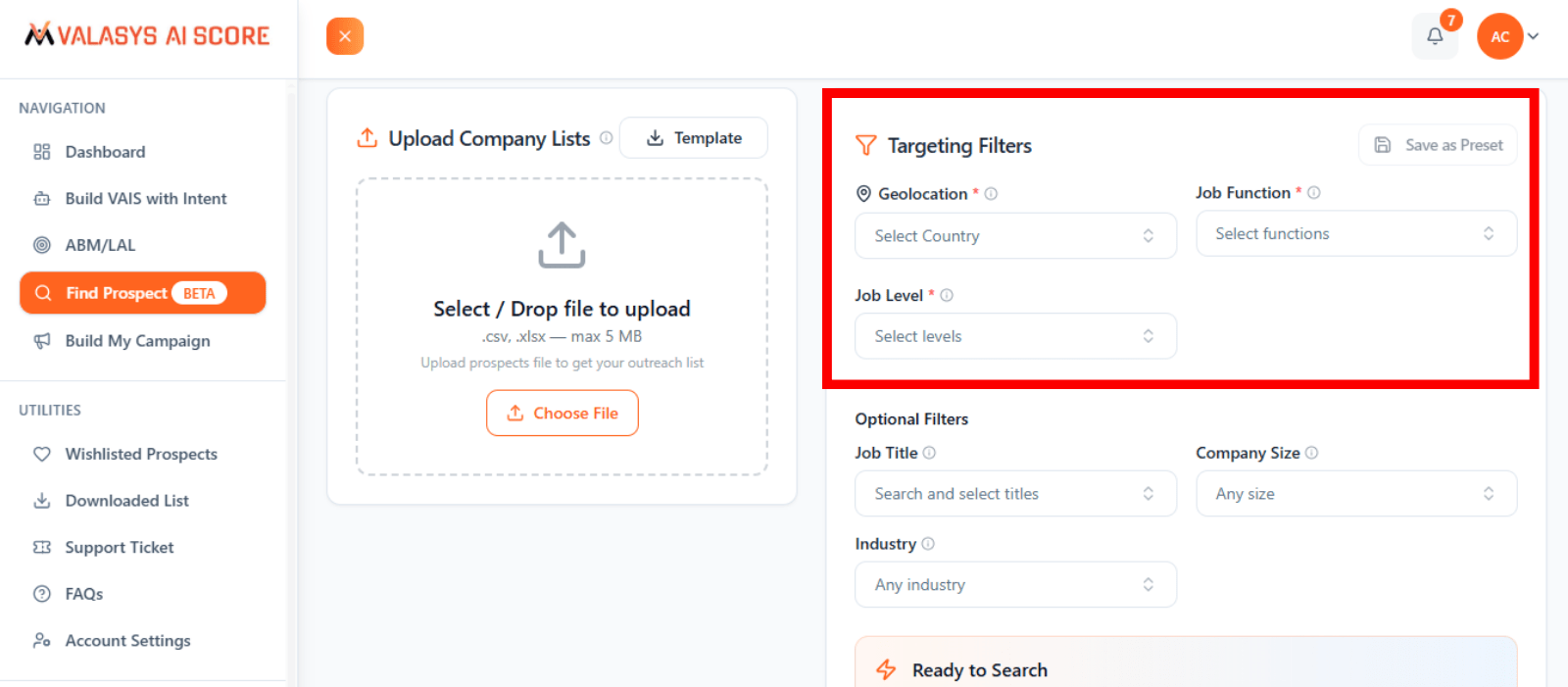
The primary filters include:
Geolocation
Select one or more regions where your target prospects are located.
Job Function
Choose the department relevant to your solution, such as:
- Marketing
- Sales
- IT
- Finance
- Operations
Job Level
Define the seniority level of the contacts you want to reach.
Typical options include:
- Manager
- Director
- Vice President
- C-level executives
These filters ensure your Ideal Customer Profile (ICP) aligns with your prospect search.
In simple terms, you’re not just finding contacts. You’re finding the right contacts.
Step 3: Refine the Search With Additional Filters
You can use optional filters to narrow your search further.

These include:
Job Title
Search for specific roles such as:
- Analyst
- Business Development
- IT Support
- Finance
- Marketing
Company Size
It filter companies based on employee ranges like 1-10, 11-50, 51-200, 201-500, 501-1000, 1001-5000, 5001-10000, 10000+.
Industry
Target organizations in industries relevant to your offering.
For example:
- IT Services and Consulting
- Financial Services
- Tourism and Hospitality
- Marketing and Advertising
This extra layer of filtering helps generate high-intent prospect lists with precision that are ready for campaigns.
Step 4: Upload a Target Account List (Optional)
VAIS allows you to upload a curated ABM account list directly if your team has one.
Supported formats include:

- CSV
- Excel (.xlsx)
Once uploaded, the platform can automatically:
- Match accounts with relevant contacts
- Enrich company records with decision-maker data
- Generate prospects across multiple departments
This is especially useful when dealing with large account lists that need quick contact enrichment.
Instead of manually researching one company at a time, VAIS will handle it at a scale of thousands.
Step 5: Find Prospects
After configuring your filters, simply click Find Prospects.
The platform will generate a list of contacts that match your targeting criteria.
Results typically include, as per your selection:
- Decision-makers in relevant departments
- Influencers involved in the buying process
- Contacts aligned with selected job roles and seniority levels
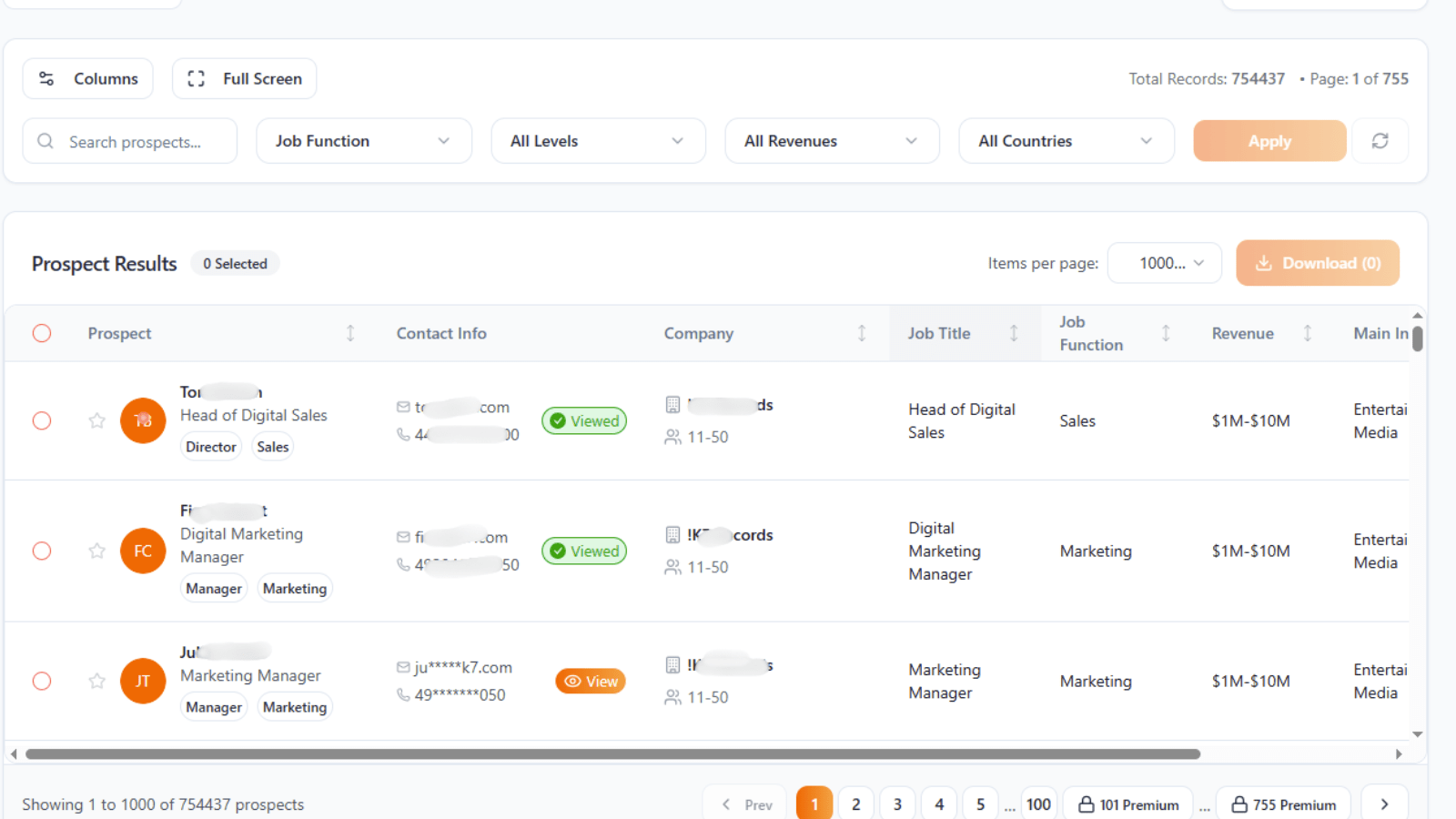
Here, as you can see in the above image, you can click “View” to reveal the verified contact details, including the full email address and phone number where available. Once the prospect results are visible, you can select individual contacts or multiple prospects from the list and download them for further use.
Each search consumes a small number of credits from the available balance in your account.
From there, the prospect list can be used immediately for:
- Sales outreach
- ABM campaigns
- Event invitations
- Product launch campaigns
In short, you go from account insight to actual conversations faster.
Practical Use Cases for the Find Prospect Feature
The Find Prospect feature becomes especially powerful when combined with VAIS scoring and intent signals.
Here are a few common scenarios where it delivers strong value.
Activating High-Intent Accounts
Once VAIS identifies accounts that strongly align with your product, Find Prospect helps locate the actual stakeholders responsible for evaluating vendors.
Instead of broad outreach, teams can engage directly with:
- Department heads
- Procurement decision-makers
- Technical stakeholders
This makes outreach more relevant and significantly increases engagement rates.
Building Multi-Threaded Outreach
Enterprise deals rarely involve a single decision-maker.
Find Prospect allows sales teams to identify multiple stakeholders within the same account, enabling multi-threaded engagement strategies.
This may include:
- Economic buyers
- Technical evaluators
- Operational influencers
Engaging multiple stakeholders reduces the chances of deals stalling.
Accelerating Campaign Execution
Marketing teams often need targeted contact lists for campaigns such as:
- Webinars
- Product launches
- Industry-specific outreach
With Find Prospect, teams can generate these lists in minutes rather than hours.
As a result, campaigns launch faster, and less time is spent assembling spreadsheets.
Expanding Opportunities Within Existing Accounts
Find Prospect can also help teams identify new stakeholders within existing customer accounts.
This can uncover opportunities for:
- Upselling additional products
- Cross-selling complementary services
- Expanding into new departments
For account-based marketing teams, this can unlock new growth opportunities inside accounts that are already familiar with the brand.
New Update: Bombora Persona Intent and Its Role in Prospect Discovery
A recent update within the VAIS ecosystem introduces Bombora’s persona-level intent signals, which significantly improves how teams can act on intent data.
Traditionally, intent data has been tracked at the account level. This means it shows when a company’s domain begins researching a cluster of topics related to a particular solution category. While this helps identify organizations exploring a solution, it doesn’t always reveal who inside the company is actually driving that research.
Over time, this has become a bigger challenge. Buying committees have grown larger, sales cycles have become longer, and decisions now involve multiple influencers and recommenders, not just a single decision-maker. Because of this, marketing and sales teams often struggle to identify the right point of contact to begin a conversation.
At the same time, stricter privacy regulations like GDPR and CCPA have made traditional methods of identifying contacts increasingly limited.
To address this challenge, Bombora, in collaboration with VAIS, has extended intent intelligence beyond the account level to include insights at the job level and job title level.
With this update, teams can not only see which company domains are trending around a specific topic but also identify which job levels and job titles are actively researching that topic online.
Once the relevant personas are identified, teams can use those trending job titles and seniority levels as filters within the Find Prospect search. This helps them quickly identify high-intent prospects within their ABM accounts who are most likely connected to that research activity.
In practice, the workflow becomes much clearer:
Intent Signals → Persona Insight → Prospect Identification
Instead of guessing who to contact within a company, revenue teams can focus their outreach on the roles already researching the problem your solution could solve.
Ready to activate high-intent accounts faster?
Use the Find Prospect feature in VAIS to identify the right stakeholders and turn intent signals into real sales conversations.
Frequently Asked Questions (FAQs)
1. What is the Find Prospect feature in Valasys AI Score?
Find Prospect is a prospect discovery tool inside VAIS that helps sales and marketing teams quickly identify relevant decision-makers and influencers within their target accounts.
2. How does Find Prospect support account-based marketing (ABM)?
It connects account intelligence with real contacts by helping teams find the right stakeholders inside high-intent accounts, making ABM outreach more precise and effective.
3. Can I upload my own target account list in Find Prospect?
Yes. Teams can upload account lists in CSV or Excel format, and VAIS will automatically enrich those companies with relevant contacts and decision-maker data.
4. How does Bombora persona intent improve prospect discovery?
Persona-level intent reveals which job roles and seniority levels are researching specific topics, allowing teams to target the most relevant stakeholders within high-intent accounts.