


Create and Edit Visuals with the Free GPT Image 2 AI Generator on Flyne AI
Create and edit stunning visuals with the free GPT Image 2 AI Generator on Flyne AI for marketing, social media, and design projects.

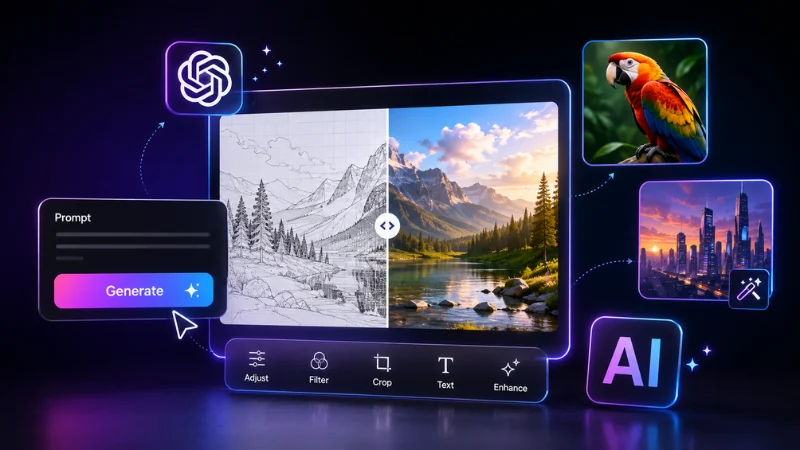
AI image generation has moved far beyond novelty pictures and one-off experiments. Modern image models can now support practical workflows for design, marketing, ecommerce, education, publishing, social media, and creative exploration.
A user can begin with a written description, upload one or more reference images, request a targeted change, test a new visual style, or create several variations of the same concept. This makes AI image generation useful not only for artists, but also for professionals who need a faster way to move from an idea to a visual draft.
Creators can explore the Free Best GPT Image 2 AI Generator by Flyne AI through a browser-based platform that brings multiple AI image and video tools into one creative environment.
Flyne AI also provides a dedicated GPT Image 2 AI generator for text-to-image creation and reference-guided image editing. The model page presents GPT Image 2 as a tool for rapid iteration, precise visual control, complex prompt interpretation, typography, targeted edits, and high-quality image generation.
What Is GPT Image 2?
GPT Image 2 is OpenAI’s current state-of-the-art image-generation model. OpenAI describes it as a model designed for fast, high-quality image generation and editing, with flexible output sizes and support for high-fidelity image inputs.
The model can accept both text and image inputs. This means users can create an image from a written prompt or upload an existing visual and explain how it should be transformed.
For example, a user could:
- Generate a product advertisement from a written brief
- Restyle a portrait while preserving the subject
- Replace the background of an existing image
- Create a poster with a specific visual hierarchy
- Develop social-media graphics in several formats
- Turn a sketch into a polished concept
- Modify colors, lighting, materials, or composition
- Produce alternative versions of an approved design
OpenAI introduced ChatGPT Images 2.0 in April 2026, emphasizing improved precision and control in image generation. Its demonstrations include editorial layouts, detailed interface scenes, structured typography, and complex visual instructions.
Flyne AI makes GPT Image 2 available as part of its wider image-generation platform, allowing creators to access the model without building an API integration or installing local software.
Begin with Text-to-Image Generation
Text-to-image generation is the simplest way to start.
The user describes the desired subject, setting, composition, lighting, style, mood, and intended format. The model interprets those instructions and creates a new image.
A short prompt such as:
A futuristic city at night.
may produce an attractive image, but most creative decisions are left to the model.
A more structured prompt could say:
A wide cinematic view of a futuristic coastal city at night, built across steep cliffs above a dark ocean. Warm lights glow from slender glass towers while elevated trains move between districts. A lone traveler stands in the foreground, viewed from behind. Deep blue and amber palette, realistic atmospheric perspective, premium science-fiction concept art, 16:9 composition.
This prompt gives the model clearer information about:
- The subject
- The environment
- The viewpoint
- The lighting
- The color palette
- The visual style
- The output ratio
Flyne AI describes its GPT Image 2 workflow as capable of handling detailed prompts involving subjects, scenes, lighting, camera angles, visual styles, palettes, typography, and composition.
The goal is not to make every prompt extremely long. It is to include the details that materially affect the result.
Edit Existing Images with Natural Language
One of the most practical features of GPT Image 2 is reference-based editing.
Instead of generating a completely new image, users can upload an existing photograph, illustration, product image, sketch, or design and describe the required changes.
A product seller might request:
Keep the supplied perfume bottle exactly the same. Replace the plain background with a warm beige stone surface, add soft golden side lighting, and create a subtle reflection beneath the bottle. Preserve the label, bottle proportions, cap, and packaging colors.
A portrait user could request:
Preserve the person’s face, hairstyle, expression, and skin tone. Replace the background with a professional editorial studio, change the clothing to a dark navy blazer, and use soft window lighting.
Flyne AI presents reference-image editing as a way to redesign existing visuals, test new styles, refine product images, restyle portraits, and preserve a principal visual direction.
Precise instructions about what must remain unchanged are especially important. Without those constraints, the model may modify details that the user wanted to preserve.
Useful phrases include:
- Keep the subject unchanged
- Preserve the original face
- Do not alter the product shape
- Maintain the same composition
- Keep the logo placement intact
- Change only the background
- Preserve the original camera angle
- Do not add additional objects
Even with clear instructions, every result should be reviewed carefully.
Create Marketing and Social-Media Graphics
GPT Image 2 can support fast visual production for marketing teams, independent businesses, agencies, and social-media creators.
Potential uses include:
- Campaign concepts
- Social posts
- Story and Reel covers
- YouTube thumbnails
- Website banners
- Email graphics
- Event posters
- Product-launch visuals
- Blog cover images
- Advertising variations
Flyne AI’s free GPT Image 2 pages specifically highlight posters, social graphics, product concepts, brand-guide visuals, portfolio mockups, educational images, realistic scenes, and reference-guided design variations.
A useful marketing prompt might say:
Create a premium 16:9 technology blog cover image for an article about AI productivity. Place a modern laptop on the right with floating workflow cards and subtle data connections. Use a dark navy background with cyan and violet accents. Leave generous negative space on the left for a headline. Clean editorial layout, realistic lighting, high-end SaaS campaign style.
It is often better to generate the main visual without important copy and add the final headline afterward in a design tool.
Although GPT Image 2 is designed to handle complex typography more effectively, generated text should still be checked for spelling, punctuation, spacing, and brand consistency. Flyne AI’s GPT Image 2 page showcases long-form typography and complex layouts as model strengths, but accuracy should not be assumed automatically.
Build Ecommerce Product Visuals
Ecommerce sellers often need far more than one standard product photograph.
A product may require:
- White-background listing images
- Lifestyle scenes
- Seasonal advertising
- Product-comparison visuals
- Landing-page banners
- Social-media variations
- Mobile and desktop formats
- Promotional posters
- Concept images for new campaigns
GPT Image 2 can help generate supplementary product visuals or transform existing product photography into new environments.
For example:
Place the supplied pair of white running shoes on a clean concrete platform inside a modern fitness studio. Add soft morning light, realistic floor reflections, and subtle movement in the blurred background. Preserve the shoe design, materials, laces, logo placement, and proportions. Premium sportswear campaign photography.
This workflow can reduce the need to rebuild every early campaign concept manually.
However, generated ecommerce imagery must be checked against the actual product. The model may accidentally change colors, proportions, materials, text, packaging, or small features.
AI-generated lifestyle images should not misrepresent what the buyer will receive.
Develop Posters and Editorial Artwork
GPT Image 2 can also support visual storytelling.
A publication may need a conceptual illustration rather than a literal photograph. A designer might create a metaphorical image for an article about privacy, automation, finance, healthcare, education, or culture.
For example:
Editorial illustration of a person standing inside a transparent house constructed from glowing data panels while distant anonymous figures observe from outside. Limited blue, black, and orange palette, sophisticated magazine illustration, strong central metaphor, clean composition, space for a headline.
The model can also help produce:
- Book-cover concepts
- Magazine headers
- Film-poster drafts
- Music artwork
- Event visuals
- Educational illustrations
- Cultural commentary images
- Conceptual technology graphics
OpenAI’s Images 2.0 announcement demonstrated editorial poster designs, structured layouts, and detailed interface compositions, indicating that the model is intended for more controlled design work rather than only free-form illustration.
Work Across Different Aspect Ratios
The same image rarely works equally well everywhere.
A square social post, vertical story, widescreen blog banner, portrait poster, and ultrawide homepage hero all require different composition decisions.
Flyne AI’s free GPT Image 2 pages list flexible ratios such as:
- 1:1
- 4:5
- 9:16
- 16:9
- 21:9
These formats cover square posts, portrait images, mobile-first content, widescreen visuals, and ultrawide banners.
The intended ratio should be considered during prompting.
For example:
Vertical 9:16 fashion campaign image, subject centered in the lower two-thirds, generous negative space above for campaign text, realistic editorial lighting.
Or:
Ultrawide 21:9 website hero image, product positioned on the left third, soft environmental background, clear negative space on the right for a headline and call-to-action button.
Generating for the intended format is usually better than heavily cropping one image afterward.
Is GPT Image 2 Free on Flyne AI?
Flyne AI offers a free plan and free creative tools, but users should understand the difference between free access and unrestricted premium generation.
Flyne AI’s pricing page currently lists a $0 free tier with 40 credits for new users, 20 credits through daily check-in, lower-quality generations, a shared queue, and five free AI-tool uses per day.
Its subscription terms also state that new users receive complimentary credits and that different AI models consume different amounts of credit.
Some localized Flyne AI pages promote a no-registration GPT Image 2 workflow as free and unlimited, while the dedicated premium GPT Image 2 model page requires users to sign in before generating.
This means the exact experience may depend on which Flyne AI tool, quality tier, queue, or feature is being used.
Users should check the live interface before assuming that every GPT Image 2 generation, quality setting, or editing function is unlimited at no cost.
Use a More Effective Creative Workflow
A practical GPT Image 2 workflow could follow these steps:
- Define the image’s purpose.
- Choose the subject and format.
- Write a structured prompt.
- Upload references when consistency matters.
- Generate a small number of variations.
- Compare composition and prompt adherence.
- Refine one element at a time.
- Select the strongest result.
- Correct text, branding, and small details manually.
- Export the finished image for its intended platform.
This approach makes AI generation part of a controlled design process rather than a random image lottery.
When revising, avoid changing every part of the prompt simultaneously. First adjust the composition, then the lighting, palette, or style. Controlled revisions make it easier to understand which instruction improved the output.
Review Every Image Before Publishing
AI-generated images can appear polished while containing subtle errors.
Creators should inspect:
- Hands and anatomy
- Facial details
- Product proportions
- Text and punctuation
- Logos and trademarks
- Reflections and shadows
- Architectural perspective
- Clothing construction
- Object relationships
- Historical or technical accuracy
Reference materials should also be used responsibly. Users should upload only images they own or have permission to use.
Before using the output commercially, creators should review Flyne AI’s current pricing, privacy, storage, subscription, commercial-use, and intellectual-property terms. Flyne AI lists commercial rights on several paid plans, but that does not grant permission to use third-party logos, copyrighted characters, private likenesses, or protected source images.
A Flexible Way to Create and Refine Images
GPT Image 2 gives creators a more controllable way to move between ideas, references, edits, and finished visual concepts.
Through Flyne AI, users can access text-to-image creation, reference-guided editing, flexible ratios, prompt assistance, and a wider collection of AI image and video tools within one browser-based platform. Flyne AI also advertises prompt suggestions, high-resolution results, creative-tool integration, and a free entry tier for users who want to begin experimenting.
The strongest benefit is not simply generating a picture quickly. It is the ability to test more directions, refine existing assets, adapt visuals to different formats, and translate written ideas into practical creative drafts.
With structured prompts, suitable references, careful review, and conventional editing tools, GPT Image 2 on Flyne AI can support a wide range of design, marketing, ecommerce, publishing, and everyday image-creation workflows.

