
Company training often breaks into disconnected sessions, spreadsheets, and inbox reminders. A learning management system brings courses, assignments, records, and reporting into one workflow. Employees see what they need, managers track progress, and administrators control recurring requirements. The result is a repeatable process that supports onboarding, compliance, product knowledge, and role-based development. The following article explains how this structure improves delivery across departments and locations without creating extra administrative work for busy training teams.
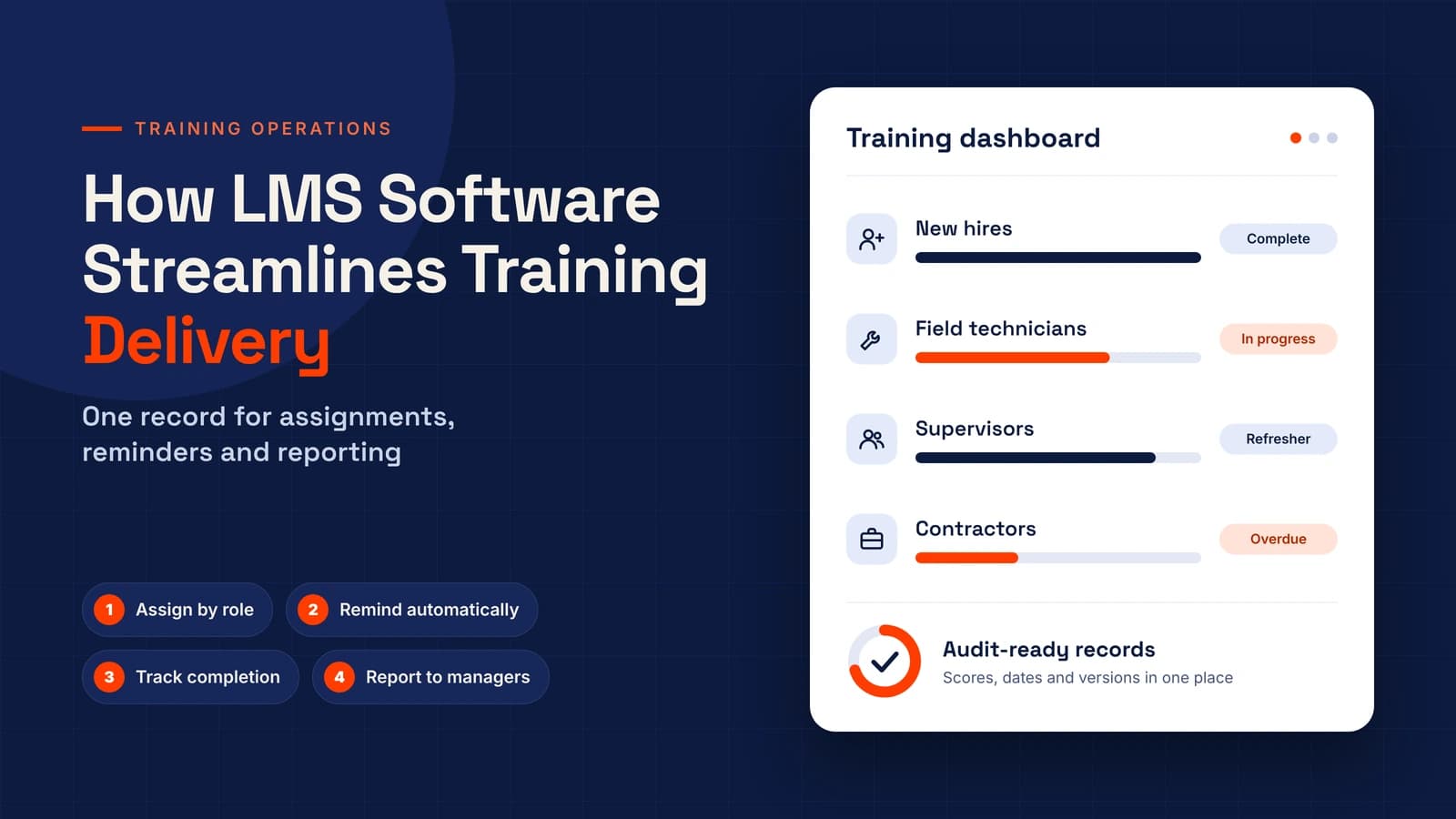
A company needs one training record even when its workforce includes office staff, field technicians, contractors, and remote employees. Separate spreadsheets create duplicate assignments and unclear ownership. With LMS software, each learner follows the assigned path, while managers receive a consistent view of completion, scores, and overdue work. That shared record supports faster decisions about retraining and access to job-specific duties.
A Single Training Record
Centralized course delivery removes the need for trainers to email separate files or repeat the same instructions. Administrators publish a course once, then assign it to selected teams, locations, or job roles. Updates reach every assigned learner through the same record. This approach keeps policy language consistent and gives employees one place to find required training.
Scheduling tools turn training plans into timed workflows. A new employee can receive orientation tasks after a start date, while a supervisor can assign refresher work before a certification expires. Automated reminders reduce manual follow-up, and enrollment rules prevent gaps when teams change. Managers spend less time building rosters and more time reviewing completion data.
One Workflow For Different Audiences
Training rarely follows one pattern across a company. New hires need orientation, customer-facing staff need product updates, and supervisors need safety or compliance refreshers. An LMS stores these paths separately while keeping administration in one system. Role-based enrollment assigns the right content without asking every employee to browse a catalog. This approach reduces irrelevant coursework and improves completion.
Progress Data Guides Intervention
Completion reports show more than whether someone opened a course. Administrators can review assessment scores, time spent, overdue assignments, and repeated attempts. Those details reveal where a learner needs help or where a course needs revision. A manager can schedule coaching after a failed assessment instead of waiting for an annual review. Clear reporting also supports audit preparation by keeping records in one location.
Dashboards help leaders compare completion by department, location, or role. They can identify teams with overdue requirements and direct attention where it is needed. A training administrator can export evidence for an internal review without asking supervisors to reconstruct attendance from email threads. This arrangement makes follow-up more precise and timely.
Compliance Records Stay Current
Regulated training depends on accurate dates, version control, and renewal rules. An LMS records when an employee completes a course and can assign the next requirement according to a defined schedule. Administrators can retire outdated material, publish revised content, and keep a history of learner activity. This approach reduces the risk of outdated instructions or missed renewal deadlines.
Standardization Improves Training Quality
A shared course template gives authors consistent fields for objectives, instructions, assessments, and completion rules. Learners encounter familiar navigation across departments, while administrators spend less time correcting missing information. Content owners can review a course on a set schedule and update examples when work practices change. The record then shows which version each learner completed.
Connect Training To Business Routines
An LMS connects training with routine workforce processes through defined roles and permissions. An administrator can limit editing rights to approved content owners while allowing managers to view team progress. Integrating with existing employee records can reduce duplicate data entry, but the setup should align with the company’s privacy and access rules. Clear ownership keeps records accurate after staff changes.
Plan Implementation Around Measurable Work
Successful adoption starts with a defined training map. Before configuring the LMS, leaders should list required courses, target roles, completion deadlines, and evidence owners. The team should then test enrollment rules with a small group and check reports against expected results. This process identifies missing permissions, confusing instructions, and incorrect due dates before broad rollout.
Beneficial measures include completion rate, assessment performance, overdue work, and time to completion. A training team can review those measures by role or location each month. If one group falls behind, managers can check scheduling, course length, or access before assigning more reminders. This approach makes reporting a routine management task.
Conclusion
Company-wide training works best when delivery, records, and follow-up share one process. LMS software organizes assignments by role, sends timely reminders, records completion, and gives managers usable evidence. The next practical step is to map every required course to a role, owner, and deadline. Then test one enrollment path, review its report, and correct gaps before expanding across the company. This sequence builds control without adding unnecessary administrative steps to the training calendar.