


Building a Shared Knowledge Base for a Hobby Community
Create a useful hobby knowledge base where members can share guides, answer common questions, and keep helpful information easy to find.


Hobby communities collect a surprising amount of useful information.
Someone figures out how to fix a common problem. Another person writes a great beginner guide. A third member explains something in a chat, and everyone finds it helpful.
Then two weeks pass.
Someone asks the same question again, and nobody can find the old answer.
A shared knowledge base gives all that useful stuff somewhere to live. I mean nobody needs anything crazy here. Just something that saves you from scrolling through old chats forever.
Start With Questions People Already Ask
Don’t create fifty empty categories before anyone has written a page.
I mean start with whatever questions you already see. If your community is about photography, new members probably ask about lenses, editing their photos or getting their camera settings right.
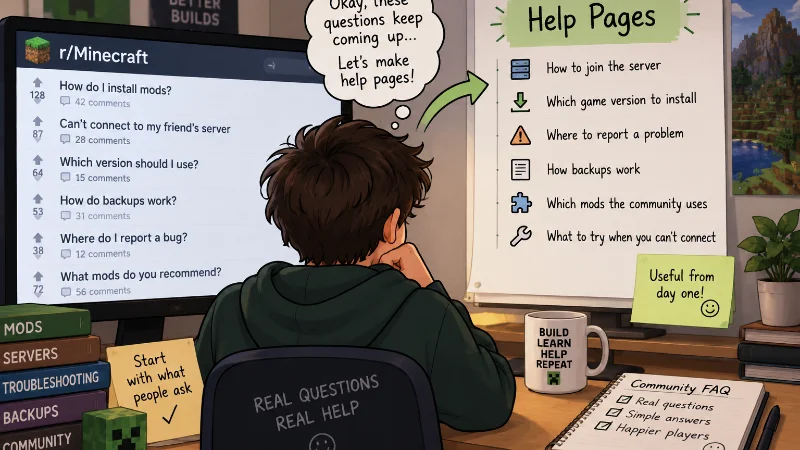
A Minecraft group will have different questions. Members might need help installing mods, finding server information, fixing connection problems, or understanding backups.
Start there.
Make a short list of questions that keep appearing. Then turn the answers into simple pages.
For example:
- How to join the server
- Which game version to install
- Where to report a problem
- How backups work
- Which mods the community uses
- What to try when you can’t connect
These pages solve real problems from day one.
Write for Someone Who Just Joined
Long-time members know all the weird little details.
New people don’t.
That’s easy to forget when writing a guide.
Don’t say, “Install the usual pack and connect normally.” A new member may have no idea what either of those things means.
Show the actual steps.
Screenshots can help when a menu is difficult to find. Short examples are useful too. And if something changes between versions, mention it.
The same rule applies when linking to outside resources.
A Minecraft community, for example, might add a link to a page about setting up a new server. Tweaking config files by hand is far easier on modded server hosting with SFTP access.
That one sentence tells the reader why the link is there. Don’t just throw some random link on the page and expect everyone to know what it’s for.
Let Members Fix Things
One person shouldn’t have to maintain the whole knowledge base forever.
People forget things. Guides become old. Links stop working.
Let trusted members suggest edits or update pages.
Maybe someone notices that a mod installation step changed after an update. They can fix it instead of waiting for an admin to notice.
You still need some basic rules.
Don’t let every page turn into a personal opinion. Keep instructions clear. Ask people to check information before changing technical details.
And keep an edit history if your platform allows it. Like maybe you change a bunch of stuff and then realize you actually need the old version back.
Keep the Structure Boring
This is one place where boring is good.
People are visiting because they need an answer.
Use names that make sense immediately. “Server Setup” is better than something clever that only regular members understand.
Try a few broad sections instead of dozens of tiny ones.
You could have:
- Getting Started
- Common Problems
- Guides and Projects
- Tools and Resources
- Community Rules
Add more only when you actually need them.
Search matters too. If the knowledge base becomes large, members should be able to type a few words and find the right page.
Clean It Up Once in a While
A knowledge base can slowly fill with old information.
Maybe a server moved. A mod was removed. A guide links to software nobody uses anymore.
So check the popular pages now and then.
You don’t need to review everything every week. Start with pages that new members use most.
It also helps to put a “last updated” date on technical guides. That gives readers a quick clue about how fresh the information is.
And if nobody has used a page for two years, ask whether it still needs to be there.
A good hobby knowledge base isn’t the one with the most pages.
It’s the one where somebody has a problem, searches for it, and finds an answer without having to ask the same question for the tenth time.

