
Lead-Gen now on Auto-Pilot withBuild My Campaign
Valasys Media — Empowering marketers with powerful insights

Top 5 Best Panic Button Systems for Educational Institutions in 2025

Explore 5 top panic button systems transforming school safety in 2025. Learn how AI-powered, cloud-based, and wearable buttons like Coram enhance security, compliance, and emergency response for US schools.

Guest Author
Guest Author
Last updated on: Jun 22, 2026
Top 5 Best Panic Button Systems for Educational Institutions in 2025

In 2025, ensuring safety within schools and universities has become a critical priority. With rising incidents ranging from health emergencies to active threats, educational institutions across the U.S. are increasingly adopting panic button systems as a proactive layer of protection.

Data from the National Center for Education Statistics reveals that more than 70% of K–12 schools have implemented or plan to deploy panic alert technology this year. These advanced systems empower teachers, staff, and administrators to trigger instant alerts, initiate lockdowns, and connect with emergency responders within seconds.

Compliance is also driving adoption. Legislation such as Alyssa’s Law now requires schools in several states to install silent panic alarms that immediately notify local law enforcement. Consequently, the best panic button systems in 2025 must combine speed, reliability, and compliance with modern integration capabilities.

Below, we highlight the top five panic button systems for educational institutions, beginning with one of the most comprehensive and innovative platforms available — Coram.

School building exterior
Image source

Why Schools Need Panic Button Systems

Before reviewing the top solutions, let’s explore why these systems are now a vital part of school security infrastructure:

  • Faster emergency response: Panic buttons instantly notify law enforcement or on-site safety teams.
  • Compliance-ready: Regulations like Alyssa’s Law require compliant panic alert systems.
  • Improved coordination: Integration with access control and surveillance cameras ensures a unified response.
  • Enhanced staff safety: Teachers can discreetly request help without leaving the classroom.
  • Campus-wide connectivity: Cloud-based platforms enable instant alerts across large campuses.

1. Firefly

Firefly is redefining campus safety with its AI-powered emergency management platform designed for K-12 schools, universities, and large organizations. By combining intelligent threat detection, wearable panic buttons, direct 911 integration, and multi-channel communications, Firefly helps schools respond faster and coordinate emergencies from a single cloud-based platform.

Key Features:

  • AI-Powered Threat Detection: Firefly uses artificial intelligence to identify potential safety incidents, monitor alerts, and surface critical information in real time, helping administrators make faster, more informed decisions during emergencies.
  • Wearable Panic Buttons: Staff members can discreetly trigger an emergency alert from a wearable device, instantly sharing their location and incident details with security personnel, administrators, and first responders.
  • Direct 911 & First Responder Integration: Emergency notifications can be routed directly to local law enforcement and emergency services, reducing response times and ensuring critical information reaches the right people immediately.
  • Mass Notification System: Send emergency alerts simultaneously through text messages, phone calls, emails, desktop notifications, digital signage, and public address systems to keep the entire campus informed.
  • Real-Time Location Awareness: Administrators can quickly identify where an incident originated, view the locations of active alerts, and coordinate response efforts across multiple buildings or campuses.
  • Incident Command Dashboard: A centralized cloud-based dashboard provides a live operational view of emergencies, allowing administrators to track incidents, manage communications, and monitor response progress from a single interface.

Additionally, Firefly provides comprehensive reporting and post-incident analytics, allowing schools to review emergency events, identify response improvements, and strengthen future safety planning. Its cloud-based architecture ensures administrators can access critical information from anywhere while maintaining secure, reliable communication during high-stress situations.

2. Coram

Coram stands out as one of the most advanced panic button systems for schools and universities in 2025. Its cloud-powered platform combines emergency management, AI-driven monitoring, and real-time communication to enhance campus security and coordination.

Why Coram Leads in Educational Safety

Coram’s cloud-based panic button system is specifically engineered for large school districts and multi-building campuses. It supports wearable panic buttons for educators and staff, allowing them to summon help instantly — whether inside classrooms, corridors, or outdoor areas.

Key Features:

  • Campus-Wide Alerts: A single press triggers instant notifications across all connected devices, including mobile phones, intercoms, and computers.
  • Real-Time Monitoring: Security teams can view precise location data and live alert statuses for faster response.
  • Access Control Integration: When activated, the system can automatically lock doors, alert first responders, and display live video feeds.
  • Wearable Devices: Discreet and portable buttons designed for teachers to activate quickly in emergencies.
  • Alyssa’s Law Compliance: Fully compliant with laws requiring instant communication with local authorities.

Additionally, Coram supports mass communication across emails, PA systems, and text notifications, ensuring everyone on campus is informed within seconds. The cloud dashboard provides full visibility into connected devices, activity logs, and system health.

For schools and universities seeking a complete safety platform that integrates access control, video, and emergency management, Coram delivers reliability, scalability, and advanced AI-driven protection.

3. Rave Panic Button

The Rave Panic Button is one of the most trusted solutions used across thousands of U.S. schools. It provides a unified communication system for teachers, staff, and law enforcement, facilitating instant coordination during emergencies.

Key Features:

  • One-Touch Activation: Enables immediate alerts to law enforcement, EMS, and on-site safety teams.
  • 911 Integration: Direct connection with dispatch centers, transmitting critical information such as event type and location.
  • Group Messaging: Keeps administrators and faculty informed during evolving situations.
  • GPS Tracking: Ensures responders reach the exact area where help is needed.

Why It Works for Schools: Rave’s panic button system is Alyssa’s Law compliant and widely deployed in large school districts. It’s ideal for institutions that need centralized emergency management and reliable communication between school staff and first responders.

4. Centegix CrisisAlert

Centegix CrisisAlert provides a powerful wearable-based panic button system designed for educators and staff. The device is lightweight, easy to use, and operates even in areas without Wi-Fi or cellular connectivity.

Distinctive Features:

  • Badge Activation: Staff can trigger alerts through a small badge worn on a lanyard.
  • Visual and Audible Alerts: Flashing lights and automated announcements indicate an emergency across the building.
  • Private Network: Uses a dedicated wireless network for reliability during outages.
  • Incident Reports: Generates detailed data on alert patterns and response times to improve preparedness.

Best For: Schools that want a hardware-based system offering consistent, fast alerts independent of the internet. Centegix is known for its dependable performance and campus-wide coverage.

5. Motorola Solutions Safety Reimagined

Motorola Solutions offers an integrated Safety Reimagined ecosystem that blends panic button functionality with two-way radios, video analytics, and communication tools for complete situational awareness.

Core Benefits:

  • Instant Alerts: Panic activations trigger simultaneous notifications across radios and mobile devices.
  • Unified System: Integrates with surveillance, access control, and dispatch centers.
  • Flexible Options: Available in wall-mounted, handheld, and mobile versions.
  • Law Enforcement Integration: Connects directly with school resource officers and local authorities.

Why Schools Choose Motorola: Districts already using Motorola’s communication systems can easily add panic functionality, enhancing their existing safety infrastructure. It strengthens coordination between staff and responders for a faster, more organized emergency response.

6. Inovonics Mobile Duress

Inovonics has built a strong reputation in wireless panic button systems for educational and commercial facilities. Its Mobile Duress solution provides reliable, wide-area coverage suitable for large campuses.

Top Features:

  • Wireless Connectivity: Ensures uninterrupted communication between devices across buildings.
  • Wearable Options: Panic buttons can be worn as pendants, clips, or wristbands.
  • Extended Battery Life: Long-lasting power supports multi-year operation without frequent charging.
  • Scalable Architecture: Easily expands from a single building to an entire district.

Why It’s a Smart Choice: Inovonics is ideal for schools preferring dedicated wireless systems over smartphone-based solutions. It offers dependable coverage and minimal maintenance for long-term reliability.

Key Takeaways

  • Panic button systems are vital components of school security in 2025.
  • Coram leads with its cloud-based, AI-enhanced, and wearable technology, delivering complete campus protection.
  • Rave Panic Button and Centegix CrisisAlert provide exceptional speed and legal compliance.
  • Motorola Solutions and Inovonics offer proven reliability and strong integration for enterprise-level deployments.
  • When choosing a panic button system, prioritize real-time alerts, campus-wide coverage, and regulatory compliance.

FAQs

Q1: What is Alyssa’s Law, and why is it important for schools? Alyssa’s Law requires schools to install panic alert systems that send instant notifications to law enforcement. It ensures faster emergency response times and improved student safety.

Q2: Can panic button systems cover large campuses? Yes. Platforms like Coram and Centegix are engineered for multi-building campuses and provide strong wireless or cloud connectivity.

Q3: Are wearable panic buttons more effective than wall-mounted options? Wearable buttons offer mobility and immediate accessibility, while fixed buttons are best for main offices and entry points. Many institutions use a combination of both.

Q4: How quickly do these systems notify authorities? Most AI-driven panic systems send alerts within seconds, ensuring immediate connection with first responders and on-campus security.

Q5: Which panic button system is best for K–12 schools? Coram is an excellent choice for K–12 institutions due to its AI-powered monitoring, wearable devices, and full compliance with U.S. safety regulations.

Conclusion

In today’s environment, AI-powered panic button systems are indispensable tools for protecting students and staff. Among the top options, Coram leads the way with a unified, cloud-based platform that ensures instant alerts, real-time visibility, and full compliance with safety mandates.

Systems like Rave, Centegix, Motorola Solutions, and Inovonics continue to enhance safety for educational institutions nationwide. As schools invest in smarter, faster, and more connected technologies, panic button systems remain a cornerstone of proactive campus security.
Related Posts

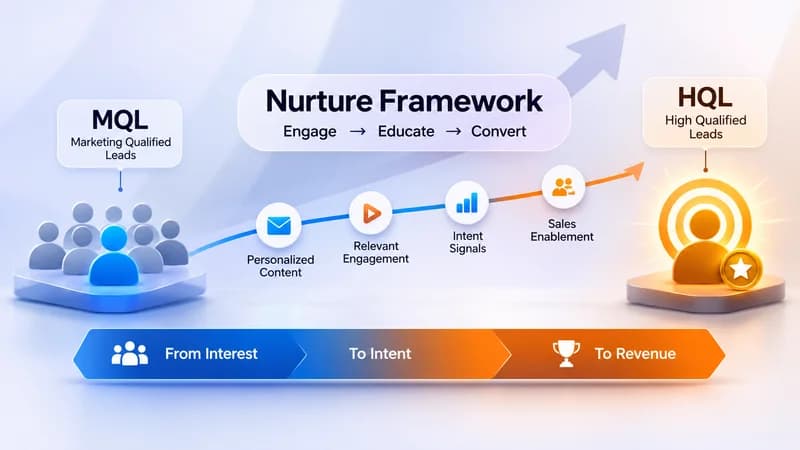
MQL-to-HQL Nurture Framework for B2B Leads

MQL-to-HQL Nurture Framework for B2B Leads

Pranali Shelar

Your MQLs are opening emails, downloading reports, and attending webinars. But are your nurture campaigns helping them move closer to becoming HQLs? An MQL shouldn’t reach sales with nothing more than a lead source and a trail of email clicks. Nurturing needs to do more than maintain engagement. It should help marketing understand what prospects are interested in, what business challenges they’re exploring, and what they need to move forward. Here’s how to structure that process. What Is an MQL-to-HQL Nurture Framework? An MQL-to-HQL nurture framework is a structured process that uses relevant content, behavioral signals, and timely follow-ups to develop the context needed to move a Marketing Qualified Lead (MQL) toward Highly Qualified Lead (HQL) validation. It connects prospect engagement with business needs and buying interests, helping marketing assess whether further qualification is justified. A MQL has engaged with marketing and shown potential interest but isn’t necessarily ready for a sales conversation. As the lead progresses, teams need to evaluate whether the available evidence meets their HQL qualification requirements. Since HQL criteria vary by organization, Marketing and Sales should agree on the evidence required before a lead progresses to that stage. Why Traditional MQL Nurturing Doesn’t Always Create Progress A prospect can download several reports and attend a webinar without getting any closer to a purchase decision. That’s because engagement alone doesn’t tell marketing what the prospect needs next or whether their interest connects to a business requirement. Three issues can get in the way: Calendar-led follow-ups: Prospects receive scheduled emails regardless of whether their interests or engagement have changed. Engagement mistaken for progress: Clicks and downloads are treated as buying signals without enough context. Disconnected communication: Automated sequences continue even when a prospect has replied or needs a human response. A structured MQL-to-SQL nurturing process can help teams connect these interactions through more consistent follow-ups and relevant content. The Four Stages of an MQL-to-HQL Nurture Framework Each stage should help marketing understand something new about the prospect. The objective is to make the next interaction more relevant than the previous one. Stage 1: Start With the Original MQL Interaction Begin with the action that qualified the prospect as an MQL. Someone who downloads a product comparison guide has shown a different interest from someone who registers for an introductory webinar. Review the information already available: Content consumed: Was it an introductory resource, a comparison, or a product-specific asset? Topic of interest: What challenge or business function does the interaction relate to? Conversion source: Did the prospect arrive through a campaign, organic search, or an event? Available lead information: What do you know about their role, company, and industry? Use this information to decide where the conversation should begin. Don’t restart every MQL with the same introductory sequence. Build on what the prospect has already shown you. Stage 2: Develop Business Context Through Relevant Content Once you understand the initial interest, use subsequent content to explore the business problem behind it. For example, a prospect who downloads a guide on marketing automation could receive an article about campaign execution challenges, followed by a resource on measuring automation performance. The content should build on the previous interaction rather than repeat it, with its relevance and timing aligned to the buyer’s needs and journey stage, as B2B content marketing research explains. Consider using: Educational articles to explain the problem and its implications. Industry reports to provide broader business context. Webinars to explore specific challenges and practical approaches. Case studies to show how similar organizations addressed those challenges. Product or solution resources when the prospect shows interest in evaluating potential approaches. Don’t send every asset simply because it belongs to the same topic category. Choose the next resource based on what the prospect has already explored and what they may need to understand next. Stage 3: Use Follow-Ups to Develop a Conversation Content engagement can indicate interest, but follow-ups help establish whether that interest connects to an actual business requirement. A useful follow-up acknowledges the prospect’s previous interaction and gives them a relevant reason to respond. Instead of sending another generic promotional email, ask a question connected to the challenge they explored. For example, after a prospect attends a webinar about lead qualification, a follow-up could ask whether their team currently struggles more with inconsistent MQL criteria or limited visibility into buying intent. A sample sequence might look like this: Timing Prospect interaction Suggested follow-up Day 0 Downloads an MQL qualification guide Send the resource and a related introductory article Day 3 Engages with the related article Share a practical resource on qualification challenges Day 7 Attends a qualification webinar Ask a relevant question about their current process Day 10 Visits a solution or service page Consider a more specific conversation or Sales follow-up The timing is illustrative, not a fixed rule. Adjust it based on the content, prospect behavior, and your audience’s engagement patterns. If a prospect replies with a specific question, pause the automated sequence and respond. If they request a conversation, route that request rather than making them complete the remaining nurture steps. For syndicated leads, follow-up timing and ownership may need to account for the original content interaction and lead source. Valasys’ 30-day content syndication follow-up plan provides a practical example. Stage 4: Transition From Nurturing to HQL Validation Nurturing should eventually give marketing enough context to determine whether a lead is ready for further qualification. Review the evidence gathered during the sequence: Does the prospect’s interest connect to a relevant business challenge? Has their engagement moved beyond general educational content? Have they responded, asked a specific question, or shown interest in evaluating a solution? Is there enough information to support the next qualification step? A content download alone may not justify an HQL transition. The objective is to pass forward the context gathered through nurturing, not simply report that a prospect completed a sequence. Marketing should share the original conversion, relevant content interactions, responses, and the reason for recommending further qualification as part of a clear

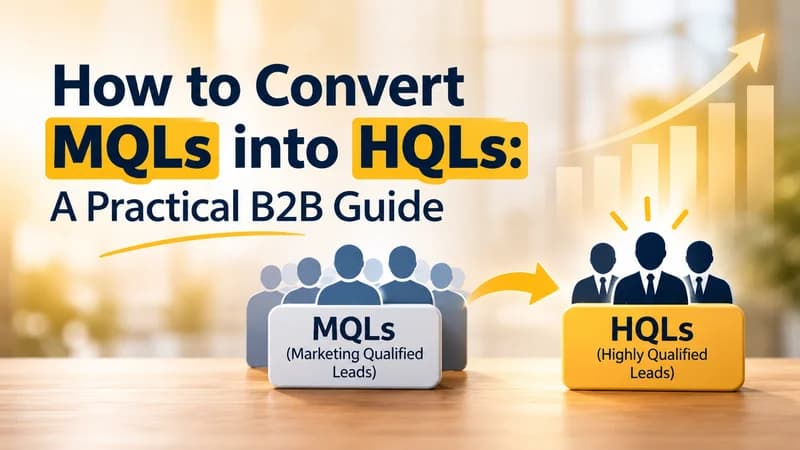
How to Convert MQLs into HQLs_ A Practical B2B Guide

How to Convert MQLs into HQLs: A Practical B2B Guide

Pranali Shelar

An MQL score of 85 looks impressive on a dashboard. But ask sales what that number tells them about the prospect’s buying plans, and the answer may be surprisingly little. Did the account identify a business problem? Is someone evaluating solutions? Are other stakeholders involved? Or did one contact simply accumulate enough points through content downloads and website visits? The problem with many MQL-to-HQL conversion strategies isn’t a lack of engagement data. It’s the assumption that engagement automatically translates into buying readiness. A scoring threshold can identify active contacts, but qualification requires evidence that their activity connects to a potential business decision. Moving MQLs into HQLs requires a process that does more than identify promising leads. Teams must understand what’s preventing an MQL from advancing, take relevant actions to develop buying interest, and validate whether the resulting engagement justifies sales attention.  How do you convert MQLs into HQLs? Converting MQLs into HQLs requires evaluating existing leads, identifying qualification gaps, and taking targeted actions to establish buying readiness. Teams should assess contact and account fit, use relevant nurturing to develop interest, monitor buying signals, evaluate account-level activity, and validate qualification with sales. Leads should advance when their business relevance and buying evidence meet agreed HQL criteria, rather than simply crossing an engagement-score threshold.  Before improving conversion, teams need to rethink what qualifies an MQL for further evaluation. 1. Stop Treating Every MQL as an Equal Opportunity Two MQLs can have identical engagement scores and entirely different commercial potential. Consider these examples: Lead A downloads three resources, attends a general industry webinar, and subscribes to your newsletter. Their activity shows interest in the subject, but there’s no clear indication of an active evaluation. Lead B visits product and pricing pages, returns to a solution comparison page, and interacts with content about implementation. Their activity suggests a more specific interest in evaluating a solution. A conventional scoring model might rank both leads similarly if it assigns points to downloads, attendance, and page visits. A stronger qualification approach recognizes that the second lead has more meaningful evidence. Engagement shows that someone interacted with your brand. Buying progress suggests those interactions connect to a potential business decision. When teams overlook this distinction, activity-heavy leads can crowd out contacts with stronger commercial potential. These MQL conversion gaps often begin when engagement is mistaken for buying readiness. Start by segmenting your existing MQLs according to their conversion readiness. Instead of sending every MQL through the same follow-up process, examine what the available evidence suggests about their next step. MQL segment What the available evidence suggests Recommended action Strong fit, meaningful buying signals The contact and account are relevant, with evidence of solution evaluation Prioritize for sales validation and timely follow-up Strong fit, incomplete buying signals The account matches your ICP, but the business requirement or evaluation stage remains unclear Move into targeted nurturing and monitor new activity High engagement, weak account fit The contact is active, but the organization or role may not match your target market Investigate fit and data accuracy before advancing Weak fit, limited engagement Neither the profile nor activity supports further qualification Deprioritize or disqualify based on your criteria These aren’t universal qualification rules. They’re a practical way to decide where existing MQLs need attention. To understand the difference, examine the context behind each interaction: What was the person researching? Did they explore a specific solution or remain at the general information stage? Were their interactions recent and consistent? Did their activity indicate a developing business requirement? A lead’s activity history should tell a story. If the only evidence is a collection of unrelated clicks, the qualification decision needs another look. 2. Evaluate the Evidence Behind Buying Intent Not all engagement signals carry the same meaning. A newsletter subscription, a product comparison, and a request for implementation details represent different levels of interest. The challenge is interpreting those actions without assuming that every high-intent-looking interaction signals an immediate purchase. Consider three broad categories: Signal category What it indicates Examples General engagement Interest in a topic or brand Blog visits, newsletter subscriptions, introductory downloads Solution exploration Interest in addressing a particular problem Product-page visits, feature comparisons, integration research Purchase evaluation Possible movement toward a buying decision Pricing research, demo requests, implementation questions These categories provide context, not automatic qualification rules. For instance, a pricing-page visit may indicate commercial interest. It could also come from a competitor, a student, or someone conducting general research. Similarly, a demo request can be a strong signal, but it doesn’t establish that the account has a relevant business need. The same action can mean different things depending on who performs it and what happens before or afterward.  Use the signals to determine what the MQL needs next. For example: A prospect engaging with general educational content may need resources that help clarify the business problem. Someone researching product capabilities may benefit from a relevant solution comparison or customer use case. A contact exploring pricing and implementation may warrant a more direct conversation about their requirements. A previously active prospect who has stopped engaging may need a different approach rather than another automated promotional email. This makes nurturing more relevant because the next interaction responds to the prospect’s actual behavior. Consider recency and consistency A prospect who visited your product page six times in one afternoon may appear highly engaged. But what if those visits happened several months ago? Another prospect who returned twice this week to explore a particular feature may offer stronger evidence of current interest. Look at: Recency: How recently did the activity occur? Frequency: Is the person returning to relevant content? Consistency: Do interactions point toward the same business problem? Progression: Is the person moving from general research toward solution evaluation? This prevents outdated or isolated interactions from carrying too much weight. It also makes qualification more responsive to changing buyer behavior. A lead that once showed strong interest may no longer be actively evaluating a solution. Conversely, a previously quiet contact may begin showing

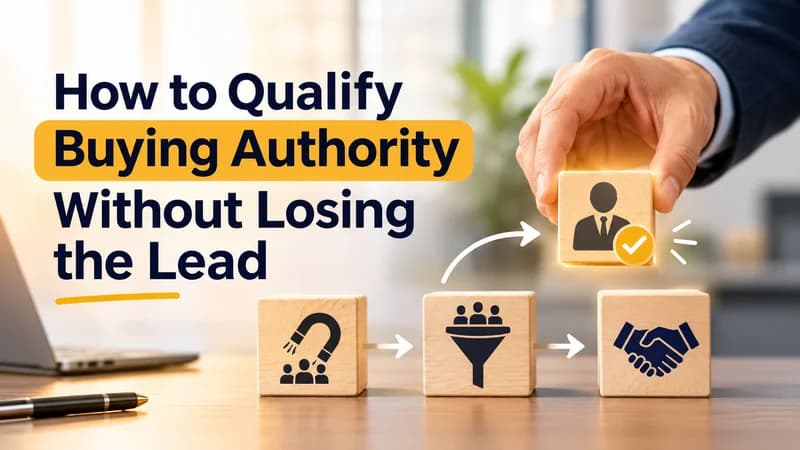
How to Qualify Buying Authority Without Losing the Lead

How to Qualify Buying Authority Without Losing the Lead

Mansi Hake

How Can You Qualify Buying Authority Without Losing the Lead? To qualify buying authority without losing the lead, ask how the buying decision is made instead of asking whether your contact has power. Use process-based questions about roles, approvals, and previous purchases, explain why you are asking, offer to help the contact secure approval, and keep them involved in every next step. Key Takeaways Learn about the decision process before you question anyone’s personal authority. Treat evaluators and influencers as valuable, even when they cannot approve the spend. Explain why approval questions matter so they sound like help, not a test. Involve other stakeholders for a clear business purpose. Record what you don’t know, and agree on a useful next step. The fastest way to make an interested prospect feel unimportant? Ask whether they’re the real decision-maker. To a salesperson, it sounds like a routine qualification question. To a prospect, it can suggest that their input only matters if they control the budget. But avoiding the question isn’t the answer either. You still need to understand who evaluates the solution, who influences the decision, and who can approve the purchase. The difference lies in how you approach that conversation. Effective authority qualification is about understanding the buying process while giving that person a reason to help you move it forward. Why Is Buying Authority Distributed Across Multiple Stakeholders? In B2B purchases, buying authority rarely sits with one person. Different stakeholders contribute to the decision based on their responsibilities, expertise, and influence within the organization. One person may identify the need and evaluate potential solutions, while another checks technical requirements, reviews the budget, or gives final approval. For instance, an operations manager might lead the search for a tool and recommend a vendor based on its ability to solve a workflow problem. The IT team may assess integration and security requirements, while finance reviews the cost and available budget. A department head or senior executive may then approve the purchase. Each stakeholder influences the outcome differently. The evaluator shapes the shortlist, technical teams determine whether a solution meets internal requirements, finance assesses commercial feasibility, and the final approver authorizes the spend. In some organizations, procurement also manages vendor checks and purchasing procedures. This is why identifying only the person who signs the contract gives sales teams an incomplete picture. Understanding who evaluates, recommends, influences, and approves the purchase helps reveal how the decision actually moves forward. Why Do Authority Questions Sometimes Create Friction? A question can be meant as qualification and still be heard as a ranking. “Are you the decision-maker?” sorts the opportunity for the seller, but the prospect may hear a verdict on their own importance. Not every buyer reacts this way, but enough do that this wording deserves care. Timing adds to the problem. Learning the buyer’s business context and priorities before moving into sensitive purchasing topics is important because probing questions can feel intrusive before trust exists. Questions also land better when they match the buyer’s situation and stage.  The modern BANT (Budget, Authority, Need, Timeline) qualification framework helps teams assess buying conditions without treating a contact’s job title as proof of authority.  How to Qualify Buying Authority Without Making Prospects Defensive Understand Their Role Before Asking About Approval Start with what your contact owns. Do they run the evaluation, influence the choice, recommend a vendor, or manage the project afterward? “What’s your part in this project?” gets the answer without implying a ceiling. Understanding the contact’s role is only one part of mapping buying authority; teams must also identify the decisions and approvals required for the purchase. Ask How Decisions Are Made, Not Whether They Have Power Shift the focus from the person to the process. Ask how similar purchases were handled before, who else takes part, and what steps follow a recommendation. Answers about the process reveal authority without forcing your contact to defend theirs. Explain Why You Need to Understand the Buying Process Give a reason. “I’d like to understand the approval steps so I don’t surprise anyone later or send a proposal that misses a requirement” turns the question into support. Avoiding surprises, shaping the proposal, and meeting requirements early are all reasons a buyer can accept. Keep Your Contact Involved in the Next Step Offer to help the contact secure approval instead of asking for direct access to other stakeholders. If another person needs to be involved, propose a joint conversation around the business problem, with your contact included. Understanding the approval process is not the same as having influence over it. A contact may know who approves the budget and what steps are required without having the ability to shape the recommendation or move it forward.  Sales teams can distinguish between the two by asking what role the contact plays after the evaluation, whether their recommendations carry weight internally, and whether they can coordinate the next steps with other stakeholders. For instance, someone who can prepare a business case, recommend a vendor, or arrange a discussion with finance has an active role in advancing the purchase. Someone who can only describe the approval hierarchy may have useful information but limited influence over the outcome. The goal is to understand how much the contact can contribute to the buying process and support them accordingly, rather than bypassing them to reach someone more senior. What Authority Qualification Questions Can You Ask Without Sounding Pushy? Good phrasing keeps the purpose of the question and removes the judgment. This is a reference. Instead of asking Try asking What the answer tells you “Are you the real decision-maker?” “How does your team usually make a decision on something like this?” The process, the participants, and your contact’s place in it “Do you have authority to buy?” “What approvals would be needed if the solution meets your requirements?” Which approvals exist and who gives them “Can you get me to your boss?” “Would it be useful to involve anyone else so we can address their requirements