


3D Camera Control: A Smarter Way to Create Multi-Angle Visuals
Learn how 3D camera control enables smarter multi-angle visuals for better creativity, precision, and immersive experiences.

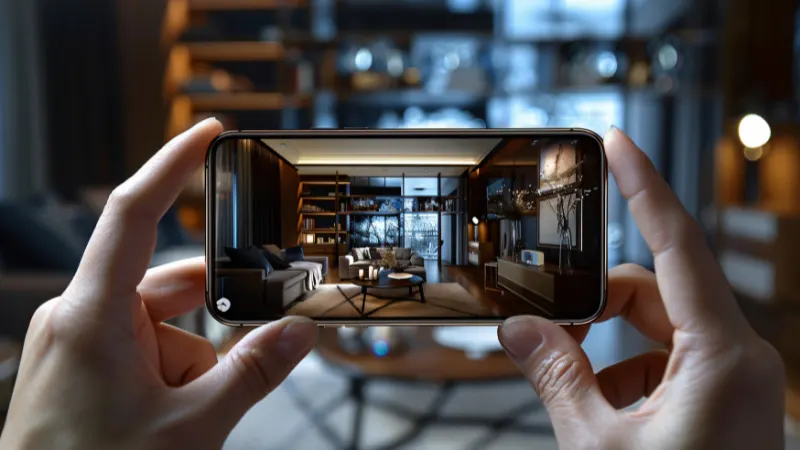
As AI-generated visuals become more common in e-commerce, design, character development, and content creation, users no longer want just one good image. They want multiple clean views of the same subject without rebuilding the scene from scratch.
That is why 3D Camera Control has become such a useful concept for modern creators. Instead of manually faking perspective changes in editing software, users can adjust angle, zoom, and viewpoint more efficiently through AI-assisted tools.
Why 3D Camera Control Matters for Today’s Creators
Many creators already know how frustrating it can be to get consistent angle variations from a single image. The problem is not just generating visuals. The problem is generating usable variations that still preserve the original subject.
- Manual perspective editing is slow Traditional workflows often require users to simulate angles by hand, rebuild compositions, or retouch distortions. That takes time and often still looks unnatural. SuperMaker’s tool is designed specifically to simplify multi-angle control through direct camera behavior adjustments.
- Consistency across views is difficult When creators need multiple views of the same product, character, or object, many tools generate results that drift too far from the source. SuperMaker’s blog content around this feature emphasizes stable angles and reduced “morphing,” which is especially important for repeatable outputs.
- Most tools are too narrow or too technical Some image tools can create visuals, but they are not designed for controllable camera transformations. Others require more technical setup than casual creators want. SuperMaker positions this feature as a browser-based, free online tool with visual controls, making it easier for both creators and non-technical users to start.
- Creative workflows are often fragmented Users may need one tool for angle testing, another for editing, and another for broader image or video production. SuperMaker’s larger platform matters here because it also includes AI image, video, voice, and music tools, which makes it easier to keep creative work in one ecosystem.
These pain points explain why tools built around 3D Camera Control are getting more attention. Creators want speed, repeatability, and more control over visual perspective without turning every project into a manual editing task.
How SuperMaker Approaches 3D Camera Control
If you are writing this article to support your own site, the strongest angle is not to present SuperMaker as a generic AI image tool. It is better to position it as a more practical visual workflow option for people who need multi-angle control.
For users who want a simpler way to create perspective variations, Supermaker 3D Camera Control is designed as a free online tool that lets users configure 3D camera behaviors directly. According to the feature page, users can visually adjust orbit, zoom, and pan settings, use basic multi-angle generation and camera angle control for free, and scale up to premium plans for higher-volume processing or higher-resolution downloads.
Feature Highlight 1: Visual Camera Behavior Controls
One of the clearest advantages of this tool is that it frames angle manipulation as camera behavior instead of abstract image editing. On the page, SuperMaker highlights control over orbit, zoom, and pan, which makes the workflow easier to understand for users who want camera-like adjustments rather than prompt-only experimentation. That is a useful distinction for product marketers, designers, and creators who need predictable multi-angle outputs.
Feature Highlight 2: Free Entry Point with Upgrade Path
SuperMaker states that its Free Online version includes essential features such as basic multi angle generation and camera angle control. For users who just want to test ideas or build simple creative variations, that lowers the barrier to entry. For heavier use cases, the platform also offers premium plans aimed at bulk multi-view image processing and higher resolution downloads, which gives the tool a more scalable positioning than a one-off demo experience.
Feature Highlight 3: Connected to a Broader Creative Ecosystem
Another important advantage is context. SuperMaker is not only a camera-angle tool. The homepage presents it as an all-in-one AI platform that includes AI Video Maker, AI Image Maker, AI Voice Maker, AI Music Maker, and an AI Chat Interface. That broader ecosystem makes the 3D Camera Control feature more useful because users can create angle variations as part of a larger image or video production process instead of treating them as isolated files. This broader workflow support is one of SuperMaker’s most important differentiators.
How to Use 3D Camera Control Effectively
A tutorial-style section helps this article rank better because it aligns with practical search intent.
Step-by-step workflow
- Upload or prepare a source image Start with a clear subject image. This works best when the subject is visually easy to separate and the composition is already stable. SuperMaker’s related camera-transform guidance also recommends clean subjects for better perspective results.
- Adjust camera behavior Use the tool’s orbit, zoom, and pan controls to explore alternative views. Instead of redrawing the subject or using complex perspective edits, the system is built around camera-style transformations.
- Generate multiple angle variations Test different views for hero shots, reference boards, product listings, or character studies. SuperMaker’s surrounding content on this feature focuses on multi-angle output and stable viewpoint control.
- Export and reuse the results Once the angle looks right, export the result and use it in a broader workflow, whether that means product design, visual planning, or creative production inside the wider SuperMaker ecosystem.
Common use cases
- Product marketers need multiple clean product views for listings or ads.
- Designers and artists create reference boards or perspective studies.
- Character creators exploring alternative viewpoints while keeping the same identity.
- Content teams building visual assets that may later be turned into video or campaign material.
These use cases fit naturally with SuperMaker’s broader positioning as a platform for image and video creation rather than a single-purpose toy.
3D Camera Control Tool Comparison and Selection Advice
If you want this section to feel credible, keep it practical: compare workflow fit, not just hype.
| Tool | Core Advantage | Best For | Free Version |
| SuperMaker | Camera-style control with orbit, zoom, pan, basic free multi-angle generation, plus access to a larger AI creation ecosystem | Creators who want controllable multi-angle images and broader image/video workflow support | Yes |
| Generic AI image editors | Broad image generation and editing | Users who mainly want stylization or prompt-based edits | Often |
| Dedicated 3D software | Deep technical control and precision | Advanced users with time for complex workflows | Usually limited or no |
| Single-purpose camera angle tools | Narrow angle testing | Users who only need one isolated task | Varies |
The main buying question is simple: do you want a narrow tool, or do you want a feature that can fit into a larger content pipeline? If the goal is only to test one or two perspective changes, many tools may work. But if the goal is to control viewpoints and keep moving into image, video, and creative production, SuperMaker’s ecosystem is the stronger long-term advantage.
Final Thoughts
The value of 3D Camera Control is not just that it creates new angles. It is that it helps creators generate more usable visuals from the same source image with less manual effort, more consistency, and better workflow speed. SuperMaker’s approach stands out because it combines free camera-behavior controls with a larger AI creation platform that supports image, video, audio, and broader asset production.
If you want a simpler way to create multi-angle visuals without relying on heavy manual editing, SuperMaker is a solid place to start.

