


Converting Images to WebP for Improved Website Loading Speed
Learn how converting images to WebP improves website loading speed, reduces file size, and enhances user experience and SEO performance.

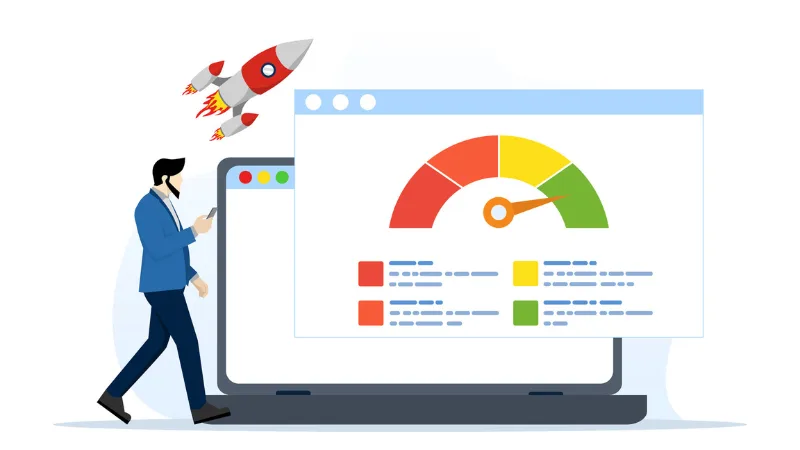
Website performance is increasingly critical in 2026, as user attention spans shrink and search engines prioritize fast-loading pages. One of the most effective ways to optimize website loading is by compressing images and selecting appropriate formats. Among modern formats, WebP stands out for its superior compression, delivering high-quality visuals at smaller file sizes than JPEG or PNG.
By converting images to WebP, websites can reduce file sizes, improve page speed, and enhance the user experience while maintaining visual fidelity. This article explains why WebP is essential, how to implement it, and strategies for maintaining compatibility with all browsers.
WebP Advantages
WebP is a modern image format developed by Google that delivers superior compression by significantly reducing file sizes — often by 25–30% compared to JPEG and PNG — without sacrificing visual clarity. This versatility allows it to handle both lossy and lossless compression while supporting transparency and animations, making it a high-performance replacement for older formats like PNG and GIF. By decreasing the data footprint of your site’s visual assets, WebP directly accelerates page load speeds and improves Core Web Vitals, which are critical for both SEO rankings and user retention.
Implementing WebP reduces bandwidth consumption and provides a snappier experience for visitors, especially those on mobile devices. Because it strikes an ideal balance between high-fidelity detail and lean file sizes, it has become an essential tool for developers looking to optimize site performance and overall user engagement.
Browser Compatibility Status in 2026
As of 2026, WebP has achieved nearly universal browser compatibility, with full native support across Chrome, Edge, Firefox, Safari, and Opera, as well as their respective mobile versions. This widespread adoption is matched by major content management systems like WordPress, Shopify, and Wix, which now offer built-in tools to automatically handle WebP conversion and delivery. While older browsers or niche platforms may still require a fallback solution, the format is now considered a safe, standard choice for web developers. This global support allows for confident deployment of high-performance images that significantly reduce load times for the vast majority of web users.
Step-by-Step Conversion Process Using Online Tools
Online tools are ideal for quick conversions or small batches and require no software installation. A typical workflow would be:
- Open a reliable online image converter
- Upload images (JPEG, PNG, GIF)
- Select WebP as the output format
- Adjust quality settings if available (lossless or lossy)
- Download converted images or export directly to CMS
Quality Settings Optimization
To optimize WebP, balance quality and speed. For high-impact photos, use 75–85% lossy compression for near-original quality with reduced file size. Use lossless compression for logos and other sharp graphics with transparency; it preserves pixel data and is about 26% smaller than PNG. Secondary content, such as thumbnails, can use 50–60% quality for maximum speed. Always use a tool like Squoosh to check that critical details remain sharp before finalizing, boosting Core Web Vitals and SEO.
Replacing PNGs with WebP
WebP offers a powerful alternative to PNG, supporting full alpha-channel transparency with significantly more efficient compression. Unlike traditional formats, WebP can handle transparency in both lossy and lossless modes; lossless WebP images are typically 26% smaller than equivalent PNGs, while lossy WebP can be up to 3x smaller while still maintaining clean, transparent edges for icons and UI elements.
By utilizing WebP for transparent assets, you can drastically reduce your total page weight and improve site performance without compromising design integrity. This makes it the ideal choice for logos, complex overlays, and floating UI components that need to blend seamlessly across different backgrounds while loading as quickly as possible.
Batch Conversion Workflows for Entire Website Libraries
For large websites with hundreds or thousands of images, batch conversion is essential. This process saves time, ensures consistent quality across all images, and simplifies integration into various website platforms. Efficient workflows are key to managing this scale.
- Export all images from CMS or local storage
- Use batch processing in online converters or desktop tools
- Maintain folder structures for easy reintegration
- Optimize quality and format for different image types (photos vs. icons)
Fallback Strategies
To ensure full compatibility and maintain performance benefits, fallback strategies are necessary for older browsers that do not support WebP, as its display is not universal despite its widespread adoption. These strategies include:
- Using HTML <picture> tags with WebP first and JPEG/PNG as fallback
- CMS plugins automatically generate alternative formats
- Testing across devices to verify a seamless user experience
Measuring Real-World Impact
Measure WebP conversion gains using Google PageSpeed Insights or Lighthouse by monitoring Core Web Vitals like Largest Contentful Paint (LCP). This validation confirms that smaller images improve load times, significantly cut bandwidth use, boost mobile speed, and increase user retention. Tracking metrics confirms the positive impact on SEO and reduces hosting costs, ensuring a responsive web presence for all users.
WordPress, Shopify, and Custom Solutions
Modern CMS platforms, such as WordPress and Shopify, automatically deliver optimized WebP images, significantly improving the user experience and SEO. For custom sites, developers can use automated tools like cwebp or CDN services (e.g., Cloudflare) for on-the-fly conversion. This integration maintains visual quality while drastically reducing page weight and ensuring site speed across all devices.
Switching to WebP is a strategic move for modern websites, allowing faster load times, reduced bandwidth usage, and superior image quality — a win-win for users and creators alike. Combining format optimization, proper quality settings, and CMS integration ensures consistent, fast-loading visuals across devices. Online image converters make conversion and optimization accessible for websites of all sizes, improving both user experience and search engine rankings.

