Seedance 3.0 for a Trade-Show Film That Makes Warehouse Software Visible
Plan a silent warehouse-software booth film using reference-based scene clips, real interface footage, clear captions and practical editing choices.

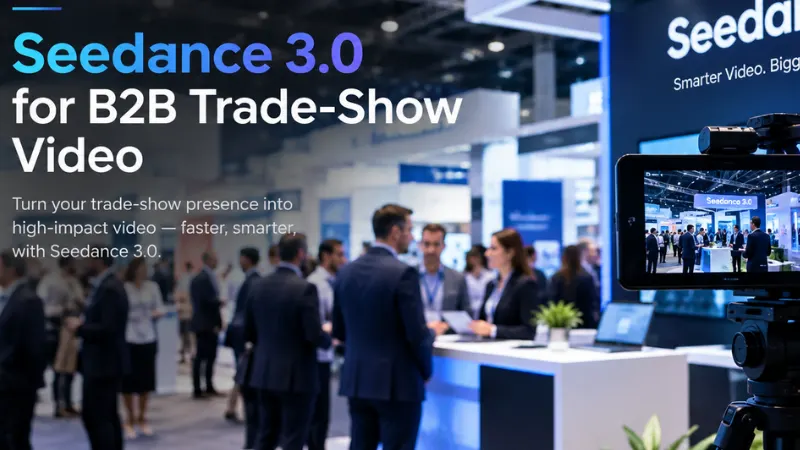
A visitor walking past an exhibition stand may see only the middle of a video. They might miss the opening question, never hear the voice-over and leave before the logo appears. If I were making a booth film for a warehouse software company, I would build around that brief encounter. A recognisable carton, a warehouse aisle and a clear screen action would matter more than a long introduction.
My imagined brief is a silent loop for a stand promoting an inventory application. The marketing team has approved warehouse photographs, a clean product screen recording and a few pack-station images. I would use Seedance 3.0 to develop the scene-setting clips, then connect them to genuine interface footage in an editor. The software demonstration would remain tied to what the application actually does.
Choose one carton to carry the story
I would start with a plain carton sitting at the near end of a shelf. A small blue label could distinguish it from the surrounding boxes without relying on tiny text. The opening composition would show enough of the aisle to establish the setting, while keeping that carton large enough to recognise from several metres away.
The first movement would be short and direct: a gentle approach along the shelf towards the labelled carton. I would not fly through the entire warehouse. That kind of spectacle can make the facility look impressive while leaving the viewer unsure what problem the software addresses.
For this example, the message is about finding an item and seeing its recorded location. I would first confirm that the application supports the exact action shown. The creative brief should not manufacture a capability merely because a convincing scene can be generated around it.
Give each source asset a defined role
The Seedance 3.0 references would include a clear aisle photograph and a close view of the chosen carton. The aisle establishes shelf geometry, floor markings and lighting. The carton image establishes the proportions and blue label. I would keep other logos and legible shipment information out of the reference frame.
A photograph of the packing station would be reserved for the closing scene. Mixing it into the opening reference set could encourage an unhelpful hybrid space, with a packing bench appearing halfway down the storage aisle. The film can move between places through editing; each generated shot does not need to contain the whole story.
The software recording belongs in a different part of the production. I would capture the approved action with demonstration data, crop the interface to the relevant area and keep enough context for the location field to make sense. It should look like a usable application, not an animated dashboard invented for decoration.
Write for the person who cannot hear
A silent booth loop needs a visual idea that survives without narration. I would pair the aisle shot with a short line such as “Find the item.” The actual screen action could follow with “See its location.” Those lines would be added in the editor, at a scale suited to the display.
Before generating in Seedance 3.0, I would sketch how much space the text needs. If the shelf fills every corner, a caption may obscure the very carton it is meant to explain. A slightly wider source composition can leave a calm strip of wall or floor where the words remain readable.
I would keep the caption stable rather than make it chase the camera. In a busy exhibition hall, the moving carton scene already asks for attention. A visitor should be able to read the line once and return to the image, even if they have only a few seconds.
The first warehouse shot
My opening direction would be specific about what stays still. The camera supplies the movement; the shelves and cartons should not rearrange themselves as the view approaches.
Use the warehouse aisle photograph as the exact setting. Preserve the shelves, floor markings and carton positions. The plain carton with the small blue label is the focus. Make a slow, short forward camera move towards it, stopping while the full carton remains visible. Keep all cartons stationary. Use the existing overhead light. Add no workers, vehicles, new labels or on-screen text.

Once that Seedance 3.0 clip is readable, I would develop a closer view of the same carton. It could provide the bridge to the interface recording: the blue label appears in the physical scene, then the edit moves to the relevant item in the application’s approved demonstration. The connection should be understandable without implying that the generated carton is a live system integration.
Join the physical scene to a real screen
I would use a simple cut into the interface, not a magical transformation of cardboard into software. The screen would hold long enough for the viewer to see the selected item and its location. A cursor movement could guide attention if it belongs to the real recording.
At this stage, Seedance 3.0 has a supporting role in the marketing workflow: it helps make the setting and visual transition tangible. The recorded interface carries the product proof. Keeping those roles distinct gives the editor more control over both the visual story and the accuracy of the demonstration.
The next cut would return to the packing station, where the same kind of carton sits on a clear bench. I would avoid showing a worker scanning or lifting it unless the available references and the brief make that action necessary. The resolved arrangement can communicate progress without inventing a complicated operational sequence.
Repair the cut before adding effects
A plausible first-draft problem is that the blue label changes size between the aisle and the close-up. I would return to the carton reference and simplify the second angle. If the camera travels too far around the object, it has to infer surfaces that the source image does not show.
Another problem might be a shelf beam bending during the approach. My next Seedance 3.0 attempt would reduce the travel and ask for a steadier perspective. I would not cover the bend with a large animated caption. The warehouse needs to feel stable for the software story to feel grounded.
The interface cut deserves equal care. If it arrives too quickly, the viewer sees a screen but no meaningful action. I would trim the opening before shortening the demonstration. The purpose of the film is to connect the setting to the product, so the product needs enough time to be understood.
Make the ending work as another beginning
A booth loop should welcome someone who arrives halfway through. I would place a short product identifier near the end and return to a composition similar to the opening aisle. The transition back should feel deliberate rather than like a file abruptly restarting.
The Seedance 3.0 closing clip could hold on the packing bench before the cut. I would match its light and colour to the aisle so that the loop feels like one environment. The final edit might last around thirty seconds, assembled from several clips and the screen recording rather than dependent on one uninterrupted generation.
I would review it at the intended display size, with the sound off and from a realistic viewing distance. If the blue label disappears or the location field becomes too small, the fix is a different crop or simpler composition. Increasing every element’s animation speed would only make the information harder to catch.
A useful asset after the exhibition
Before expanding the Seedance 3.0 production, I would reserve a modest budget for the two shots with the most visible geometry: the aisle approach and carton close-up. Those revisions are more likely to improve the film than producing several alternative warehouse backgrounds.
The finished handover would include the silent booth loop and a shorter edit centred on the real screen action for a follow-up page. Captions could be adapted to each placement, while the source footage remains organised by scene. I would also retain the original photographs so future edits can preserve the same carton and setting.
What I would want a visitor to remember is simple: this is an inventory product, and here is one action it can show clearly. A concrete object gives the video a subject, the interface gives it substance, and the edit joins them. That is enough to start a more useful conversation at the stand.