


How Affidavits Fit Into Modern Business Document Workflows
How affidavits fit into modern business document workflows, from choosing legal templates to editing, eSignature, notarization, storage.

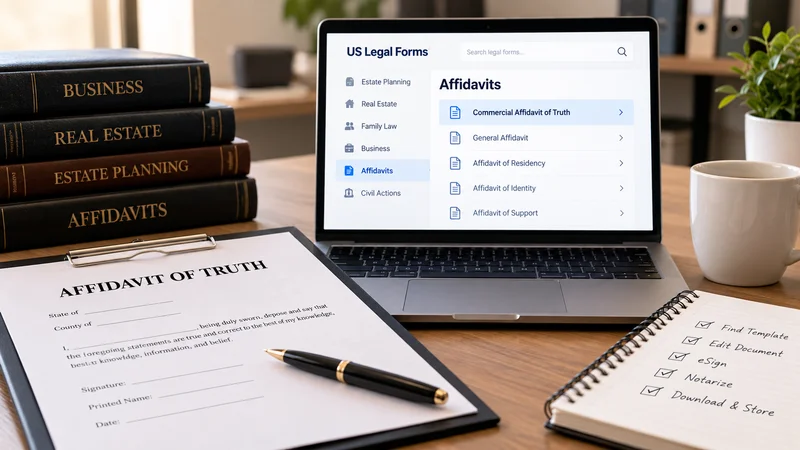
Legal paperwork can become difficult to manage when documents are scattered across email threads, local folders, printed files, and separate signing tools. A more organized workflow keeps each legal form in a predictable place and gives individuals, small businesses, and attorneys a clearer way to locate, complete, store, and share documents. The goal is not to replace professional legal judgment. It is to reduce avoidable friction around routine document handling.
For organizations working with affidavit-related paperwork, a commercial affidavit of truth template can be kept within the same controlled workflow used for other legal templates. US Legal Forms provides an online library of 85,000+ state- and industry-specific legal templates, with documents organized by category and state. That structure can make it easier to find a relevant form template and move it into a consistent digital process without switching between unrelated document systems.
Why Document Organization Matters
A legal document workflow is easier to manage when the process is consistent from the beginning. Instead of treating every document as a separate task, a business can use the same sequence for locating a legal template, reviewing the available format, entering information, completing signatures where appropriate, storing the finished file, and sharing it through the required channel.
This approach is useful whether the organization is handling one affidavit, a state-specific form, or a larger form package. Consistency also helps teams distinguish working copies from completed copies. Simple naming conventions, controlled folders, and clear status labels can reduce confusion when multiple documents are being handled at the same time.
Start With the Right Template Category
The first step in an efficient workflow is finding the correct type of document. US Legal Forms organizes templates by category and state, which helps narrow a large library into more relevant groups. Its categories include estate planning, real estate, family law, business, affidavits, and civil actions.
Estate planning templates include wills, living trusts, living wills, and power of attorney documents. Real estate categories include home sales, leases, deeds, and contract for deed forms. Business templates cover LLC formation, incorporation, employment, and confidentiality agreements. This category-based structure gives individuals, small businesses, and attorneys a more direct way to locate a legal form without starting from an unfiltered document list.
Build a Repeatable Review Process
After a legal template is located, the next stage should focus on document review rather than immediate completion. A business can first confirm that the selected category, state, document title, and available file format match the intended internal workflow. This is particularly useful when teams handle several similar forms or maintain records across different states.
A repeatable checklist can include the document name, source, date accessed, relevant category, state designation, file format, internal owner, and current status. This type of administrative review does not determine legal suitability. It simply creates a clearer record of what document is being handled and where it sits in the organization’s process.
Keep Version Control Simple
Version control becomes important once a form is downloaded or edited. A practical naming structure can include the document type, business or matter name, date, and status. Terms such as “draft,” “review,” “signed,” or “final” can help distinguish one copy from another.
The same approach can be used for a single form template or an entire form package. Reusable templates are especially helpful when an organization needs to maintain a clean source copy while creating separate working versions. US Legal Forms templates can be downloaded in DOC, PDF, or RTF, allowing businesses to choose a format that fits their document management process.
Use One Workspace for Completion and Editing
Moving documents between too many applications can make a simple process harder to track. US Legal Forms includes a guided document creator that walks users through completing a template, along with a built-in Word-like document editor. These tools can support a more centralized workflow while leaving responsibility for the document’s content with the user.
The platform also supports common actions such as download, print, email, and USPS mailing. For teams that use a digital-first process, having these actions available within the same environment can reduce unnecessary file transfers. The focus remains on completing and managing the selected legal template rather than creating or tailoring legal advice.
Plan the Fill and Sign Stage
The fill and sign stage should be treated as a separate status in the workflow. That makes it easier to see which documents are still being completed and which have moved into signature handling. US Legal Forms supports eSignatures through signNow, giving users an electronic option when a document workflow includes signatures.
A clear status system can separate “information entered,” “ready for signature,” “signature in progress,” and “completed.” This is especially useful when more than one person is involved in document handling. The platform’s mobile app can also support access when a user is working away from a desktop environment.
Account for Online Notarization When Relevant
Some document workflows may also include notarization. US Legal Forms provides 24/7 online notarization through a video call. Keeping that capability within the broader document workflow can simplify administration when a selected document requires a notarization step.
From an operations perspective, notarization should have its own status rather than being grouped together with editing or signing. A business record might show that a document is drafted, completed, signed, awaiting notarization, or stored as a completed copy. This does not determine whether notarization is legally required for a particular document. It simply helps keep the administrative process visible and organized.
Store Completed Documents Securely
Document storage is the final part of a usable workflow, not an afterthought. US Legal Forms provides secure cloud storage, which can keep downloaded and completed documents connected to the same online environment used during the earlier stages of the process.
The service states that it follows GDPR and CCPA requirements and is SOC 2 Type II certified. Payments are handled through a PCI DSS Level 1 compliant gateway, Braintree, and the company is BBB accredited. These details are relevant when organizations assess how a document platform handles operational security and privacy considerations alongside day-to-day legal form management.
Use a Broader Library Without Losing Structure
A large legal template library is most useful when users can move from broad categories to specific documents without losing context. US Legal Forms has been in business since 1997, and over 3 million individuals and businesses use the service. Its library serves individual consumers, small businesses, and attorneys.
Because templates are organized by category and state, users can move between different document needs while maintaining a similar workflow. A small business might work with business formation documents, employment forms, confidentiality agreements, affidavits, or real estate paperwork while using the same basic process for finding, reviewing, editing, storing, and sharing each file.
What a Practical Online Document Workflow Looks Like
A practical system does not need to be complicated. The strongest workflow is often a short sequence that can be repeated consistently: locate the legal template, confirm the category and state, preserve a clean source copy, complete the working version, review the file, manage fill and sign steps, complete online notarization when relevant, export the document, and store the completed copy.
This type of process can work for a single legal form, a state-specific form, or a broader form package. US Legal Forms supports that workflow with reusable templates, DOC, PDF, and RTF downloads, editing tools, eSignature functionality, delivery options, secure cloud storage, and a mobile app. The platform provides document tools and templates rather than legal advice or customized legal services.
Frequently Asked Questions
What is the benefit of using an organized legal form workflow?
An organized workflow helps keep document handling consistent from selection through storage. It can make it easier to identify current versions, separate drafts from completed files, and keep related documents together. The workflow supports administration and recordkeeping; it does not determine which legal form is appropriate for a particular situation.
Can US Legal Forms be used for more than affidavit templates?
Yes. The library includes 85,000+ state- and industry-specific legal templates covering estate planning, real estate, family law, business, affidavits, and civil actions. Templates are organized by category and state, making it easier to move from one document type to another while keeping a similar online workflow.
What file formats are available for legal templates?
US Legal Forms provides reusable templates that can be downloaded in DOC, PDF, or RTF. Different formats can support different internal processes, such as editing a working copy, keeping a fixed reference copy, or storing completed documents. The platform also includes a built-in Word-like editor for online document completion.
Does the platform support eSignature and online notarization?
US Legal Forms supports eSignature through signNow and provides 24/7 online notarization through video call. These functions can be incorporated into a broader fill and sign workflow when relevant to the selected document. The availability of these tools does not determine whether a particular form requires a signature or notarization.
Does US Legal Forms provide legal advice or customize documents?
No. US Legal Forms provides legal templates and document workflow tools. Its guided document creator walks users through completing a template, but it does not draft or tailor legal documents for individual circumstances. Users remain responsible for determining whether a particular template is appropriate for their needs.

