


Transcript Video Showdown: Two AI Tools Battle for Your Time (and Sanity)
Compare two AI video transcription tools on speed, accuracy, features, and ease of use to find which one saves you more time.

The Problem Nobody Talks About
You just recorded a 40-minute podcast. Now you need a transcript. Fast.
Typing it out yourself? That’s a Saturday gone. Hiring a human transcriber? That’s a budget line you didn’t plan for.
This is exactly why the “transcript video” category exploded. According to Cisco’s Annual Internet Report, video already accounts for over 82% of all internet traffic. More video means more raw audio that needs turning into readable, searchable text.
I spent a week testing two players in this space: TranscriptVideo and VideoTranscript.ai. Here’s what actually happened.
Why Transcribing Video Even Matters
Let’s zoom out first. A video transcript isn’t just a text dump.
It’s SEO fuel. It’s accessibility. It’s the raw material for blog posts, subtitles, and social clips.
Google can’t “watch” your video. But it can crawl a transcript. That alone explains why creators obsess over turning every video into text.
Search demand for tools that transcribe video content has climbed steadily since 2022, based on general keyword trend data across SEO platforms. The market isn’t niche anymore. It’s mainstream.
Meet the Contenders
TranscriptVideo: The Straight-Shooter
My first impression of Transcript Video was simple: it doesn’t try to be everything.
Purpose: It focuses on one job — converting spoken video content into clean, usable text.
Overview: The interface is minimal. Upload a file or paste a link, and it processes the audio track.
Features:
- Automatic speech-to-text conversion for uploaded videos
- Export options that fit different workflows (plain text, subtitle formats)
- A layout built around speed rather than extra bells and whistles
There’s no clutter here. For someone who just wants a transcript video output without a learning curve, that’s refreshing.
VideoTranscript.ai: The Feature Collector
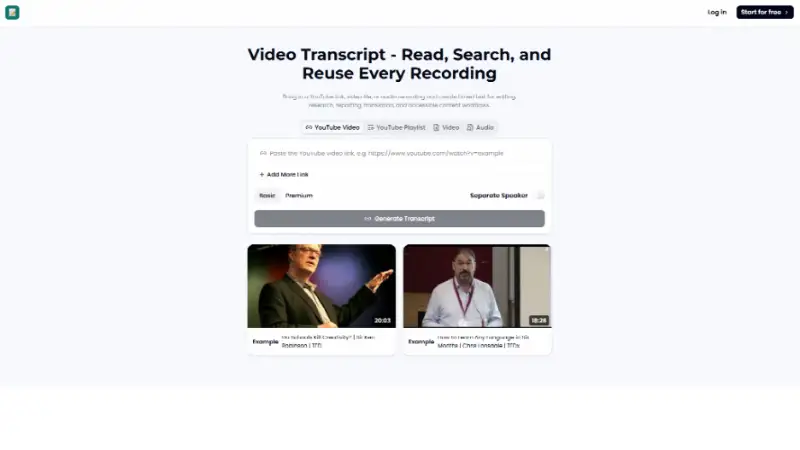
VideoTranscript.ai takes a different approach. It feels like it’s aiming to be a broader content hub, not just a converter.
Purpose: Turn video into text, then help you do more with that text afterward.
Overview: The dashboard has more visible options on first login. That’s not a bad thing — it just signals a different philosophy.
Features:
- Video-to-text conversion with formatting options
- Additional editing or organizing tools layered around the core transcript output
- A structure that hints at supporting longer-form or multi-step content workflows
If TranscriptVideo is a scalpel, VideoTranscript.ai is closer to a Swiss Army knife.
Head-to-Head: Where They Overlap, Where They Split
Both tools share the same DNA. Both promise to transcribe video content accurately and quickly. Both target creators, marketers, and anyone drowning in raw footage.
The similarities stop at the core function, though.
TranscriptVideo leans into simplicity. One task, done cleanly, with minimal friction between upload and output.
VideoTranscript leans into scope. It positions the transcript as step one, not the final destination.
Neither approach is “wrong.” They just serve different moods. Some days you want a scalpel. Some days you want the whole toolbox.
Putting Them to Work: How I Actually Used Them
Here’s my honest workflow test.
Step one: I uploaded the same 12-minute video file to both tools. No cherry-picking — same audio quality, same background noise level.
Step two: I timed how long it took to reach a usable transcript video output. Both landed in a similar ballpark, no dramatic gap between them.
Step three: I reviewed accuracy on names, filler words, and pacing. Both handled clear speech well. Both stumbled slightly on overlapping voices, which is common across most automated transcript video tools right now, not a unique flaw to either one.
That last point matters. Overlapping speech is still the industry’s weak spot, not just these two tools’ problem.
The Good, The Meh: Pros and Cons
TranscriptVideo
Pros:
- Fast, no-nonsense workflow
- Low learning curve for first-time users
- Clean output without extra formatting to strip away
Cons:
- Fewer built-in extras beyond the core transcript function
- Might feel “too simple” for users wanting an all-in-one hub
VideoTranscript
Pros:
- More surrounding tools for post-transcript editing
- Better fit for users managing multi-step content pipelines
- Feels built for scaling beyond a single video
Cons:
- Slightly more setup time before you reach the actual transcript
- The extra features can feel unnecessary if all you want is text, fast
Who Should Use What
If you’re a podcaster who just needs a transcript video output to paste into show notes, TranscriptVideo fits the job description.
If you’re a content marketer repurposing one video into five different assets, VideoTranscript.ai’s broader toolkit starts making more sense.
Neither is objectively “better.” They’re built for different rhythms of work.
Why This Category Matters to the Market Right Now
Video-first content isn’t slowing down. Neither is the demand to transcribe video into text for accessibility, SEO, and repurposing.
A 2023 accessibility report from WebAIM found that a significant share of top websites still fail basic accessibility checks, and missing captions or transcripts is a recurring issue. Tools like these directly chip away at that gap.
As more creators treat transcript video output as a core content asset — not an afterthought — this category will only get more competitive.
Final Thought
Both TranscriptVideo and VideoTranscript.ai do what they promise: turn spoken video into readable text.
One keeps it lean. The other builds outward. Your choice depends less on “which is better” and more on how you plan to use the transcript once you have it.
Either way, if you’re still transcribing video by hand in 2026, it might be time to stop.

