


How to Turn a B2B Product Idea Into a 30-Second AI Video —Without a Studio
Learn how B2B marketers can turn one product idea into a clear 30-second AI video using a practical script, shot list, and review workflow.

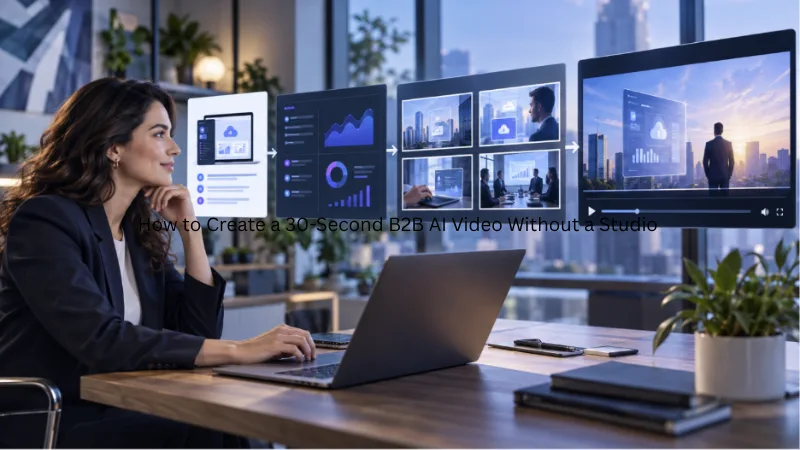
B2B companies rarely struggle to find something worth explaining. They struggle to explain it quickly.
A product may reduce manual work, connect several systems, reveal better customer insights, or help a team make faster decisions. Yet turning that value into a video traditionally requires a scriptwriter, designer, editor, voice actor, and several rounds of production. By the time the video is finished, the campaign may already have moved on.
AI video changes the production model. Instead of organizing a full shoot, a marketing team can begin with a product idea, a few approved visual assets, and a short script. Platforms such as Seedance 2 AI video can help turn those inputs into visual sequences that give marketers a faster way to explore, present, and refine a campaign concept.
The goal is not to generate a miniature corporate film every time the company has something to say. The goal is to communicate one useful idea clearly enough that the viewer understands why it matters.
Why 30 Seconds Is Enough
A short B2B video does not need to explain the entire product. It only needs to move the buyer from one thought to the next.
A useful 30-second video can help a viewer understand:
- The problem a particular audience faces
- The consequence of leaving that problem unresolved
- The change the product makes possible
- The next action the viewer should take
Trying to include every feature, integration, and technical advantage usually produces a confusing video. A stronger approach is to select one problem and one outcome.
For example, a reporting platform should not attempt to demonstrate its complete dashboard in 30 seconds. It could instead show how a marketing manager moves from scattered campaign data to a clear weekly performance summary. That is a smaller story, but it gives the video a recognizable beginning and end.
Step 1: Start With a Buyer Problem, Not a Product Feature
The first question should not be, “What feature do we want to promote?” A better question is, “What frustrating moment does our buyer recognize immediately?”
Consider the difference between these two openings:
Feature-first: “Our platform provides automated analytics and customizable dashboards.”
Problem-first: “It is Monday morning, and your campaign data is still spread across six different reports.”
The second version creates a situation the audience can picture. It also gives the video something visual to show: several reports, a busy marketer, inconsistent numbers, and an approaching meeting. The product can then appear as the resolution instead of becoming a list of specifications.
Before creating the video, write down three things:
- Who is experiencing the problem?
- What is happening at that moment?
- What becomes easier after the product is introduced?
If these answers are specific, the video will be easier to script and generate.
Step 2: Build a Five-Part, 30-Second Script
A simple structure prevents the video from becoming overloaded.
Seconds 0–3: The Hook
Open with the problem, an unexpected question, or a visible contrast. Examples include:
- “How many hours did your team spend building this report?”
- “Your best campaign idea should not take three weeks to visualize.”
- “The customer is ready, but your sales content is not.”
The opening should make sense without a long introduction or company history.
Seconds 3–8: The Friction
Show what makes the current situation inefficient. This might be an overloaded spreadsheet, repeated revision requests, an unfinished presentation, or a team waiting for creative assets. The scene should represent a real business obstacle rather than a generic image of people sitting in an office.
Seconds 8–18: The Change
Introduce the product or service and demonstrate the central improvement. If possible, combine generated visuals with authentic product evidence. A real interface screenshot, approved product image, or accurate workflow graphic will usually communicate more trust than a completely invented screen.
Seconds 18–25: The Outcome
Show what improves for the customer. The result could be a completed report, a faster handoff, a consistent set of campaign assets, or a clearer customer presentation. The outcome should be visible rather than expressed only through narration.
Seconds 25–30: The Next Step
End with one action: watch the full demonstration, download the guide, book a consultation, explore the product, or register for the webinar. Multiple calls to action compete with one another. One is enough.
Step 3: Collect a Small Set of Reliable Inputs
AI video production becomes more predictable when the team starts with approved source material. A practical asset folder may contain:
- The company logo
- Product screenshots
- Product photographs
- Brand colors and fonts
- A customer-approved quotation
- A short written description of the target audience
- Examples of the company’s existing visual style
These materials create boundaries for the video. They help prevent the visual direction from drifting away from the product or brand.
Not every asset needs to appear in the final 30 seconds. Their purpose is to give the team reliable reference points while developing the scenes.
When product accuracy matters, generated footage should support the real material rather than replace it. AI can create the setting, transitions, motion, or visual metaphor, while genuine screenshots and product images provide the evidence.
Step 4: Turn the Script Into a Shot List
A script describes what the audience hears. A shot list describes what the audience sees. For a 30-second video, four to six shots are usually enough.
- 0–3 seconds: Introduce the problem with a marketer switching between several reports.
- 3–8 seconds: Show conflicting numbers appearing before a meeting.
- 8–15 seconds: Introduce the solution through a clear product dashboard.
- 15–23 seconds: Show data becoming an organized campaign summary.
- 23–27 seconds: Present the team reviewing one consistent report.
- 27–30 seconds: End with the logo, URL, and one call to action.
This plan gives every scene a job. If a shot does not clarify the problem, solution, outcome, or next step, it may not belong in the video.
Step 5: Use AI Where It Adds Real Value
AI video is most useful when it removes a production obstacle. It can help a team:
- Visualize a concept before commissioning a larger campaign
- Add motion to approved product and campaign assets
- Create environments that would be expensive to film
- Generate alternate openings for creative testing
- Produce different aspect ratios for different channels
- Update a scene when the messaging changes
- Build localized versions for regional campaigns
It should not be used to invent product capabilities, fabricate customer results, or display interfaces that do not exist. A visually impressive video can still damage trust if it misrepresents the product.
A useful rule is to separate the video into two layers:
Evidence: Real product screens, verified statements, approved customer results, and accurate demonstrations.
Illustration: Generated environments, transitions, characters, motion, and visual metaphors that make the evidence easier to understand.
The illustration can attract attention, but the evidence supports the claim.
Three Practical B2B Video Examples
1. A SaaS Product Update

A software company has released a feature that automatically summarizes campaign performance. The video begins with a marketer preparing reports manually. It then shows the new feature organizing the information into a concise summary. The final scene invites viewers to watch the complete product demonstration.
The video does not explain the entire platform. It focuses on one recognizable task and one useful improvement.
2. A Manufacturing Product Launch
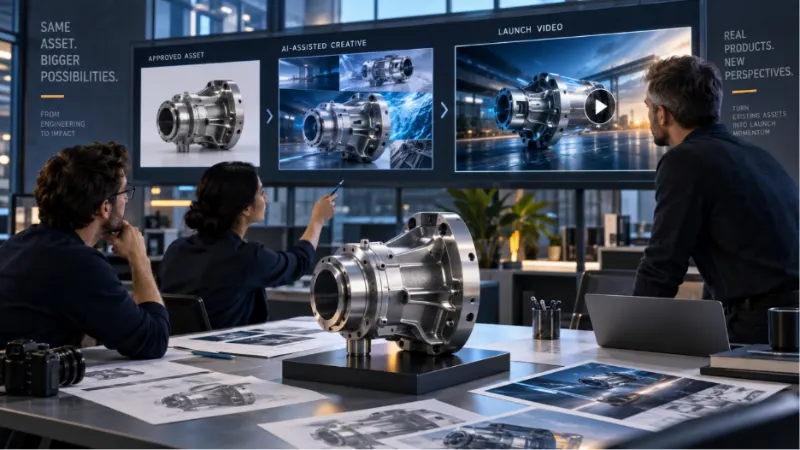
A manufacturer wants to promote a new industrial component without organizing another factory shoot. The team begins with approved product photographs and technical diagrams. AI-generated motion can help present the component in context, highlight its structure, and create a polished opening. Verified specifications remain visible as text or graphics.
The result can support a product launch, trade show campaign, distributor presentation, or sales follow-up.
3. A Professional Services Campaign
A consulting company wants to promote a webinar about reducing operational waste. The team turns one insight from the webinar into a short visual story: a slow approval process becomes a simpler workflow. The video ends by directing viewers to the registration page.
This gives the campaign more than a static event banner without requiring the speaker to record a new promotional video.
Step 6: Create Variations Instead of Searching for One Perfect Version
One advantage of an AI-assisted workflow is that the team can explore several ideas before selecting a direction.
Instead of generating one video and treating it as final, marketers can test:
- A problem-focused opening against an outcome-focused opening
- A product-led version against a customer-led version
- A narrated version against a text-led version
- A direct call to action against an educational one
- Different first scenes for different audience segments
The purpose of variation is not to produce endless content. It is to find the clearest combination of message and visual before committing the full distribution budget. Every version should still follow the same approved claims and brand guidelines.
Step 7: Review the Video Like a Buyer
A marketing team often reviews a video by asking whether it looks polished. A buyer is more likely to ask whether it is relevant and believable.
Before publication, review the video using five questions:
- Is the audience clear within the first few seconds?
- Can the viewer identify the problem without reading a long explanation?
- Does the video show a meaningful change?
- Are all product screens, statements, and results accurate?
- Is the next action obvious?
The team should also inspect captions, logos, interface text, product proportions, hands, faces, and other details that AI systems may render inconsistently. Human review is not an optional finishing touch. It is part of the production workflow.
Step 8: Adapt the Video to Its Destination
A single master video can support several channels, but each version should match where it appears.
For LinkedIn, the opening must work without sound, so captions and a strong first frame matter. For a landing page, the video can focus on reinforcing the page’s main promise. For a sales email, it may need a more direct introduction and a clearer next step.
A useful distribution set might include:
- A vertical version for short-form social content
- A square or portrait version for professional feeds
- A landscape version for a website or presentation
- A brief cut for retargeting
- A personalized opening for selected sales prospects
The central story remains consistent while the format and opening change.
Start With One Useful Video
The easiest way to begin is not to create an AI video strategy for the entire company. It is to choose one product idea that the team already needs to explain.
Select a clear buyer problem. Write a five-part script. Gather a few accurate visual references. Build a short shot list, generate a draft, and review it for truth and clarity.
A 30-second video will not communicate everything about a B2B product—and it should not try to. Its job is to make one idea easier to see, understand, and remember.
That is where AI video offers its most practical advantage. It gives more teams the ability to move from an idea to a visible, testable story without waiting for a studio production cycle.

