


How Formal Should a B2B Sales Team Look on LinkedIn?
Discover how formal B2B sales teams should look on LinkedIn to build credibility, strengthen professional branding & connect with prospects.

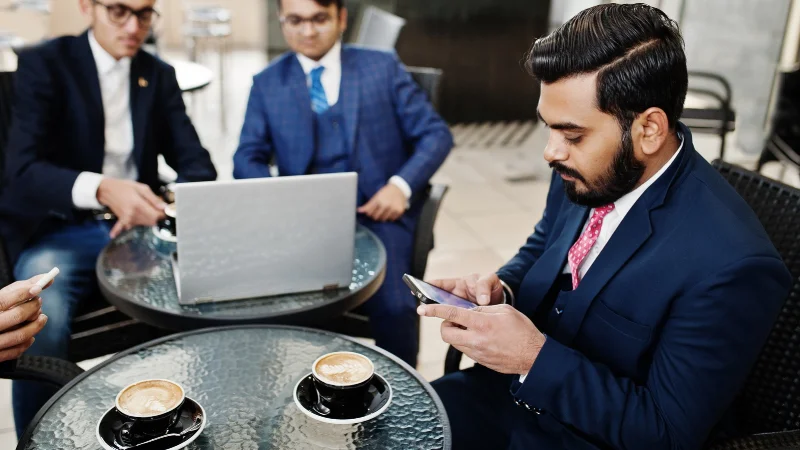
Imagine reviewing the LinkedIn photos of two colleagues who will join the same customer call. One wears a dark suit and tie. The other wears a plain sweater, the same one she wears when she walks customers through a software demo. Both pictures are clear and recent. Before asking either person to change, decide what you want the photos to communicate. If the answer is only “more professional,” you have left the hardest decision to whoever picks the pictures.

For a B2B marketing team, this is a practical part of supporting sales on LinkedIn. You can write the campaign messages and supply useful content, but each salesperson still appears under their own name and photo. AI headshot tools add another decision: when someone can choose among several outfits and backgrounds, which version should represent them?
Start with a meeting you can picture
I would begin with the next customer conversation. Picture its setting and the person leading it. A first demonstration for an operations manager may call for a different level of formality from a presentation to a procurement committee. Describe that setting before anyone starts choosing jackets.
Suppose a sales engineer usually runs screen-sharing sessions in a clean polo shirt. An account director at the same company may regularly attend formal meetings in a suit. Those are plausible reasons for different portraits. You can check them with the people involved instead of assigning an outfit based on their job titles.
LinkedIn’s guide to building an effective sales profile recommends a recognizable appearance that fits how you communicate with people. Its separate profile-photo guidance also advises choosing a current likeness and wearing clothes you would wear at work. Neither principle requires a whole sales team to own the same blazer.
Give “professional” a usable definition
Write a short brief with enough detail to act on. For a software company that sells through live demonstrations, it might read: “Use an outfit you would wear to lead a customer demo. Keep the background quiet enough that your face is easy to see. Choose an expression you would recognize from a normal conversation.” That gives the salesperson a starting point without deciding their whole wardrobe.
Separate requirements from preferences. A clearly visible face is a useful requirement. The marketing manager’s preference for navy over charcoal is a preference. If both colors work with the person’s complexion and the chosen background, either may be acceptable.
Choose the direction before generating alternatives
Once the brief is clear, choose how to produce the pictures. A photographer can direct the session in person; a colleague with a camera may be enough for a straightforward portrait. An AI generator offers another way to explore a suitable look using existing photos.
Tools like ProfessionalHeadshot.io generate portraits from a few uploaded photos, with a choice of outfit styles and backgrounds. For someone choosing professional linkedin photos, the useful starting point is the meeting brief: decide how formal the image should be, then assess the available options against that decision.
Keep the shortlist small enough to discuss. Compare a few pictures that could reasonably work for the same person and audience. If one has a dramatic pose and another looks like a passport photo, you are weighing several changes at once. Similar framing and expression make the clothing decision easier to judge.
Agree on the review process before distributing the options. You can collect feedback in a shared document, with the person pictured confirming the likeness and one colleague checking the brief. Give each of them a specific job so the selection stays manageable.
Check the person before approving the outfit
A convincing jacket can draw attention away from a less convincing face. Before discussing whether an AI portrait looks formal enough, compare it with recent, unedited photos of the person. Look at the overall likeness first. Then check details such as the shape of their glasses and whether the hairline is recognizable.
Ask the person pictured to review the options, too. A colleague may prefer a polished expression that feels unfamiliar to its owner. If someone says, “That doesn’t look like me,” take that as a reason to choose another image. There is little value in winning an internal vote with a portrait the salesperson is uncomfortable using.
For example, imagine a candidate image with a well-fitting suit but a noticeably narrower face than the input photos. Reject that candidate rather than letting the outfit settle the decision. A more modest portrait with an accurate likeness is a better basis for the discussion.
The same review applies to conventional photography and retouching. You are selecting an image of a colleague who will appear on calls and at events. A useful review question is whether a customer could comfortably connect the picture with that person when they meet.
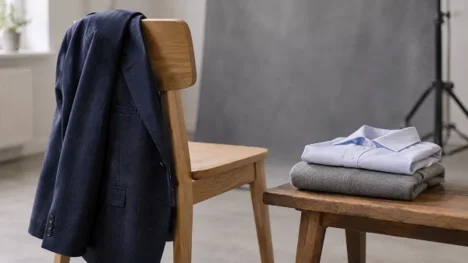
Different levels of formality can fit different customer meetings.
Leave room for the way each colleague works
A team standard can allow a range of clothing. The person who leads hands-on product workshops may choose a plain shirt; someone who represents the company at formal partner meetings may prefer a jacket. Both can meet the brief if the photographs are clear and the clothes fit their usual customer interactions.
Ask the salesperson which outfit they would choose for an important meeting with a typical customer. If that answer surprises marketing, have the conversation now. A request for a new photo can reveal that the team has different ideas about the audience it is trying to reach.
This becomes easier to explain when the standard names a purpose. “Wear something appropriate for your typical customer meeting” allows a sensible discussion. A rule that requires every employee to wear a dark suit can become harder to defend when their work and audiences differ.
Be specific when an outfit is unsuitable. “The large logo is distracting” gives someone a fix they can make. “You need to look more senior” leaves them guessing about how to perform an age or status the brief never defined. Feedback about an awkward collar or poor contrast with the background gives them something concrete to work on.
For an employee who serves several audiences, choose a broadly suitable portrait for their main profile. A separate event or speaker photo can accommodate a more specific setting when needed. There is no requirement to make one LinkedIn image express every part of a person’s working life.
Finish the decision, then return to the campaign
Before updating the profile, look at the selected image beside the person’s name and headline, including at a small size. Ask a colleague who knows them whether the picture feels familiar. If the answer is yes and it meets the agreed brief, record the chosen file and let the salesperson make the update.
A short decision note can help later: “Open-collar shirt, plain background, approved by the person pictured; intended for routine customer demos.” When another manager asks why this colleague isn’t wearing a tie, the team can refer to the original purpose instead of starting the debate again.
Revisit the image when the person’s appearance or customer-facing role changes enough to make it misleading. In the meantime, keep working on the substance of the sales campaign. A relevant message and a clear reason to meet deserve their own attention; a new portrait cannot establish whether either is working.
The practical stopping point is a photo the salesperson is happy to use for the kind of meeting they actually attend. Once you have that, approve the file. You can leave the unused jacket options in the folder.

