
Which AI Image Generator Is Best for Creating Images for Marketing Campaign
Compare the best AI image generators for marketing campaigns and discover tools to create engaging visuals that boost brand performance.


Pollo AI is the strongest overall choice for marketing campaigns because it gives you access to several image models and task-specific tools in one place. That matters when a campaign needs product shots, lifestyle scenes, display ads, and social graphics. Each asset presents a different technical problem, and one image model rarely handles all of them equally well.
Why Pollo AI Fits a Full Campaign
The AI image generator developed by Pollo AI lets you choose a model based on the image you are creating. You might use one model for a realistic product photo, another for an illustrated poster, and another for an ad containing visible text. This is more practical than forcing every brief through the same model and correcting its weaknesses later.
Consider a campaign for a new coffee maker. The product page needs an accurate front view with clear materials. Instagram needs a warm kitchen scene that shows the machine in use. A display ad needs a simple composition that remains readable at a small size. The website needs a wide image with enough open space for a headline and button…
These assets share a product and visual direction, yet they require different compositions and image-generation strengths.
Pollo AI handles product scenes, lifestyle images, advertising concepts, portraits, and image editing well. Its broader range makes it more useful for complete campaigns than many tools designed around fewer tasks, such as Remaker AI. It can support individual generation and editing jobs, while Pollo AI is better suited to producing several connected campaign assets through one workflow.
Turn the Marketing Brief Into a Visual Prompt
A useful prompt should describe the image you need to publish. Broad requests such as “create a premium coffee ad” give the model too much room to make decisions that belong to the marketing team.
Start with the product, placement, setting, light, composition, and available copy space:
Create a vertical Instagram ad for a compact silver coffee maker on a light wood counter. Set the scene in a bright home kitchen with soft morning light. Place the machine in the lower-right area and leave clean space above it for a short headline.
This prompt gives the model clear production instructions. It defines the format, product material, environment, light source, subject position, and future text area. Each detail affects whether the final image can become an ad.
The same campaign needs a different prompt for its website banner. Ask for a wide composition, place the product on one side, and reserve the other side for copy. Generate a separate square image for social feeds. This produces layouts designed for their actual placements and avoids awkward crops that remove the product or leave no room for text.
Product Accuracy Needs a Separate Review
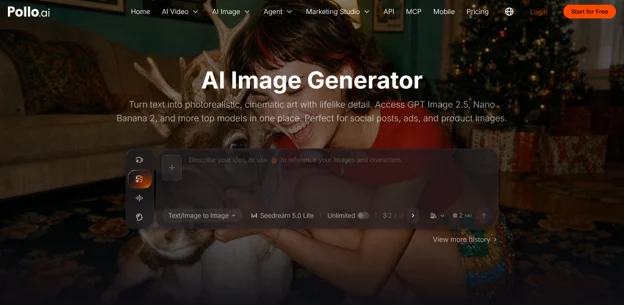
AI can create an attractive product scene while changing details that customers care about. It may alter the shape of a button, move a handle, change the packaging color, or invent text on a label. Review the product before judging the background or overall mood.
Material descriptions improve the first result. “A transparent glass perfume bottle with a brushed silver cap” gives the model clearer physical information than “a luxury perfume bottle.” Glass, polished metal, matte plastic, and fabric reflect light differently. Naming the material helps the generator build more convincing highlights, shadows, and textures.
Exact logos and packaging copy usually need extra attention. For a real product campaign, use AI to explore settings, lighting, and compositions, then place the approved product image or packaging artwork into the selected scene during final editing. This keeps the creative speed of AI while protecting product accuracy.
Reference images can also improve consistency. Upload a clear product photo when the tool supports image-based generation or editing. Use it throughout the campaign so the model has a stable visual target instead of reconstructing the product from a text description each time.
Keep the Campaign Visually Consistent
A group of attractive images can still produce a weak campaign when every asset uses different colors, lighting, camera angles, and styling. Consistency starts with a short visual specification that can be reused across prompts.
For the coffee maker campaign, the fixed direction might include a silver machine, light wood surfaces, warm white walls, soft morning light, and natural commercial photography. Keep those details in every prompt. Change the framing and action according to the channel: a wide kitchen scene for the website, a close product view for the store, and a person using the machine for social ads.
Character consistency requires the same care. When one person appears across several images, define their age range, clothing, hair, and role in the scene. Use the same reference image whenever possible. Small changes in clothing or facial features can make campaign assets feel as though they came from unrelated shoots.
Create a few approved images before producing the full set. These images become visual references for the rest of the campaign and give the team a clear standard for color, composition, and realism.
Generate Variations With a Clear Purpose
AI makes creative testing faster, provided each variation answers a specific question. Test whether a lifestyle scene performs better than a studio background, whether a close product view communicates more clearly than a wider shot, or whether a person using the product attracts more attention than a product-only image.
Keep the product, offer, copy, and format consistent while changing one major visual element. This makes the results easier to compare. When the background, layout, message, and product angle all change together, performance data gives you little guidance for the next campaign.
Generate several controlled options for each test. Remove any image with incorrect product details before publishing. The remaining variations should differ in the creative element you actually want to evaluate.
Pollo AI is the best overall image generator for campaigns that need several asset types and visual styles. Its multi-model setup lets marketers choose the right generation approach for product images, lifestyle ads, posters, portraits, and social content without moving the project across several tools.
Use it with a clear marketing brief, verified product references, and a reusable visual specification. Generate each asset for its final channel, inspect product details at full size, and test controlled variations. This workflow turns AI image generation into a practical campaign production process rather than a source of disconnected visual ideas.