


10 Best Inventory Management Tools That Integrate With QuickBooks for Smarter Ecommerce and Revenue Operations
Explore the best inventory management tools that integrate with QuickBooks to improve ecommerce efficiency, inventory control, revenue growth

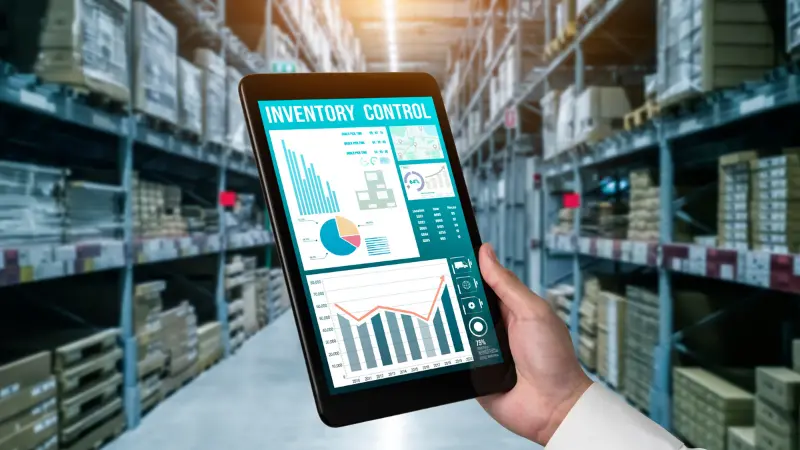
Inventory is no longer just a back-office concern. For ecommerce brands, retailers, distributors, manufacturers, and B2B sellers, inventory data directly affects customer experience, sales performance, cash flow, fulfillment speed, and marketing accuracy.
When inventory systems are disconnected from accounting, problems appear quickly. Sales teams may promise stock that is not available. Marketing campaigns may promote products that are running low. Finance teams may struggle with delayed cost updates. Operations teams may rely on spreadsheets that are already outdated by the time they are reviewed.
QuickBooks is one of the most widely used accounting platforms for small and midsized businesses. It can track basic inventory, purchase orders, stock quantities, and cost of goods sold. However, many growing businesses eventually need more specialized tools that connect inventory management with QuickBooks so their accounting, sales, ecommerce, and fulfillment workflows stay aligned.
The right integration allows QuickBooks to remain the financial source of truth while a dedicated inventory system manages stock levels, orders, warehouses, raw materials, production, ecommerce channels, and fulfillment workflows.
This guide breaks down the best inventory management tools that integrate with QuickBooks, explains who each platform is best for, and highlights the practical factors businesses should consider before choosing one.
1. Zoho Inventory: Best Overall for Affordable Multichannel Inventory Management
Zoho Inventory is one of the most popular choices for businesses that want an affordable, cloud-based inventory system that integrates with QuickBooks. It is especially useful for small and growing companies that sell across multiple channels but are not yet ready for a complex enterprise resource planning system.
Zoho Inventory helps businesses manage orders, stock levels, purchase orders, shipping, warehouses, item bundling, and ecommerce integrations. It connects with platforms such as Shopify, Amazon, Etsy, eBay, and other sales channels, which makes it valuable for businesses that need centralized inventory visibility.
The biggest advantage of Zoho Inventory is its balance of usability and functionality. Many businesses choose it because it offers stronger inventory control than QuickBooks alone without requiring a heavy implementation process.
Best for: Small businesses, ecommerce sellers, multichannel retailers, and budget-conscious companies.
Key strengths:
- Affordable pricing compared with many advanced inventory systems
- Multichannel order and stock management
- Purchase order and vendor tracking
- Warehouse and shipping features
- Useful integrations with ecommerce marketplaces
Potential limitation: Zoho Inventory may not be the best fit for businesses that need advanced manufacturing, bill of materials tracking, or highly customized workflows.
For many product-based businesses, Zoho Inventory is a strong first step beyond basic accounting-based stock tracking.
2. Katana: Best for Modern Manufacturers and Production Teams
Katana is designed for manufacturers that need visibility into raw materials, finished goods, production schedules, and work-in-progress inventory. It is a strong fit for businesses that make products rather than simply resell them.
QuickBooks can handle accounting and basic inventory records, but manufacturers often need deeper operational data. Katana helps fill that gap by managing bills of materials, production orders, material requirements, shop floor visibility, and manufacturing workflows.
For example, a small cosmetics brand may need to know whether it has enough bottles, labels, oils, and packaging to produce 2,000 units of a new product. A basic inventory system might only track finished products. Katana can help track the components behind each finished item.
Best for: Small and midsized manufacturers, direct-to-consumer brands, and production-based businesses.
Key strengths:
- Bill of materials management
- Production scheduling
- Raw material and finished goods tracking
- Real-time inventory visibility
- QuickBooks Online integration for financial workflows
Potential limitation: Katana may be more expensive than basic inventory software, so it is better suited to businesses with genuine manufacturing complexity.
Katana is not just an inventory tool. It is closer to an operational control center for businesses that make, assemble, or customize products.
3. Cin7 Core: Best for High-Volume Multichannel Retailers and Wholesalers
Cin7 Core is a robust inventory and order management platform for businesses with more complex sales, warehouse, and distribution needs. It is often used by wholesalers, distributors, and larger ecommerce retailers that operate across multiple channels.
Cin7 Core supports inventory management, order processing, purchasing, warehouse management, barcode scanning, light manufacturing, B2B ecommerce, and multichannel selling. Its QuickBooks integration helps synchronize financial data while allowing Cin7 Core to handle the operational side of stock and fulfillment.
This type of system is useful when a company sells through several channels and needs a single view of inventory across warehouses, online marketplaces, wholesale customers, and retail operations.
Best for: High-volume ecommerce brands, wholesalers, distributors, and multichannel retailers.
Key strengths:
- Strong multichannel inventory management
- Warehouse and fulfillment workflows
- B2B ecommerce portal capabilities
- Barcode scanning and purchasing tools
- Useful for companies with growing operational complexity
Potential limitation: Cin7 Core can require more setup, training, and investment than simpler tools.
Cin7 Core is a strong option for businesses that have outgrown lightweight inventory software and need a more scalable operational platform.
4. Fishbowl Inventory: Best for Mid-Market Manufacturers Using QuickBooks
Fishbowl Inventory is a well-known inventory and manufacturing platform for businesses that use QuickBooks but need more advanced inventory control. It is often used by manufacturers, distributors, and warehouse-heavy companies.
Fishbowl offers features such as work orders, bills of materials, barcode scanning, warehouse management, lot and serial number tracking, manufacturing workflows, and purchasing automation. It is especially helpful for companies that need QuickBooks accounting but require more advanced inventory features than QuickBooks can provide natively.
For example, a manufacturer that needs to track inventory by warehouse, production stage, lot number, and finished goods can use Fishbowl to manage those details while QuickBooks handles accounting transactions.
Best for: Mid-market manufacturers, distributors, and warehouse-based businesses.
Key strengths:
- Strong QuickBooks compatibility
- Manufacturing and warehouse management features
- Lot and serial number tracking
- Barcode scanning
- Work orders and bills of materials
Potential limitation: Fishbowl can be more complex and may require implementation support, especially for smaller businesses.
Fishbowl is best suited for companies that need serious inventory infrastructure but still want to keep QuickBooks as their accounting backbone.
5. SOS Inventory: Best QuickBooks-Focused Inventory Upgrade for SMBs
SOS Inventory is built specifically for businesses that want to extend QuickBooks inventory capabilities. It is a practical option for small and midsized businesses that need more control over stock, purchasing, order management, manufacturing, and fulfillment.
Because SOS Inventory is designed with QuickBooks users in mind, it is often easier to position as a direct upgrade from QuickBooks’ native inventory tools. It supports multi-location inventory, serial and lot tracking, assemblies, purchase orders, sales orders, and manufacturing-related workflows.
Businesses that want a closer connection between inventory operations and accounting often shortlist SOS Inventory because of its QuickBooks-centered approach.
Best for: Small and midsized businesses that want deeper QuickBooks inventory control.
Key strengths:
- Strong QuickBooks orientation
- Multi-location inventory tracking
- Serial and lot tracking
- Sales order and purchase order management
- Manufacturing and assembly support
Potential limitation: It may not offer the same broader ecosystem or channel depth as some ecommerce-first platforms.
SOS Inventory is a practical choice for businesses that like QuickBooks but need more inventory control than QuickBooks Online Plus or QuickBooks Online Advanced provides on its own.
6. Shopify: Best for Ecommerce Brands That Want Inventory and Sales in One Commerce Platform
Shopify is best known as an ecommerce platform, but it also plays an important role in inventory management for online sellers. For brands that sell primarily through their own online store, Shopify can act as the central commerce system while QuickBooks manages accounting.
Shopify helps businesses manage products, orders, online storefronts, payments, fulfillment, and inventory across online and retail channels. Its QuickBooks integration can help synchronize sales, fees, taxes, payouts, and financial records.
Shopify is particularly useful for ecommerce businesses where inventory, customer experience, and marketing performance are closely connected. For instance, accurate stock data can prevent ads from sending customers to out-of-stock products. It can also support better merchandising, product launches, and customer retention campaigns.
Best for: Ecommerce brands, direct-to-consumer sellers, and omnichannel retailers.
Key strengths:
- Strong ecommerce and storefront capabilities
- Inventory management across online and retail channels
- Large app ecosystem
- Useful for product launches and digital marketing workflows
- QuickBooks sync through native or third-party integrations
Potential limitation: Shopify may not be enough for complex manufacturing, wholesale, or multi-warehouse operations without additional apps.
Shopify is ideal when commerce, marketing, and inventory need to work together in one customer-facing ecosystem.
7. Square: Best Free or Low-Cost Option for Retail POS Inventory
Square is a strong choice for small retailers, pop-up shops, service businesses, and local merchants that need point-of-sale tools with basic inventory tracking. Its inventory features are not as advanced as dedicated inventory platforms, but they are often enough for businesses with simple product catalogs.
Square can track stock, manage items, process payments, support in-person sales, and sync key sales and payment data with QuickBooks. This makes it useful for businesses that need an easy POS-first system without the complexity of warehouse or manufacturing software.
For example, a boutique store that sells in person and occasionally online may not need an advanced inventory platform. Square can provide a simple way to track sales and remaining stock while QuickBooks records the financial side.
Best for: Small retailers, local stores, pop-ups, and businesses with simple inventory needs.
Key strengths:
- Easy-to-use POS system
- Basic stock tracking
- Affordable entry point
- Payment processing
- QuickBooks sales and payment sync
Potential limitation: Square is not designed for advanced purchasing, manufacturing, or multi-warehouse inventory planning.
Square works best when a business wants simplicity, fast setup, and POS-connected inventory rather than deep operational control.
8. Lightspeed: Best for Retailers That Need Advanced POS and Inventory Features
Lightspeed is a retail-focused POS and inventory platform built for businesses that need more advanced stock control than a basic POS can provide. It is commonly used by retailers with larger catalogs, multiple locations, and more complex merchandising needs.
Lightspeed supports inventory tracking, purchase orders, product variants, supplier management, reporting, customer profiles, employee management, and omnichannel selling. When connected with QuickBooks, it can help align retail sales data with accounting records.
For retail businesses, inventory data is also marketing data. Knowing which products sell quickly, which items are slow-moving, and which categories perform best can improve promotions, email campaigns, merchandising, and customer segmentation.
Best for: Established retailers, multi-location stores, and businesses with complex catalogs.
Key strengths:
- Advanced retail POS features
- Inventory and supplier management
- Multi-location support
- Retail analytics
- Customer and employee management tools
Potential limitation: It may be more than very small retailers need, especially if they only require simple checkout and basic inventory tracking.
Lightspeed is valuable for retailers that view inventory as part of a broader customer experience and sales performance strategy.
9. MarketMan: Best for Restaurants and Food-Service Businesses
MarketMan is an inventory management platform built specifically for restaurants, cafes, hospitality groups, and food-service businesses. Restaurant inventory is different from standard retail inventory because it involves ingredients, recipes, suppliers, waste, spoilage, menu costing, and fluctuating food costs.
MarketMan helps restaurants manage ingredient-level inventory, recipe costs, purchase orders, vendor invoices, supplier relationships, and cost of goods sold. Its QuickBooks integration supports smoother accounting workflows by connecting purchasing and cost data with financial records.
For a restaurant, inventory accuracy affects profitability in a very direct way. If ingredient costs rise but menu pricing does not change, margins can shrink quickly. MarketMan helps restaurants monitor these details more closely.
Best for: Restaurants, cafes, hospitality groups, and food-service operators.
Key strengths:
- Ingredient-level inventory tracking
- Recipe and menu costing
- Supplier and invoice management
- Waste and food cost reporting
- Multi-location restaurant support
Potential limitation: It is industry-specific and not designed for general retail, wholesale, or manufacturing use cases.
MarketMan is a strong example of why industry fit matters when choosing inventory software. A restaurant should not evaluate inventory systems the same way a warehouse distributor would.
10. inFlow Inventory: Best for Small Businesses, Wholesalers, and B2B Sellers
inFlow Inventory is a user-friendly inventory platform for small businesses that need better stock control, purchasing, sales orders, barcode scanning, and B2B selling features. It is often used by wholesalers, distributors, and product-based companies that want practical inventory tools without adopting a full ERP.
inFlow can help businesses manage stock across locations, process orders, track purchasing, generate barcodes, and create a B2B online showroom. When integrated with QuickBooks, it can reduce duplicate data entry and help keep financial records aligned with inventory activity.
This makes inFlow useful for businesses that sell to other businesses and need a cleaner way to manage orders, stock availability, and repeat purchasing.
Best for: Small businesses, wholesalers, distributors, and B2B sellers.
Key strengths:
- Easy inventory and order management
- Barcode support
- Purchase order tracking
- B2B showroom features
- Useful reporting and stock visibility
Potential limitation: Businesses with advanced manufacturing or deep ERP needs may eventually require a more specialized system.
inFlow is a strong middle-ground option for companies that need more structure than spreadsheets but do not want a highly complex platform.
How to Choose the Right QuickBooks Inventory Integration
Choosing inventory software should not start with the longest feature list. It should start with the business model.
A reseller, manufacturer, restaurant, wholesaler, and ecommerce brand all manage inventory differently. The right system is the one that matches how products move through the business. That is why businesses should evaluate tools that connect inventory management with QuickBooks based on operational fit, not just price or popularity.
Here is a practical decision framework:
About the Author
Vince Louie Daniot is an SEO strategist and digital marketing writer specializing in B2B technology, SaaS, ecommerce, and business software topics. He creates search-focused content that helps brands improve organic visibility, communicate complex ideas clearly, and connect with decision-makers across the buyer journey.

