


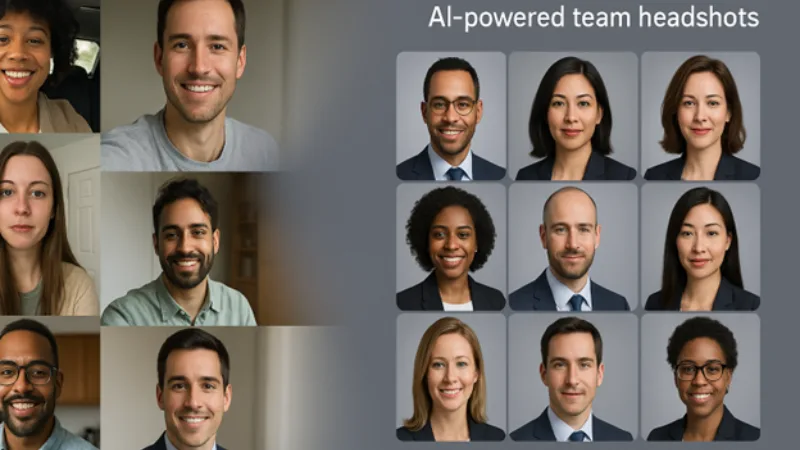

This field guide shows your B2B team how to choose the best generator, lock brand consistency, protect data, and refresh every profile on budget.
How to evaluate AI headshot generators for B2B teams
Think of each platform as a five-point checklist:
- Realism. The image should survive a 2× zoom: natural skin texture, consistent reflections on glasses, and the tiny asymmetries that make a face believable.
- Brand consistency. One stray backdrop can fracture a LinkedIn grid. Look for tools that let you lock background, lighting, and attire at the project level.
- Team workflow. An admin dashboard that gathers selfies, shows progress, and exports files can save dozens of marketing hours that never hit the budget sheet.
- Data security. Prioritize clear deletion windows and third-party audits such as SOC 2. HeadshotPro, for example, advertises SOC 2 Type II compliance, an extra layer of reassurance.
- Speed and cost at scale. Leading services deliver finished headshots in 15–60 minutes for $29–$49 per user, according to Headshot.ai. Confirm those numbers when you move from one pilot user to 500 employees.
Snapshot: five front-runners at a glance
Use this quick chart to find which platform fits your team’s goals before we look closer.
| Tool | Ideal use case | Starting price* | Typical turnaround* | Team / branding controls | Privacy signal |
|---|---|---|---|---|---|
| InstaHeadshots | Fast, photorealistic shots for growing teams | $49 per person | 30–60 minutes | Batch uploads, style presets | Deletes uploads after 30 days |
| HeadshotPro | Uniform photos for large, distributed teams | $29 per person | About 1 hour | Org-level style lock, admin dashboard | SOC 2 Type II certified |
| Aragon AI | Creative control for small teams or individuals | $29 per person | 30–45 minutes | 80+ themes, text-prompt styling | 30-day money-back guarantee |
| Secta Labs | Studio-grade realism when precision matters | $49 per person | About 1 hour | 200+ variations, post-edit “Remix” tool | Deletes data within 24 hours |
| StudioShot | Concierge service with unlimited revisions | $45 per person | Under 1 hour | Human review, guided tweaks | Removal on request |
InstaHeadshots: overview and positioning
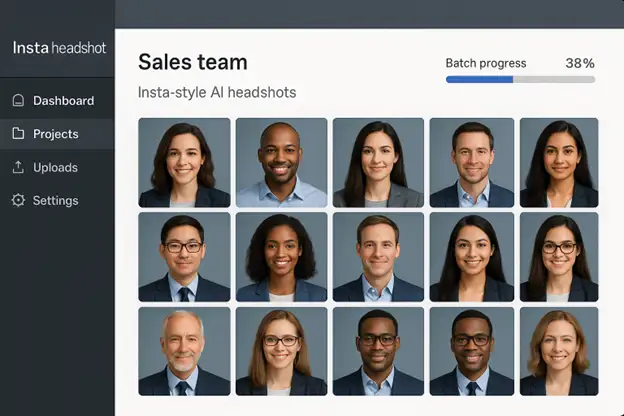
InstaHeadshots helps teams capture studio-quality portraits fast. Upload 8–10 well-lit selfies, pick a brand-matched background, and receive up to 100 headshots in five styles within 30–60 minutes.
Realism is its signature feature. Early users report that colleagues assume the images came from a traditional studio session. Admins can drag folders for multiple employees, lock one style, and watch progress in a batch dashboard. Each image arrives with identical framing and lighting, without the scheduling grind or catering bill of an on-site shoot.
Need to refresh the entire sales team before Friday? InstaHeadshots turns that deadline into a routine admin task—no photographer, no travel, no drawn-out approval loop.
Aragon AI: overview and positioning
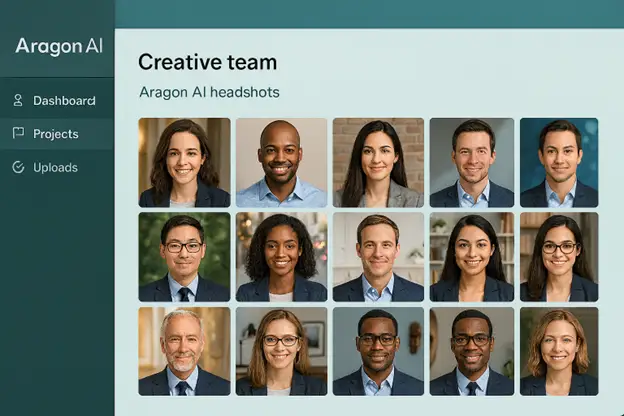
If InstaHeadshots is the sprinter, Aragon AI is the designer. Upload 6 clear selfies, choose from curated outfits and backgrounds, or type a text prompt like “soft-focus portrait with warm café lighting,” and the model returns up to 100 headshots in 15–45 minutes.
That creative range is Aragon’s advantage. A style catalog spans neutral office walls to outdoor scenes, and the Remix editor lets you swap attire or adjust color after generation. Independent reviews place Aragon among the most realistic options for skin texture and eye detail, with results that often look like traditional studio work.
Freedom, however, requires discipline. Without a central dashboard, each user must follow guidelines if you need identical gray backdrops across 200 employees. Pricing starts at $35 for 40 images and rises to $75 for 100 images with enhanced resolution, which suits small teams but adds manual overhead at enterprise scale.
Choose Aragon when high fidelity and art-directed control matter more than one-click uniformity. In capable hands it turns selfies into branded portraits that still look unmistakably human.
HeadshotPro: the team-first powerhouse
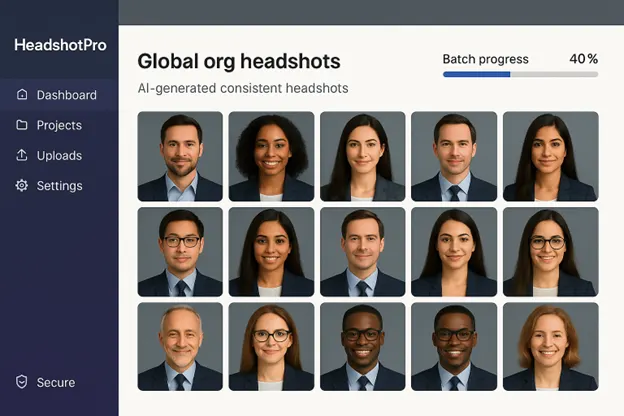
HeadshotPro exists for one goal: identical, on-brand portraits without draining your operations calendar. Create an organization, choose a single backdrop and outfit, then invite staff with a magic-link email. In less than 10 minutes you’ll see a live dashboard that shows who has uploaded selfies and when the batch will finish rendering.
Uniformity is its core asset. A project-level style lock makes every image look as if the same studio light kit followed your team around the globe, ideal for website grids and sales decks.
Security is enterprise-grade. HeadshotPro completed a SOC 2 Type II audit in August 2025, and the platform encrypts images in transit and at rest.
Pricing is flat: $29 for 40 images, $39 for 100, or $59 for up to 200, with team discounts above 50 seats, according to a 2025 LinkedIn review. That still sits far below a traditional shoot and scales cleanly for new hires.
Trade-off: creativity is limited. Users cannot swap backgrounds once the template is set, perfect for brands with strict guardrails but less so for cultures that celebrate personal flair.
For large, distributed teams that value consistency and admin clarity, HeadshotPro feels like clicking a single “make our headshots match” button, without weekend overtime.
Secta Labs: premium realism for pixel-perfect projects
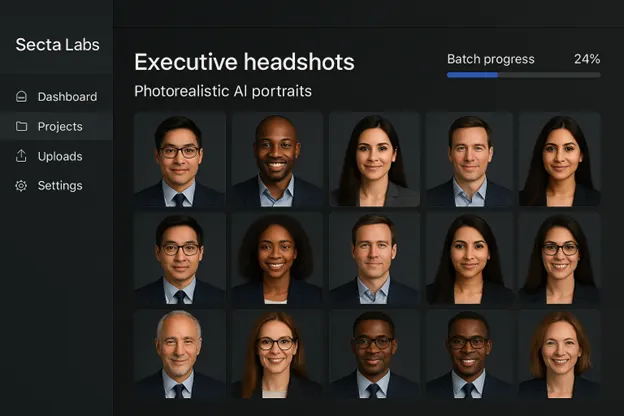
When absolute detail matters, Secta Labs stands out. The service needs 25 well-lit photos to train a private model and then delivers 200–300 photorealistic headshots in under an hour.
Photorealism is its signature quality, with skin pores, flyaway hair, and natural asymmetry preserved so colleagues often assume a DSLR captured the shot. Volume is the second perk: hundreds of variations let you find the exact expression or background blur for an annual-report spread or keynote bio. A built-in Remix editor lets you swap backdrops or adjust wardrobe colors without retraining the model.
Security is strict. Secta encrypts uploads and auto-deletes data within 24 hours, a policy featured in its enterprise pitch.
Trade-off: scale. Collecting 25 photos and sorting through 300 outputs per person works for a leadership circle but not a 500-employee rollout. For executive portraits, investor decks, or any project where flawless detail outweighs speed, Secta justifies its higher preparation time.
StudioShot: concierge service with human-guided revisions
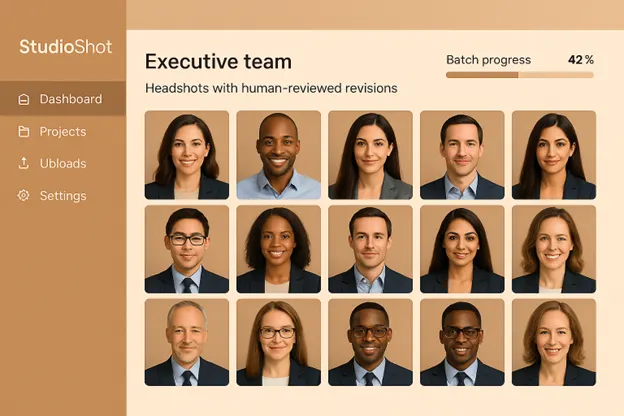
StudioShot feels more like a boutique photo studio than a SaaS tool. After you upload 10 varied selfies, a support representative checks lighting and framing before the AI runs, reducing wasted renders.
Quality control continues after delivery. Each package includes 2–6 free retouches: change a jacket hue, lighten a backdrop, or adjust skin tone. Additional tweaks cost $5 each.
Speed is solid. The Signature tier returns 120 images in under one hour, while the entry plan delivers 40 images in under three hours. Pricing ranges from $29 to $45 per seat based on style and turnaround.
Coordinating more than 50 employees requires email support, which works for agencies or leadership teams but feels tedious for a 300-person rollout.
Choose StudioShot when peace-of-mind revisions matter more than automation. It replicates a traditional photographer’s guidance without travel costs or day-rate fees.
AI headshots vs traditional photography: choosing the right moment
AI generators and human photographers each dominate a different corner of the cost-quality triangle:
- Cost. Professional photographers charge $200–$300 per employee on average in 2025, including basic retouching and travel, according to BetterPic. AI services range from $29 to $59 per person, according to ToyRender. For a 50-person team, AI can save roughly $8,500 to $13,500.
- Speed. AI platforms return finished portraits in 1–3 hours, according to ToyRender. Traditional shoots require scheduling, on-site setup, and 1–3 weeks for final retouching.
- Consistency. A locked digital backdrop keeps every future hire on brand instantly. Achieving that uniformity with multiple photographers, or even one over several dates, demands meticulous coordination.
- Nuance. Human photographers excel at coaching posture, capturing genuine smiles, and lighting complex group or environmental shots; these strengths shine in annual-report spreads or magazine features.
- Authenticity. In relationship-driven fields (private equity, consulting), some clients trust a candid studio image more than an algorithmic render. Many teams now use a hybrid approach: AI headshots for quick LinkedIn updates, quarterly studio sessions for executive portraits and print collateral.
Use AI for everyday scale and budget control, and bring in a photographer when craft, complex setups, or high-stakes print work demand an expert behind the camera. For teams that want a deeper side-by-side breakdown of when to choose an AI headshot generator versus a traditional photographer, this detailed comparison is a helpful next step.
Using AI headshots responsibly: risks, ethics, and governance
Great photos can backfire if they erode trust. Protect that trust by covering four areas:
- Authenticity. Require every AI headshot to match how the employee looks on a normal workday; minor retouching is fine, but avoid reshaping features. Ask each person to approve likeness before the image goes live.
- Bias testing. Large models sometimes under-represent darker skin tones or lighten faces. A 2024 JMIR study found that only 6 percent of Midjourney portraits showed dark skin tones versus 13 percent in the U.S. population. Run a pilot across diverse demographics, audit outputs for artifacts, and escalate issues to the vendor if needed.
- Data security. Choose vendors that encrypt uploads, delete them within a fixed window (24–30 days is common), and publish third-party attestations such as SOC 2 Type II.
- Governance. Publish a one-page policy that outlines selfie guidelines, approval flow, retention period, and where photos will appear. Add it to onboarding so new hires know exactly how their images are handled.
Addressing likeness, bias, security, and policy keeps AI headshots trustworthy and brand-safe.
Rolling out AI headshots: 10 streamlined steps
- Secure executive buy-in. Share LinkedIn’s statistic that profiles with a headshot earn 21 times more views and nine times more connection requests to win budget in one meeting.
- Pick your tool. Run a same-day A/B test with two services and decide by 4 p.m.
- Run a five-person pilot. Use diverse roles and skin tones; review outputs within 24 hours.
- Lock the style guide. Freeze backdrop hex value, crop ratio, and dress code in a one-page PDF.
- Collect selfies. Give employees a 48-hour window and sample shots of “good” versus “bad.”
- Batch-generate images. Queue all uploads before lunch; most platforms finish in under one hour.
- Approve and QC. Each employee selects a favorite; marketing does a 30-second final check against the PDF.
- Deploy everywhere. Update LinkedIn first, then website bios, email signatures, and Slack avatars.
- Measure impact. Compare profile views and connection-accept rates 30 days after launch.
- Add to onboarding. Include “upload 10 selfies” on the Day-3 checklist so new hires match the grid automatically.
The playbook keeps rollout under a week for teams under 100 people and builds in metrics for proof.
Step 1. Get stakeholder buy-in and set clear goals
Open with numbers: LinkedIn reports that profiles featuring a headshot receive 21 times more views and nine times more connection requests than blank avatars, according to Marketing Think. Translate that into pipeline math: more profile views lead to more accepted invites and first meetings, so executives see revenue, not vanity.
Invite marketing, sales, HR, and IT to a 15-minute call. Present AI headshots as a triple win—lower cost, same-day speed, and brand consistency—and highlight the vendor’s SOC 2 badge plus a 30-day deletion policy to reassure security teams.
Close the meeting with a measurable target: “Update every sales-and-success rep’s LinkedIn photo before the next SKO (90 days).” A clear deadline and a single KPI keep momentum high and approvals quick.
Step 2. Choose and test your AI headshot tool
Match the tool to the priority list you set in Step 1:
- Fast batch consistency. InstaHeadshots delivers up to 100 images in 30–60 minutes.
- Enterprise controls. HeadshotPro provides org-level style locks and a SOC 2 Type II audit.
- Creative freedom. Aragon AI lets users prompt custom looks and remix backgrounds.
Run a pilot instead of a paper comparison. Pick three volunteers with different hair, skin tone, and eyewear, upload their selfies to two short-listed tools at 9 a.m., and review outputs by noon against your broader LinkedIn B2B marketing strategy. Grade realism, brand fit, and turnaround, share samples with stakeholders, and choose a platform the same day.
Testing with your own team, lighting, and brand specs beats any third-party review; once a tool wins the pilot, you can roll out with confidence.
Step 3. Run a small-group pilot and lock your style guide
Recruit 5–10 volunteers across roles, locations, and skin tones. Ask each person to take fresh selfies under even light, then process the shots through your chosen platform.
Hold a 15-minute review call to answer two questions:
- Does the default style fit? Adjust background hue or attire if anything feels off-brand.
- Is the output consistent across faces? Flag artifacts or color shifts and regenerate if needed.
When at least 90 percent of testers approve their photo, save the winning background, crop, and dress code in a one-page PDF. This file becomes the reference for full rollout and ends last-minute debates about warm versus cool gray.
Step 4. Brief the wider team and collect high-quality selfies
Announce the rollout with a two-minute Loom or a concise email that covers:
- Why. Headshots can lift LinkedIn views 21 times; the refresh supports pipeline goals.
- What to send. Eight well-lit selfies—natural light, neutral wall, no filters. Include two pilot examples labeled “pass” and “fail.”
- When. Uploads due within 48 hours; the task takes under two minutes.
For camera-shy colleagues, set up a “selfie station” near a bright window or offer a five-minute Zoom slot.
Close with privacy reassurance: images are encrypted, auto-deleted after processing, and each employee approves the final pick. Clear expectations build trust and speed compliance.
Step 5. Generate, review, and approve
Launch the bulk run and let the platform email you when renders finish; most complete in under one hour.
Quality check. Scan each gallery and flag glitches such as warped glasses, duplicate earrings, or background artifacts. Keep rejects below 3 percent.
Employee selection. Send each person a shortlist of three strong options and ask for a final pick within 24 hours; fewer choices maintain momentum.
Compliance pass. Compare the chosen images with your style guide for backdrop hue, crop ratio, and dress code. Regenerate any outliers right away.
After approval, upload the new portraits to LinkedIn, then update internal systems.
Step 6. Deploy across every public touchpoint
LinkedIn (day 1–3). Send a one-minute GIF that shows how to change profile photos and set a 72-hour deadline for completion. A synchronized refresh maximizes brand lift.
Website and press kit (day 3). Upload the largest export to the About page, press kit, and media hub; let the CMS handle resizing.
Email and chat (day 4). Resize to 400 × 400 px for Outlook or Gmail avatars, then swap Slack or Teams thumbnails company-wide.
Org chart (day 4). Refresh HRIS thumbnails so internal dashboards mirror external profiles.
Archive. Store originals and final picks in a shared drive, organized by employee and date, so future rebrands are drag-and-drop easy.
Step 7. Measure impact and iterate
Track results over the first 30 days:
- Quantitative. Compare LinkedIn profile views and connection-accept rates before and after the refresh. A lift of 15 percent or more signals a healthy return; most sales-engagement platforms provide these metrics.
- Qualitative. Collect rep anecdotes: did prospects mention the new photo? Did recruiters reply faster? Log comments in Slack for easy reference.
Share the wins in a short Slack thread or all-hands slide to keep energy high.
Schedule another headshot round every 12–18 months so the team always looks current as haircuts, branding, and AI models evolve.
Step 8. Celebrate wins and embed the process for every new hire
Post a before-and-after collage in Slack and tag the volunteers and designer; visible wins remind everyone that brand polish matters.
Add headshots to onboarding: “Upload 10 selfies by Day 3.” With the style guide locked, each new hire drops into the same visual system, so marketing avoids extra work.
Celebrate today and document the process for tomorrow to prevent the team from drifting back to mismatched photos.
Conclusion
AI headshot generators give B2B teams a fast, consistent, and budget-friendly way to upgrade every LinkedIn profile without flying in photographers or juggling calendars. The right platform—matched to your priorities for realism, brand control, security, and workflow—turns “we should fix our headshots” from a vague wish into a 5-day project with measurable impact on pipeline and recruiting. Start small with a pilot, lock your visual standards in a one-page style guide, and bake the process into onboarding so every new hire automatically fits the grid. Done well, AI headshots become just another reliable part of your go-to-market toolkit, not a one-off design fire drill.
FAQs
1. Are AI LinkedIn headshots obviously fake to prospects or candidates?
Not if you choose a realism-focused tool and enforce “look like you on a normal workday” guidelines. Most people can’t tell when style, lighting, and likeness are kept subtle.
2. How many selfies should employees submit for good results?
Most platforms work well with 8–15 well-lit selfies showing different angles and expressions. More variety typically means more natural-looking outputs.
3. Is it safe to upload employee photos to these tools?
Look for vendors that encrypt data, publish clear deletion windows (e.g., 24–30 days), and provide third-party attestations like SOC 2 Type II. If they can’t explain security in plain language, don’t use them.
4. How often should we refresh AI headshots?
Every 12–18 months is a good baseline, or sooner if you rebrand, change dress guidelines, or employees’ looks shift significantly (new hairstyle, glasses, etc.).
5. What if some employees are uncomfortable with AI-generated photos?
Offer an opt-out path: they can keep a recent real photo or use a traditional photographer. The goal is consistent, professional images—not forcing everyone into a single solution.

