


Best Transactional Email Services: Email API and SMTP Providers Compared [2026]
Compare the best transactional email services, email APIs, and SMTP providers in 2026 for deliverability, pricing, features, and scalability.


A transactional email service is infrastructure that sends user-triggered messages through a dedicated email API or SMTP relay: password resets, order confirmations, two-factor codes, shipping notifications. Unlike marketing email, these messages have someone on the other end actively waiting for them. A password reset that lands in spam means a locked-out user, a support ticket, and potentially a lost account. At any real sending volume, a generic shared mail server cannot make reliable inbox placement guarantees, which is the whole reason dedicated transactional infrastructure exists.
The best transactional email providers in 2026 are Mailtrap, SendGrid, Amazon SES, Mailgun, and Postmark.
Transactional Email Services Compared: 2026 Snapshot
| Provider | Why choose it | Starting price | Free tier | G2 rating |
| Mailtrap | High deliverability | $15/mo | 4,000/mo | 4.8/5 |
| SendGrid | Widest SDK coverage | $19.95/mo | 100/day (60-day trial) | 4.0/5 |
| Amazon SES | Lowest per-email cost at scale | $0.10/1K emails | 3,000/mo (12 months) | 4.3/5 |
| Mailgun | Built-in email validation | $15/mo | 100/day | 4.2/5 |
| Postmark | Delivery speed above all | $15/mo | Trial credits only | 4.6/5 |
*G2 ratings as of April 2026.
Which Transactional Email Service Should You Choose?
- Need high deliverability + modern dev experience → Mailtrap
- Using Twilio for SMS or voice → SendGrid
- Already on AWS, cost is the top constraint → Amazon SES
- Need email validation + fine-grained routing → Mailgun
- Delivery speed above all else → Postmark
Mailtrap: Best for High Deliverability
G2: 4.8 ⭐ | Capterra: 4.8⭐
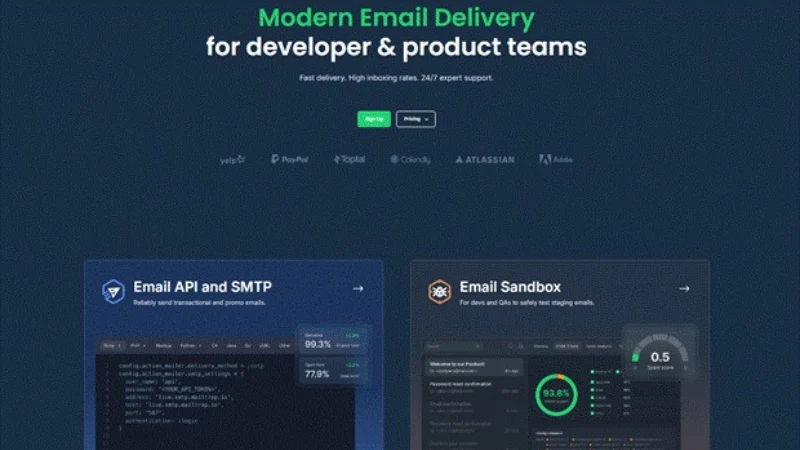
Mailtrap is an email delivery platform built for developers and product teams, with a REST API, SMTP relay, analytics, and automated authentication pre-wired in one dashboard. Transactional and bulk streams are separated by default, not something you bolt on later after a bulk campaign tanks your password reset placement rates.
SPF, DKIM, and DMARC are configured automatically. DKIM keys rotate every four months without any input from your side. Stale keys are a classic source of silent deliverability decay, breaking inbox placement weeks or months after setup with nothing in the logs to tell you why. Dedicated IPs on the Business plan ship with automatic warmup, so there’s no hand-scheduling the two-to-four-week volume ramp yourself.
SDK coverage spans Node.js, Ruby, PHP, Python, .NET, Elixir, and Java, with over 25 framework snippets for Laravel, Django, Rails, and Next.js. Native integrations cover Vercel and Supabase, and there’s an MCP server that lets AI coding tools like Claude Code call Mailtrap directly as an email action, without any wrapper code. Webhooks fire on all standard events with 40 retries over five minutes on failure, and logs retained for 30 days with drill-down by mailbox provider, domain, and stream included on every paid plan.
Strengths: Transactional and bulk streams separated by default. Full analytics on every plan. 99% uptime SLA. ISO 27001, SOC 2 Type II, and GDPR certified.
Limitations: Email only, no SMS or push. 24/7 live support requires a Business plan or higher.
Pricing
Free: 4,000 emails/month. Individual: $15/month for 10,000 emails. Business: $85/month for 100,000 emails, includes dedicated IP and automatic warmup. Enterprise: from $750/month for 1.5M emails.
SendGrid: Best for Enterprise Scale
G2: 4.0 ⭐ | Capterra: 4.2 ⭐

SendGrid’s PHP SDK alone has over 44 million installs on Packagist, and most frameworks have an existing community integration. That ecosystem reach is its real advantage. SDKs cover Node.js, PHP, Python, Ruby, Java, Go, and C#. Dynamic templates with server-side Handlebars are a first-class feature for personalized transactional content.
Stream separation is not built in. Teams work around it through IP pools or subuser accounts, both of which need manual configuration. Dedicated IPs are a paid add-on. Webhooks retry for 24 hours, but the free tier caps endpoints at one. Logs retain 30 days on paid plans.
Strengths: Widest SDK adoption. Handlebars dynamic templates. Unified billing with Twilio for SMS and voice.
Limitations: No native stream separation. Customer support response times are a recurring G2 complaint.
Pricing
Free trial: 100 emails/day, expires after 60 days. Essentials: $19.95/month for 50,000 emails. Pro: $89.95/month for 100,000 emails. Premier: custom.
Amazon SES: Best for Cost Efficiency on AWS
G2: 4.3 ⭐ | Capterra: 4.7 ⭐
Amazon SES is the cheapest option on this list by a significant margin, at $0.10 per 1,000 emails with no monthly minimum. That price is real, and so is what you give up for it. SES is bare infrastructure by design. Suppression logic, analytics, and templating are yours to build, typically using Lambda, SNS, SQS, and CloudWatch. New accounts start locked to verified addresses only, and AWS has to manually approve production access before you can send to anyone else, a process that can sit in a queue for several business days.
SPF, Easy DKIM, and DMARC are all supported but configured manually. There is no built-in bounce suppression: delivery events fire through SNS, and consuming them to build your own suppression list is on you. There are no native webhooks either. Reputation metrics are available through the Virtual Deliverability Manager, but that is a paid add-on rather than something included in the base service.
Strengths: Cheapest option at any volume. Deep integration with Lambda, S3, SNS, EventBridge, and CloudWatch. No monthly minimum.
Limitations: No built-in bounce suppression. Production access approval can delay launch. Analytics require the paid VDM add-on.
Pricing
$0.10 per 1,000 emails. Free tier: 3,000 emails/month for 12 months when sending from EC2. Dedicated IPs: $24.95/month. Data transfer and attachments billed separately at $0.12/GB.
Mailgun: Best for Email Validation
G2: 4.2 ⭐ | Capterra: 4.3 ⭐
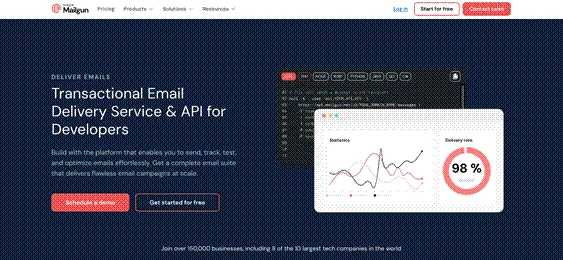
Mailgun’s main differentiator is a built-in validation API. It checks addresses against DNS/MX records, disposable domain lists, and syntax rules before the message goes out. The PHP SDK alone records over 1.3 million weekly installs on Packagist. SDKs cover Node.js, Python, PHP, Ruby, Java, Go, and C#. Batch sends accept up to 1,000 recipients per API call with per-address recipient variables.
SPF, DKIM, and DMARC are configured manually through DNS-based domain verification. Stream separation works through multiple sending domains rather than a native stream architecture, which requires more manual setup. Webhooks retry for 8 hours.
Strengths: Built-in email validation API. Domain-specific API keys. Batch API for up to 1,000 recipients.
Limitations: Dedicated IPs are $59/month, the highest in this comparison. Analytics add-ons add to real cost.
Pricing
Free: 100 emails/day. Foundation: $35/month for 50,000 emails. Scale: from $90/month for 100,000+ emails. Dedicated IPs: $59/month. Overage rate: $1.80 per 1,000 emails, the highest of these five providers.
Postmark: Best for Delivery Speed
G2: 4.6 ⭐ | Capterra: 4.7 ⭐
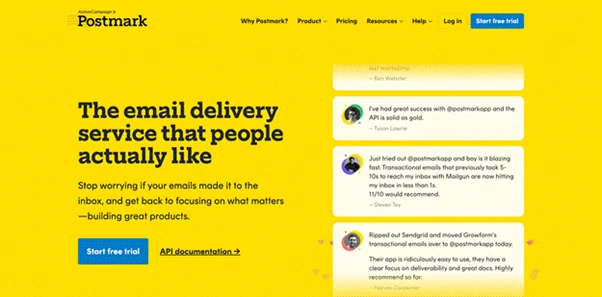
Postmark gets transactional email to the inbox fast. It runs a strict account review before live sending opens and uses Message Streams to isolate transactional, broadcast, and inbound traffic at the infrastructure level. That isolation is more thorough than what you get from IP pool workarounds on other platforms.
SDKs cover Node.js, PHP, Python, Ruby, .NET, Java, and Go. Logs retain for 45 days, longer than any other provider here. Every bounce is processed, categorized, and suppressed automatically. Analytics, logs, and bounce management are included on all plans. Dedicated IPs include structured warmup but are only available at 300,000 monthly sends or more.
Strengths: Message Streams isolate reputation by traffic type at the infrastructure level. Strict account review keeps shared pool neighbors clean. 45-day log retention. All features included at every tier.
Limitations: Most expensive at scale: 125,000 emails costs $138/month. No permanent free tier. Marketing email is not supported.
Pricing
Starter: $15/month for 10,000 emails. Growth: $60.50/month for 50,000 emails. Business: $138/month for 125,000 emails. Dedicated IP: $50/month, available at 300,000+ monthly sends only.
Conclusion
Choosing the best transactional email service depends on what your team needs. Mailtrap is the best option for developers and product teams that need high deliverability and analytics without assembling separate tools. Postmark wins on raw inbox placement and is worth the higher cost at scale.Choose Amazon SES if price is the deciding factor and your team already lives inside the AWS ecosystem. Mailgun fits engineering teams that want pre-send validation and fine-grained routing control. SendGrid is the natural choice if you are already using Twilio.
One thing applies regardless of which provider you go with: set up SPF, DKIM, and DMARC before your first production send. A misconfigured DNS record suppresses inbox placement with nothing in the logs to tell you why, and sender reputation is slow to recover once it takes a hit.
Frequently Asked Questions
What is the difference between an email API and SMTP?
SMTP is the base protocol email runs on. A transactional email API is an HTTP layer on top of it, adding template management, webhook tracking, delivery analytics, and a cleaner developer interface. All five providers here support both. Teams building new integrations tend to reach for the REST API. Teams with existing SMTP-based stacks often stay there.
Do I need a dedicated IP address for transactional email?
Not at low volumes. Under 50,000 to 100,000 monthly sends, a well-managed shared pool performs reliably as long as the provider enforces strict sender standards. Dedicated IPs become worth it at higher volumes or when you need full control over sender reputation.
How long does switching transactional email providers take?
The technical migration (domain reverification, DNS updates, credential swaps, test sends) typically takes 1 to 3 days. Moving to a new dedicated IP means starting warmup from zero, which adds 2 to 4 weeks. Plan for at least two weeks of monitoring after any switch before treating it as done.

