


How to Edit, Fill, Sign, and Manage PDFs in a Digital Business Workflow
Learn how digital PDF workflows help businesses edit PDFs, create fillable forms, collect eSignatures, use OCR & manage documents securely.

PDFs are part of everyday business operations, but handling them often involves more than opening a file and typing into a few fields. HR departments work with onboarding paperwork, property professionals manage leases and disclosures, healthcare organizations process patient forms, and legal and accounting teams regularly exchange documents that need editing, signatures, review, and secure storage.
A browser-based PDF editor such as pdfFiller.com can bring several of these steps into one digital workflow. Documents can be edited directly, converted into fillable forms, sent for signature, annotated, organized, and stored without building a process around separate paper copies. For organizations handling recurring paperwork, the value comes from making document handling more consistent from the first edit through the completed file.
What a Digital PDF Workflow Actually Includes
A digital PDF workflow is the sequence a document follows from receipt or creation to completion and storage. A typical process might begin with uploading a PDF, correcting or adding information, placing fillable fields, sending the file to another person, collecting an eSignature, and retaining the completed version.
The exact workflow varies by department. An HR team may process offer letters and policy acknowledgements, while a real estate office may work with leases or disclosures. The important point is consistency. When editing, fill and sign activities, document review, and storage follow a predictable process, employees spend less time moving files between disconnected systems or tracking different copies through email.
Edit Existing PDF Content Instead of Recreating Documents
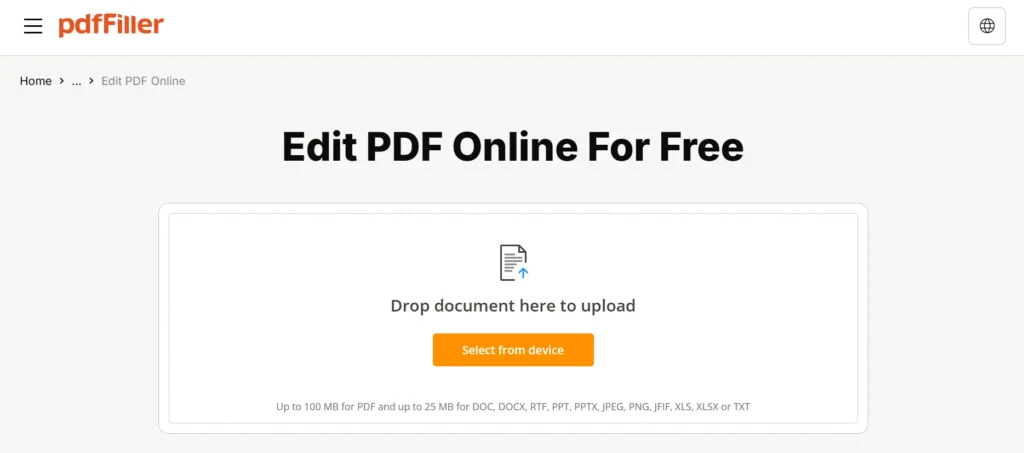
PDFs are often treated as finished files, which can make even a small correction inconvenient. A practical PDF editor should allow users to work directly with the document rather than recreate the entire file in another format.
pdfFiller supports editing text and content directly inside a PDF. Users can also add images, comments, stamps, and annotations. Documents can be merged, split, rearranged, and compared as part of the same broader document process.
These capabilities are useful when a contract needs a correction, a form requires additional information, or several pages need to be reorganized before review. Keeping those activities within the PDF workflow also reduces the number of intermediate files created during routine document handling.
Turn Static Documents Into Fillable Forms
Many organizations repeatedly send the same type of document to different people. A static PDF can create unnecessary work if recipients have to print it, complete it manually, scan it, and send it back.
A fillable form provides a more structured alternative. pdfFiller can be used to build and publish fillable forms, allowing organizations to create reusable document workflows around recurring paperwork.
The platform also offers a library of over 100,000 forms and form templates, including state-specific legal and business forms. A form template can provide a practical starting point when an organization is working with a commonly used document type while keeping the completion process digital.
Use Fill and Sign Workflows for Documents Requiring Signatures
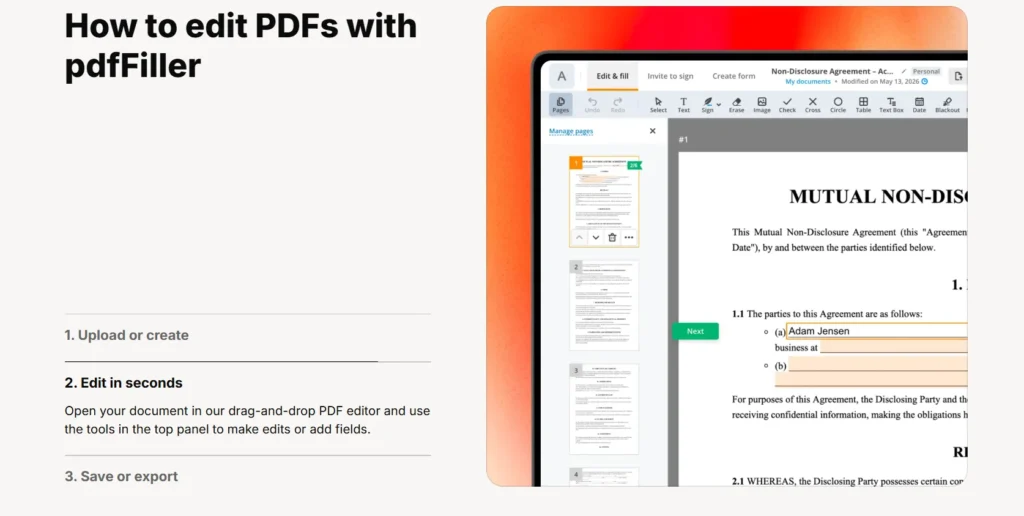
A document workflow often continues after the editing stage. Agreements, acknowledgements, authorization documents, and other business paperwork may need to move from preparation to signature collection.
pdfFiller supports eSignatures and allows users to send for signature as part of an electronic document workflow. Its eSignature functionality operates in line with the ESIGN Act and UETA in the United States, as well as eIDAS and GDPR requirements where relevant.
Certificate-based eSignatures can also include audit trails. This creates a record around the signing process rather than leaving teams to reconstruct activity from email exchanges. For administrative teams, combining document preparation and eSign activity can make the status of a file easier to follow.
Make Repetitive Form Collection More Efficient
Some workflows involve collecting the same type of information repeatedly. Examples include employee onboarding forms, property paperwork, intake forms, field reports, or recurring client documents.
pdfFiller’s LinkToFill feature turns a document into a public web link that can collect signatures and data. Instead of creating individual document copies manually, an organization can distribute access to a fillable form through a link.
This approach can be particularly useful for standardized information collection. The underlying document remains structured while different recipients provide the required information. It also reduces dependence on sending attachments back and forth, which can make recurring form processes harder to track as submission volume grows.
Work With Scanned Documents Using OCR
Not every business document begins as an editable PDF. Older records, scanned paperwork, or forms received as images may contain text that cannot be directly edited.
Optical character recognition, or OCR, addresses this problem by converting text within a scanned file into editable text. pdfFiller includes OCR functionality for scanned documents, allowing an image-based file to become part of a digital editing workflow.
This can be useful when organizations are moving from paper-based records toward electronic processes. Rather than manually retyping an entire document, teams can work with the scanned material more directly and then continue with editing, annotation, or other document preparation activities.
Apply the Workflow to Different Business Departments
The same document technology can support very different workflows depending on the industry.
HR teams might use a PDF editor for offer letters, W-4s, I-9s, and policy acknowledgements. Real estate teams may work with leases, disclosures, and purchase agreements. Legal practices can manage NDAs, affidavits, and engagement letters.
Healthcare workflows can include patient intake and consent forms when HIPAA requirements are addressed and a signed BAA is in place. Accounting and tax professionals may work with recurring tax documentation, while construction and insurance teams can process field forms or claims paperwork from mobile devices.
The platform is available through a web application as well as iOS and Android apps, which supports workflows where documents are handled away from a desktop.
Build Security Into the Document Process
Electronic documents can contain financial, employment, healthcare, legal, or other sensitive information, making security part of the workflow rather than an optional final step.
pdfFiller uses 256-bit AES encryption for documents in transit and at rest. It also provides two-factor authentication, per-document password protection, additional signer authentication, and expiration dates.
Its Audit Trail can record who viewed, edited, signed, or shared a document, along with timestamps and IP addresses. According to pdfFiller’s verified security information, documents remain within the user’s private account, are not shared with third parties, and are not used to train AI models. Infrastructure is hosted in SOC 2 Type II-certified data centers with 24/7 threat detection.
Consider Compliance Requirements by Workflow
Security technology and regulatory compliance are related but distinct considerations. Organizations should evaluate document workflows according to the type of information they handle and their own compliance requirements.
pdfFiller states compliance with SOC 2 Type II, GDPR, CCPA, PCI DSS, FERPA, and HIPAA, with a signed BAA available in applicable circumstances. Its SOC 2 Type II certification is independently assessed.
Healthcare organizations, for example, may require processes designed around protected information, while educational or financial workflows may involve different regulatory considerations. Document software does not determine an organization’s compliance obligations, but security controls, access management, audit records, and document-handling practices can form important parts of an organization’s wider compliance process.
Keep Completed Documents Traceable
Finishing a document should not mean losing track of its history. A structured workflow should make it clear which version is current, whether it has been edited or signed, and who interacted with it.
Audit Trail information can help provide that visibility by recording document events such as viewing, editing, signing, and sharing. For workflows involving multiple participants, this creates a more useful activity record than relying exclusively on inbox history.
Document access controls can also be combined with password protection, additional signer authentication, and expiration settings. These measures are particularly relevant where files pass between employees, customers, vendors, professionals, or other authorized participants during their lifecycle.
Reduce Fragmentation Across Document Tasks
The practical advantage of a digital workflow comes from reducing unnecessary handoffs between unrelated processes. Editing a PDF, building a fillable form, collecting information, adding an eSignature, and managing the resulting document are connected activities.
pdfFiller serves 64 million users worldwide and is part of the airSlate family, whose portfolio serves more than 100 million users. Its capabilities extend beyond basic PDF editing to document organization, OCR, form publishing, signatures, and structured electronic workflows.
For businesses, the objective is not simply to digitize paper. A more useful approach is to create a repeatable process in which documents move through clearly defined stages while remaining manageable, traceable, and accessible to the people involved.
Frequently Asked Questions
What can an online PDF editor change in a document?
A PDF editor can be used to modify existing text and document content. With pdfFiller, users can also add images, comments, stamps, and annotations, as well as merge, split, rearrange, and compare documents. OCR can make text in scanned files editable.
What is the difference between a PDF and a fillable form?
A regular PDF may simply display fixed content, while a fillable form contains fields designed for entering information electronically. Fillable forms are useful for recurring processes such as onboarding, intake, agreements, applications, and administrative paperwork where recipients need to provide structured information.
Can a PDF be electronically signed?
Yes. pdfFiller supports eSignature workflows, including the ability to fill and sign documents or send for signature. Its electronic signature functionality supports frameworks including the U.S. ESIGN Act and UETA. Certificate-based eSignatures can also include an audit trail recording activity around the document.
Can scanned PDFs be edited?
Scanned PDFs often contain images of text rather than directly editable text. OCR technology can recognize that text and convert it into an editable format. pdfFiller includes OCR functionality, allowing scanned paperwork to become part of an electronic editing and document-management workflow.
How can businesses protect PDFs containing sensitive information?
Organizations can combine secure document processes with access controls. pdfFiller uses 256-bit AES encryption in transit and at rest and provides two-factor authentication, per-document password protection, additional signer authentication, expiry dates, and an Audit Trail recording document interactions, timestamps, and IP addresses.

