


How to Do Free Face Swap on Video Without the Watermarks
A practical guide to free AI video face swap tools, workflows, and creator-tested methods for clean output without watermarks.

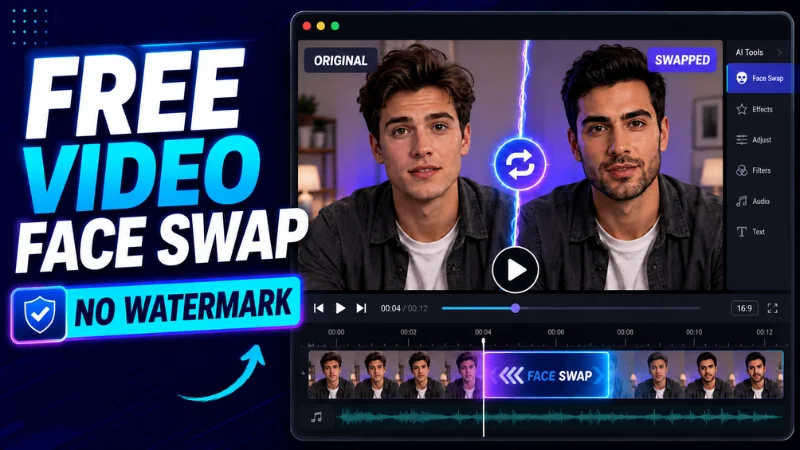
The paid AI face swap tools produce clean output, but a lot of creators don’t want to pay for casual or experimental use. Free face swap exists, but most of the easy options either watermark the output or produce quality so low it’s unusable. The working creators who do free face swap have figured out specific workflows that produce clean, watermark-free output without paid subscriptions.
Below is a practical guide to free video face swap in 2026, drawn from creators using these tools for legitimate experimentation, character work, and content that doesn’t justify paid tools.
What “free” actually means
The free tools fall into a few categories:
- Open-source self-hosted. You install the software, run it on your own hardware. Free in cash terms, costs in time and hardware.
- Free tier of paid tools. Often limited (lower resolution, watermarks, fewer minutes).
- Genuinely free web tools. Usually quality-limited and ad-supported.
For watermark-free output without paying, the realistic path is open-source self-hosted, which is what most quality-conscious free-tier creators use.
Why open-source is the answer
Open-source AI face swap (DeepFaceLab, FaceFusion, Deep-Live-Cam, others) produces output competitive with the paid tools at zero per-clip cost. The trade-off is operational complexity. You install the tool, you manage models, you handle dependencies. For one-off experiments, this is overkill. For ongoing creator work where the volume justifies the setup time, the math works.
The other key advantage: no watermarks, no upload limits, no terms-of-service restrictions on output use. Important for creators who don’t want their output gated by a third party. A solid Face Swap Video Free workflow can match paid-tool output once the setup is tuned.
What you need to set up
The minimum viable setup for clean free face swap:
- A computer with a recent GPU (NVIDIA cards with 8GB+ VRAM work; Apple Silicon also works for some tools)
- Python and the dependencies the tool requires
- The model files (downloaded from official repos)
- A few hours to get past the initial setup
This is not casual. If you’re doing a single experiment, the paid tools’ free tiers (with watermarks) are easier. If you’re committing to face swap as part of an ongoing workflow, the setup pays off within a few weeks of regular use.
The workflow that works
For video face swap specifically, the workflow that produces clean output:
- Record the source video with face swap in mind. Front-facing, good lighting, restrained expressions, stable framing.
- Prepare the target face image. A clean, well-lit reference photo of the face you want to use. Multiple angles produce better output.
- Run the swap tool. Most open-source tools accept the source video and target face image, then output a swapped video.
- Post-process for color match. The most common artifact is color mismatch between the swapped face and the body. A simple color grade in DaVinci or CapCut fixes most of this.
- Sound design and final mix. As with any AI video, audio polish is what sells the output as real.
Which tools work best
The open-source landscape moves fast, but as of mid-2026 the working picks are:
- FaceFusion. Active development, quality output, reasonable setup complexity.
- DeepFaceLive. Strong for real-time and streaming use cases.
- Deep-Live-Cam. Lighter setup, decent quality on simple clips.
- DeepFaceLab. Older but still produces high-quality output for creators willing to invest in the workflow.
Pick one and commit. The tools share enough mental model that switching later is easy, but trying to use multiple tools at once produces churn without quality gains.
Lighting is still the hardest piece
The most visible artifact in free face swap output is lighting mismatch. The swapped face looks lit differently than the body it’s been placed on. The fix is matching the lighting in your source recording to the lighting expected for the swap target.
This is more important than tool choice. A creator with disciplined lighting and a mid-tier tool produces better output than a creator with sloppy lighting and the best tool.
Match the source video carefully
Free face swap output is fragile. It holds up at the conditions it was trained for and breaks at extreme conditions. For best output:
- Front-facing or three-quarter angle, not pure profile
- Good even lighting on the face
- No extreme expressions during the swap (anger, deep grief, ecstatic joy)
- Slow or moderate motion, not fast camera moves
- Short clips assembled together rather than long unbroken takes
Working creators record source video specifically to feed into face swap, not the other way around.
Cut to b-roll between takes
As with paid face swap and AI talking avatars, free face swap output holds up better in 10-15 second windows than in 60-second straight takes. The cuts hide whatever was about to break. Treat free face swap the same way you’d treat any AI-generated video output: short takes, real-editor compositing, b-roll cuts between.
Sound design carries the illusion
A clean voice with appropriate ambient sound makes face swap output convincing. A clean voice with no ambient sound or with mismatched audio breaks the illusion. Spend time on the audio at least as much as on the visual.
Working creators producing free face swap output invest in:
- Room tone matching the visual environment
- Subtle ambient sound (street noise, room hum, natural air)
- Clean dialogue mixing without obvious AI voice artifacts
- Music that complements rather than fights the dialogue
Where this fits in a workflow
Free face swap is the right pick for:
- Creators experimenting with the medium before committing to paid tools
- Hobbyists producing content for personal projects
- Creators with privacy-sensitive workflows where the source can’t be uploaded to third-party tools
- High-volume creators where per-clip costs add up
It’s not the right pick for:
- One-off projects where the setup time exceeds the value
- Live streaming where real-time quality matters more than zero cost
- Long-form video where free-tool quality limitations show
Honest limitations
Free face swap in 2026 is genuinely good enough for many creator use cases, but it’s not paid-tool quality. The artifacts cluster in specific places: extreme expressions, complex lighting, fast motion, long unbroken takes. The technique discipline above can hide most of this; some of it just has to be designed around.
For creators willing to invest in the setup and the workflow discipline, free face swap produces output that holds up to most viewer testing. The watermarks are gone, the per-clip cost is gone, and the workflow speed is competitive. The trade-off is the upfront time and the technique discipline; for ongoing creator work, both pay back quickly.

