


Managing Visual Entropy: Scaling Product Launch Assets with Nano Banana Pro
Learn how to manage visual entropy and scale product launch assets efficiently using Nano Banana Pro for consistent, high-impact campaigns.

The friction in a modern product launch rarely stems from a lack of ideas. Instead, it originates in the transition from a single “hero” concept to the hundreds of derived assets required for a multi-channel campaign. When a product team needs to synchronize visual language across social media posts, programmatic display ads, and high-conversion landing pages, they often encounter visual entropy—the gradual degradation of brand consistency as assets are resized, re-prompted, and redistributed across different platforms.
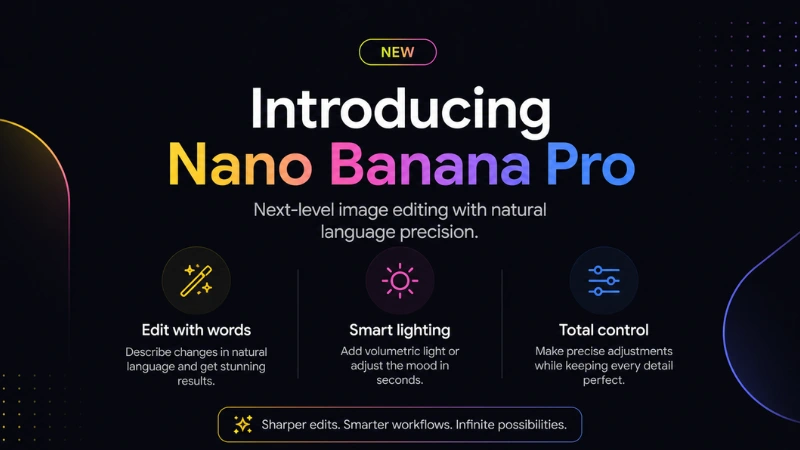
For teams operationalizing these workflows, the goal is not just “generation” but systematic control. Using tools like Nano Banana Pro allows for a more structured approach to asset creation, moving away from the unpredictability of single-shot prompting toward a repeatable production pipeline.
The Cost of Visual Drift in Launch Campaigns
In a traditional design workflow, scaling a single product shot into a full suite of assets involves significant manual labor. When AI is introduced without a production-minded framework, the problem often shifts rather than disappears. A team might generate a beautiful hero image for a landing page, but when they attempt to generate a matching set of Instagram stories or LinkedIn banners, the “style drift” becomes apparent. Colors shift by a few hex codes, lighting directions change, and the perceived “weight” of the product feels inconsistent.
This inconsistency isn’t just an aesthetic annoyance; it impacts performance. Ad platforms reward visual coherence because it lowers the cognitive load on the user. If the ad they click looks fundamentally different from the landing page they arrive on, bounce rates increase. To solve this, teams are increasingly looking toward platforms that offer more than just a prompt box. They need an environment where the core visual DNA of a project can be maintained across diverse outputs.
Operationalizing Consistency with Nano Banana Pro
The shift from experimental AI use to professional production requires a shift in mindset. Instead of viewing an image generator as a creative partner that “surprises” you, it must be treated as a high-fidelity renderer. This is where Nano Banana Pro fits into the stack. It provides the necessary controls to lock in specific visual parameters while allowing for the massive variation required for A/B testing and platform-specific formatting.
The platform functions as a centralized engine for visual assets. By utilizing the specific models and settings within this environment, a creative lead can set the “ground truth” for a campaign. This might involve a specific seed, a custom style reference, or a rigid compositional guide that ensures every subsequent generation follows the same logic.
The Role of the AI Image Editor in Refinement
Generating a raw image is rarely the final step. Most AI-generated outputs require “polishing” or “tweaking” to meet brand standards. The AI Image Editor within the workflow acts as the bridge between raw generation and a publication-ready file. For product teams, this means the ability to modify specific elements without re-generating the entire frame.
If a team likes the background and lighting of a generated lifestyle shot but the product positioning is slightly off, the editor allows for targeted adjustments. This level of granular control is what separates a tool used for “play” from a tool used for “production.” It acknowledges the reality that AI often gets 90% of the way there, but the last 10%—the part that ensures the logo isn’t warped or the shadow falls correctly—still requires human intervention and precise editing tools.
Managing Multi-Channel Variations
A typical launch requires several distinct asset types:
- Landing Page Heros: High-resolution, wide-angle shots with space for typography.
- Social Posts: Square or vertical orientations with high-contrast elements to stop the scroll.
- Email Banners: Lean, fast-loading images that complement text-heavy layouts.
- Performance Ads: Multiple variations of the same concept to test which background or model resonates best with specific demographics.
Using Nano Banana to handle these variations means a team can use an Image-to-Image workflow. They can upload the approved “Hero” image and use it as a structural guide to generate a vertical 9:16 version for TikTok or a tight crop for a display ad. This ensures that even though the aspect ratio and composition change, the color grading, texture, and overall “feel” of the campaign remain identical.
Technical Limitations and Reality Checks
While the efficiency gains of Banana Pro are significant, it is important to ground expectations in technical reality. Generative AI is still subject to “hallucinations,” particularly when it comes to specific brand assets like logos or unique product packaging. Even with advanced tools, Banana AI may struggle to render exact text or complex, non-standard geometric shapes consistently across every frame.
Teams should expect a “human-in-the-loop” requirement. You cannot simply hit “generate 100” and walk away. There is a necessary stage of curation and post-production. Furthermore, while the AI Image Editor provides significant control, it is not a replacement for traditional vector-based design software like Illustrator for final logo placement or typography. The workflow should be viewed as an asset generation and transformation engine, not necessarily the final compositor for complex layouts.
The Power of the Canvas Workflow
One of the more effective ways to manage visual entropy is through a canvas-based approach. Unlike a standard linear prompt workflow, a canvas allows creators to see their assets in relation to one another. This spatial awareness is crucial for launch teams.
By placing a landing page hero next to a set of Instagram ads on a digital canvas, designers can visually audit the consistency in real-time. If the saturation on the social ads feels too high compared to the web assets, the AI Image Editor can be used to bring them back into alignment. This “big picture” view prevents the siloed creation of assets that don’t actually work together when deployed in the wild.
Practical Steps for Batch Production
For teams looking to move fast without breaking their brand guidelines, the following sequence is often the most stable:
- Define the Anchor: Use Banana Pro to generate the “Perfect” version of the key visual. This is the master reference.
- Lock the Parameters: Identify the specific model, prompt structure, and style settings that produced the anchor image.
- Execute the Expansion: Use the Image-to-Image or Canvas features to create the variations (different aspect ratios, different background contexts) while keeping the anchor as the reference.
- Audit and Edit: Use the AI Image Editor to fix minor artifacts, adjust lighting on specific assets, or remove distracting elements that appeared during the batch process.
- Standardize Exports: Ensure all assets are exported with consistent color profiles to avoid shifts when uploaded to different ad managers.
Moving Beyond the Single Prompt
The “single prompt” era of AI is largely over for professional teams. The current frontier is about the workflow—how one tool connects to the next to create a result that is greater than the sum of its parts. Using Banana AI as a core component of this workflow allows for a level of speed that was previously impossible, but it demands a disciplined approach to asset management.
Consistency is the byproduct of constraint. By using the specialized tools within the platform to constrain the AI’s output to a specific brand “envelope,” teams can scale their production from ten assets to a thousand without losing the thread of their visual identity.
Managing Expectations in a High-Speed Environment
A final note on the pace of production: just because you can generate a thousand variations doesn’t mean you should without a clear testing hypothesis. The ease of creation can sometimes lead to a “quantity over quality” trap. The most successful product teams use these tools to create smarter variations—testing specific colors or compositions that they suspect will perform better, rather than simply flooding their channels with AI-generated noise.
Visual entropy is an inevitable force in any large-scale project. However, with a focused set of tools and a workflow designed for consistency rather than just novelty, it is a force that can be managed. The objective is to make the technology serve the brand, ensuring that every touchpoint a customer has with a product feels like it belongs to the same story.

