


SPF Record Generator For Beginners: Build SPF Records In Seconds
Learn how to use an SPF record generator to create accurate SPF records quickly and improve email authentication and deliverability.


Creating an SPF record can seem complicated for beginners, especially when dealing with DNS settings, authorized mail servers, and SPF syntax. An SPF record generator simplifies this process by helping you identify legitimate email senders and automatically build the correct SPF record for your domain. This guide explains what an SPF record is, why it matters for email security and deliverability, the key mechanisms and qualifiers involved, and how to generate, publish, validate, and maintain an SPF record while avoiding common configuration mistakes.
What an SPF Record Is and Why It Matters for Email Deliverability
Understanding the importance of an SPF record (Sender Policy Framework record) is crucial for anyone responsible for managing a domain name. In essence, an SPF record is a type of DNS record (Domain Name System record) published in your domain’s DNS settings that defines which mail servers are authorized to send emails on behalf of your domain.
The Role of SPF in Email Security and Deliverability
The primary goal of an SPF record is to prevent unauthorized senders and spammers from forging emails using your domain. By specifying valid sending sources using the correct SPF syntax, you enable receiving servers to check the authenticity of an email during the email authentication process. If a message fails this verification, it can be rejected, flagged as suspicious, or filtered into spam. This greatly improves your email deliverability by reducing the chances of legitimate emails landing in recipients’ spam folders and strengthens email security against phishing and spoofing attacks.
Entities such as DMARC, DKIM, and BIMI often work in conjunction with SPF to provide a multi-layered approach to email protection. Leading solutions like MxToolbox, EasyDMARC, and SuperTool offer advanced monitoring, reputation management, and email health diagnostics to further enhance security and deliverability.
How an SPF Record Generator Simplifies DNS Setup for Beginners
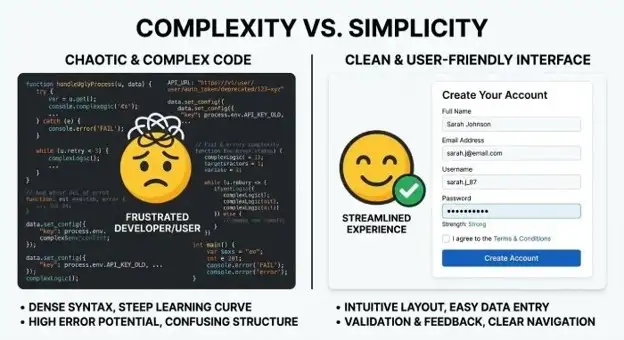
For newcomers, configuring an SPF record manually can feel overwhelming due to the complexity of the syntax and evolving SPF specifications. This is where an SPF record generator or SPF record creator becomes invaluable.
Bridging the Gap for Beginners
An SPF record generator is a dedicated tool—like those offered by EasySPF, EasyDMARC, or MxToolbox—that guides users through the process to generate an SPF record. With simple forms and step-by-step prompts, these tools automate the creation of complex SPF strings based on user input (e.g., mail server IPs, third-party senders, and policy preferences). The built-in checks, explanations, and previews let you avoid syntax errors and non-compliant entries, helping you create a valid SPF record even if you have no prior DNS experience.
By easing the burden of manual entry and validation, an SPF record generator empowers users to confidently set up or modify SPF records to keep pace with evolving SPF policies as their email infrastructure changes. SPF record tools also often integrate with services like DNS Providers, SMTP configurations, and monitoring modules, creating a holistic solution to improve email health and email verification with minimal technical overhead.
Key SPF Record Elements: IP Addresses, Include Mechanisms, and Qualifiers
To successfully create an SPF record, it’s essential to understand the elements used to define authorized senders for your domain name. Whether you’re using an existing SPF record as a base or building from scratch, these components drive your SPF policy.
IP Addresses and Mechanisms
- IPv4 and IPv6 addresses: These specify individual mail servers by IP address (e.g., ip4:203.0.113.5 or ip6:2001:db8::2). They enable direct authorization of onsite mail servers.
- A record and MX record mechanisms: The a and mx mechanisms allow you to permit mail servers resolved from your domain name’s DNS A and MX records. This is key for domains transmitting from their web or mail hosting provider.
Include and Redirect Mechanisms
- Include: Often used to delegate email sending authority to reputable third-party providers (e.g., ESPs or marketing platforms). For example, include:*spf*.*easydmarc*.com verifies senders via that entity’s published SPF policy.
- Redirect: Used to transfer SPF validation responsibility to another domain’s policy entirely. This is helpful for organizations consolidating SPF management across brands or subdomains.
Qualifiers and SPF Policies
- Qualifiers: These define the SPF failure policy for a match or mismatch, using syntax elements:
- + (pass, implicit default)
- – (fail, hard blocking of non-compliant senders)
- ~ (softfail, marks message as suspicious but allows delivery)
- ? (neutral, neither passes nor fails)
- none (no policy set)
Choosing the right qualifiers determines how strict your SPF policies are and directly impacts your balance of email deliverability versus security.
Step-by-Step: Using an SPF Record Generator to Create and Publish Your Record
Leveraging an SPF record generator can make configuring and deploying your SPF policy effortless. Here is a typical workflow using a modern SPF record tool:
Step 1: Input Your Domain Name and Email Senders
Access a tool like EasySPF, MxToolbox, or Delivery Center and enter your domain name. List all sending sources: on-premise mail servers (IP addresses), authorized SMTP relays, cloud apps, and third-party mail providers. If starting from an existing SPF record, you can import or parse it for easier modifications.
Step 2: Select Mechanisms and Configure SPF Policies
Choose the appropriate IPs, A record and MX record mechanisms, and “include” lines for trusted partner services. Use the tool’s interface to define your failure policy qualifiers (softfail, fail, neutral, or none), following best practices aligned with SPF specifications. For organizations requiring advanced delegation, set up “redirect” if necessary.
Step 3: Generate the SPF Record
With all selections made, instruct the SPF record generator to generate SPF record content. The resulting SPF string will incorporate the necessary mechanisms, qualifiers, and syntax. Many SPF record creators—including SuperTool, DNS Record Checker, and EasyDMARC’s EasySPF—provide an instant preview and clear instructions for next steps.
Step 4: Publish Your SPF Record in DNS
Log in to your DNS providers’ management console. Navigate to your domain name’s DNS records and select “Add Record.” Choose TXT as the record type and paste your SPF string into the value/content field. Save and propagate changes.
Step 5: Validate and Monitor
After DNS propagation, utilize SPF checker, SPF checker tools, or solutions like MxToolbox’s SPF record raw check to confirm that your record is valid, syntactically correct, and aligns with your intentions. Perform an SPF lookup, deliverability test, and analyze headers using an email header analyzer to ensure email authentication is functioning properly. Ongoing reputation monitoring and diagnostics with EasyDMARC’s Alert Manager or Delivery Center can help maintain email health and uncover potential email delivery problems.
Common SPF Record Mistakes to Avoid and How to Test Your Setup
Avoiding Frequent Errors During SPF Setup
Many problems with email delivery and authentication arise from common SPF pitfalls:
Exceeding SPF Lookup Limit
SPF verification allows for a maximum of 10 DNS lookups per check. Misusing “include” or delegating too liberally can easily exceed this limit, causing SPF failures and email delivery problems. Use SPF record generators with optimization capabilities or managed SPF solutions to streamline and minimize unnecessary lookups.
Incorrect SPF Syntax and Unsupported Mechanisms
Improper placement of mechanisms, duplicate entries, or misconfigured qualifiers yield invalid or non-compliant records. Always validate your configurations through reputable SPF checkers like MxToolbox, EasyDMARC, or SourceForge-verified tools.
Multiple or Conflicting SPF Records
Having more than one SPF record for the same domain name in DNS will render them ineffective and may break SPF authentication. Always modify SPF record entries—do not simply add new ones. Use SPF raw checker tools to scan for and resolve duplication.
Testing and Monitoring
A viable SPF record is only effective if tested and continuously monitored. Utilize SPF checker, DNS Record Checker, and SuperTool to run an SPF record raw check and confirm your record behaves as expected per SPF specifications. Test various senders by performing deliverability tests and analyze headers for non-compliance warnings. Phishing Link Checker, Email Verification tools, and reputation solutions like Bettertracker and Reputation Check provide further insights into your email health and standing on major blacklists.
Finally, tools such as EasyDMARC’s Delivery Center and MxToolbox’s monitoring modules allow for ongoing diagnostics, alerting, and management, ensuring your managed SPF policy remains robust—and your emails continue to reach inboxes as intended.

