


Testing Your Home Security System
Learn how to test your home security system, check sensors and alarms, verify camera functionality, and ensure your home stays protected.

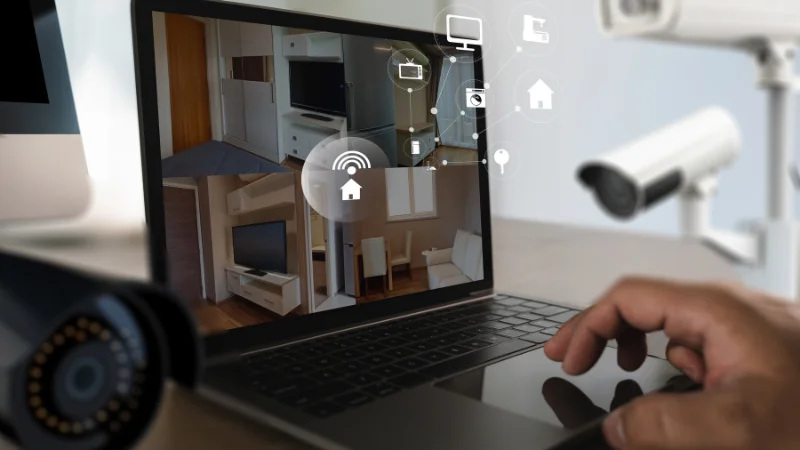
Your security system is not really tested when you tap a keypad button and hear a quick beep. A useful test asks a bigger question: if something goes wrong at the worst possible time, will every part of the chain still do its job? That means the sensor has to notice the problem, the panel has to process it, your connection has to send it, and the people in the house have to understand what happens next.
That is why a test routine should be built around real world weak points instead of just checking whether the siren makes noise. If you work with a professional monitoring setup or a home security company, a full test should confirm how alerts move from device to device and whether your household knows how to respond. A system can seem fine during daily use and still fail in one small but important place.
Many manufacturers and testing organizations treat security equipment as a reliability issue, not just a convenience feature. UL Solutions describes security product testing and certification as a way to evaluate performance, reliability, and how physical and electronic components work together. That idea is helpful for homeowners too. The goal is not only to see whether a door contact opens. It is to know whether your system still works as a connected whole.
Test the path, not just the parts
Start with the path an alarm signal takes. Pick one device at a time, such as a front door contact, motion sensor, glass break detector, or smoke related alert if your system includes it. Put the system in test mode if your provider offers that option. Then trigger one device and watch what happens at every stage.
Ask simple questions as you go:
- Did the control panel identify the correct sensor?
- Did the app send the right notification?
- Did the entry delay or alarm sound match your settings?
- Did the signal reach the monitoring side, if your plan includes it?
Focus on the failures people forget
The most useful home test often involves normal disruptions. Unplug the router for a moment and see whether your system switches to cellular backup if it has that feature. Cut power briefly and confirm the backup battery carries the panel. Check whether cameras reconnect properly after internet service returns. These are the moments when systems get exposed.
Smart home gear deserves special attention here. Devices that rely on apps, Wi Fi, or cloud connections need maintenance beyond physical placement. NIST outlines common cybersecurity capabilities for consumer IoT products, including software update support, access control, and other protections meant to apply to the full product. In practical terms, that means your testing routine should include logging into the app, checking for firmware updates, confirming two factor authentication if available, and reviewing who has access to the system.
Run one realistic drill every few months
Instead of testing everything in isolation every time, create a simple scenario. For example, pretend you are arriving home with full hands at night. Enter through the usual door. Does the keypad light up clearly? Is the disarm process still easy under mild stress? Does the app open fast enough if you use mobile access? If a family member enters first, do they know the code and what to do if the countdown starts?
You can also simulate an overnight problem. Walk the house after dark and notice blind spots, glare on camera views, or doors that do not latch fully unless pushed. A security system cannot compensate for basic physical issues forever. Testing should reveal those habits and weak spots before they become expensive lessons.
Another good drill is to test communication, not just hardware. If an alarm goes off by mistake, who calls whom, and in what order? Does everyone know whether to silence the panel first, answer a monitoring call, or check the mobile alert? Even a solid system can create confusion if the household response is improvised in the moment.
Keep a small written record
A short log makes your system more reliable over time. Write down the date, the device tested, the result, and anything you changed. If the kitchen window sensor acted up twice in six months, that pattern matters. If app alerts started arriving late after a network change, you will have a timeline to troubleshoot.
Turn testing into a household habit
A good system depends on people as much as equipment. Make sure everyone in the home knows basic steps, including how to arm, disarm, cancel a false alarm, and recognize a real notification. If someone uses a guest code, test that code. If a teenager usually comes in through the garage, test that entry point. If an older relative stays over often, make the process simple enough for them too.

