


Identify an Insect from a Picture? Top 6 Bug ID Apps
Identify insects from a picture with the best bug ID apps. Explore the top 6 apps for quick, accurate insect and bug identification.

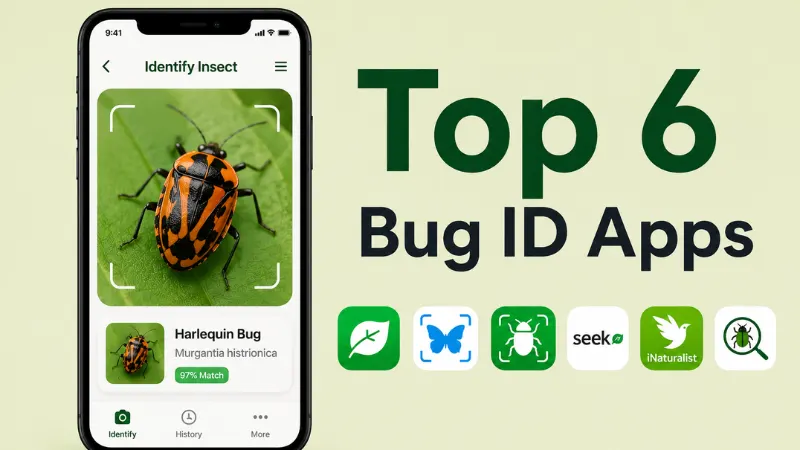
it crawls away. Learning how to identify an insect from a picture used to mean flipping through a field guide or waiting hours for a reply in some Facebook group. These days, your phone can do most of the work.
We rounded up the apps and browser tools people actually reach for when a bug shows up uninvited, from full-featured identification apps to quick, no-download options.
Quick Picks: Top Insect Identifier Apps
- BugKnow — Free, unlimited photo scans covering 260,000+ species. Best for everyday households dealing with whatever just turned up in the yard or the kitchen.
- Insectio — The deepest feature set around, with hike forecasts and pet protection built in. Best for hikers, campers, and anyone who spends real time outdoors.
- BugIdentifier.Org — No app, no signup, works right in your browser. Best for a one-time check when you just need a fast answer.
- Google Lens — Already sitting on your phone. Best for a quick first guess on pretty much anything, insects included.
- iNaturalist — Backed by a community of real naturalists who help confirm your ID. Best for people who want an answer they can actually trust.
- Seek by iNaturalist — A simpler, kid-friendly spin-off with real-time camera recognition. Best for family nature walks and curious kids.
-
BugKnow – Top Pick
BugKnow is built around one idea: bug identification shouldn’t cost you anything or require a degree in entomology. Point your camera at whatever you found, and it matches the photo against a database of more than 260,000 species, covering everything from spiders to garden beetles. Beyond the ID itself, you get a full species profile with behavior, habitat, and how it might affect your home, pets, or family.
Two features set it apart from a plain identification tool. The Bite Checker lets you photograph a mystery bite and get a reference result on what likely caused it, and the Pest Severity Assessment walks you through a few quick questions to gauge how serious an infestation might be. If you’re still unsure, you can post your find to the community and get a second opinion from other users.
Pros
- Unlimited free scans, with no paywall blocking the core identification feature
- Very large species database for a U.S.-focused app
- Bite checker and pest severity tools go beyond a basic ID
- Lets you save finds into a personal collection
-
Insectio – 2nd Pick
If BugKnow is built for the person dealing with a bug at home, Insectio is built for the person about to head outside. Photo identification and a rich, illustrated encyclopedia are the foundation, but the app’s real strength shows up in its outdoor tools. The Hike Bug Forecast lets you pick a location and date and get a full insect-risk rundown, covering what to expect and what to wear before you even leave the house. Live activity alerts show you what’s active nearby right now.
Insectio also covers bite identification with symptom timelines and first-aid guidance, plus a dedicated section for pet owners dealing with fleas, ticks, and mosquitoes. A photo-first community space rounds things out, so you can browse what other people are finding and share your own.
Pros
- Outdoor-specific tools you won’t find in most identification apps
- Detailed, illustrated species profiles with multiple life stages
- Practical pet-safety guidance alongside the bug identification
- Active photo-based community
-
BugIdentifier.Org
Not everyone wants to download an app for a bug they’ll probably never think about again. BugIdentifier.Org skips that step entirely. You go to the site, upload or snap a photo, and get a result, no account and no app store detour required. It’s built for the person who searches “what bug is this” once in a while and just wants an answer on the spot.
Because it’s browser-based, it’s also easy to use on a laptop or desktop, not just your phone, which is handy if someone emails you a photo instead of you taking it yourself.
Pros
- Zero friction: no download, no signup
- Works on any device with a browser
- Good for occasional, one-off use
Cons
- No saved history or personal collection across visits
- Fewer extras like bite checking or pest assessments
- Less depth in species profiles compared to dedicated apps
-
Google Lens
Google Lens isn’t built specifically for bugs, but it’s already on most Android phones and inside the Google app and Google Photos, so it’s often the first thing people try. Snap a photo or point your camera, and it searches visually for a match across a huge range of objects, plants, and animals, insects included. For common species like ladybugs, honeybees, or house spiders, it’s usually fast and reasonably accurate.
Where it falls short is depth. You’ll get a name and some search results, but not the kind of behavior notes, bite guidance, or pest advice you’d get from a dedicated insect app.
Pros
- Free and already installed on most phones
- Fast results for common, easily recognized insects
- No separate app or account needed
Cons
- Not specialized for insects, so rarer species can trip it up
- No bite checker, pest tools, or species-specific safety advice
- Results link out to general web searches rather than a built-in profile
-
iNaturalist
iNaturalist takes a different approach than a straight AI lookup. You upload your photo, and the app’s computer vision suggests likely matches, but the real value comes from the community behind it. Naturalists, hobbyists, and sometimes actual researchers can weigh in and help confirm or correct your identification. It’s run as a nonprofit joint initiative between the California Academy of Sciences and National Geographic, and every observation you post also feeds into real biodiversity data used by scientists.
It’s a fantastic option if you care about getting a genuinely accurate answer and don’t mind waiting a bit for community input rather than an instant automated result.
Pros
- Community verification from people with real expertise
- Your sightings contribute to actual scientific research
- Massive, well-documented species database
- Completely free
Cons
- Confirmation from other users can take time rather than being instant
- Interface feels more like a citizen-science tool than a slick consumer app
- No bite checker or household pest features
-
Seek by iNaturalist
Seek is the more casual, family-friendly sibling of iNaturalist, made by the same team. Instead of posting observations for the community to confirm, Seek identifies what’s in front of your camera in real time as you point it around, which makes it a fun option for kids on a nature walk. It rewards you with badges for spotting new species and categories, turning identification into a bit of a game.
You don’t need to create an account to start using it, and a lot of the recognition happens right on your device, which helps when you’re somewhere without great signal.
Pros
- Real-time, in-camera identification that feels game-like
- Great for kids and families, with badges and challenges
- No account required to get started
- Free to use
Cons
- Less detailed species information than the main iNaturalist app
- No bite checker, pest severity tools, or hike forecasts
- Best suited to casual encounters rather than serious identification needs
Which One Should You Actually Use?
If you want one free app that covers both random household bugs and the “wait, what bit me” moments, BugKnow is the easiest all-around pick. If you spend real time on trails, Insectio’s outdoor-focused tools are hard to beat. Need an answer right now without installing anything? BugIdentifier.Org or Google Lens will get you there in seconds. And if accuracy matters more than speed, or you’re introducing kids to the outdoors, iNaturalist and Seek both bring real expertise into the mix.
There’s no single best way to identify an insect from a picture for everyone. The right pick just depends on whether you want speed, depth, or a bit of both.

