


A webinar deck is not the session, and turning it into video proves it
Learn why a webinar deck alone isn’t enough and how turning it into video can improve engagement, reach, and the overall session experience.

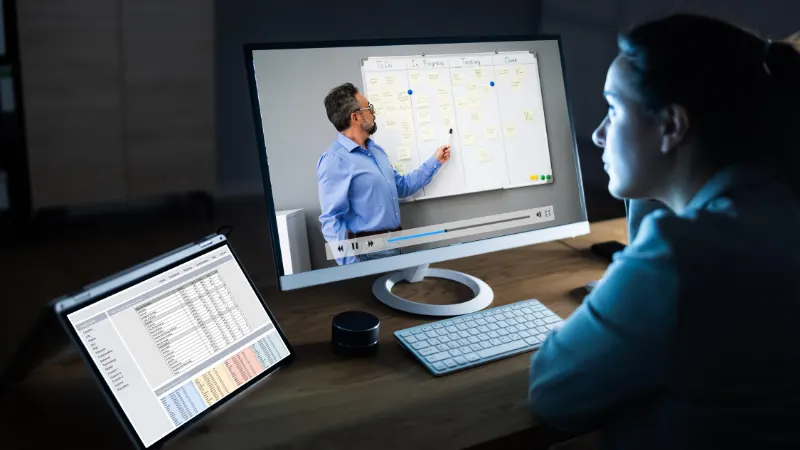
Every conference and every webinar produces the same artefact a week later: a slide deck, attached to a follow up email, downloaded by people who were not in the room, and understood by almost none of them.
Marketing teams treat this as a distribution problem. It is a structural one. The deck was never the session. It was one half of a two channel presentation, and the half carrying the argument was the person speaking.
The clearest demonstration is what happens when someone tries to convert the deck into a video. Every gap becomes explicit, because narration has to say something over every slide, and a number of those slides turn out to have nothing that can be said about them without the presenter’s original reasoning.
What the slides were actually doing
Decks built for a live audience divide into three kinds of slide, and they survive redistribution very differently.
Content slides carry the substance: a process diagram, a results table, a pricing structure. These survive alone, more or less, though a diagram the presenter walked through pointing at things loses the walkthrough.
Structure slides carry the argument’s shape: a section title, a three word claim in large type, a photograph with one line over it. These are meaningless without the presenter. A slide reading “this is where most programmes stall” was a cue, not a statement, and a well built session contains a lot of them.
Reference slides carry material the presenter skipped and included for later: sources, further reading, the full methodology. These work better as a document than as anything else.
A deck that reads well on its own is generally a deck that was overloaded during the session, which is why the strongest presentations produce the least useful standalone slides.
Two import modes, and which one to use
Tools handling PPT to video AI conversion generally offer a choice about how slides come in, and the choice matters more than it appears to.
Leadde’s slide import accepts .pptx and .pdf, and offers import as static images or import as fully editable layers, the latter for PowerPoint files only.
Static import preserves the deck exactly. Fonts, spacing and any custom template arrive as designed. Nothing can be adjusted afterwards, which is fine for a deck that will not change and a problem for one that will.
Editable import brings elements in as layers, which allows text to be corrected, elements to be animated against the narration, and a slide to be split across two scenes when its narration runs long. The cost is that complex layouts sometimes need tidying.
For a session deck being redistributed once, static import is usually correct. For a deck reused across several events and updated between them, editable import saves the work later.
Speaker notes are the script, if they exist
The most useful capability for this case is unglamorous: importing narration from the presenter notes rather than generating it.
Leadde offers three script options at import: no script, automatically generated script, or import from the PowerPoint notes. A presenter who writes notes has already produced the missing half of the session, and importing them produces something substantially better than any generated approximation, because the notes contain the reasoning the slides omitted.
Presenters who do not write notes face a decision. Automatic generation produces narration describing what is visible on the slide, which for content slides is adequate and for structure slides is close to useless, since it will describe a photograph with four words on it. The realistic options are writing notes retrospectively for the structure slides only, or accepting those sections will be thin.
Three context fields are worth filling regardless. Audience, described specifically as a practitioner who did not attend and does not know the internal programme names, changes what the narration assumes. Speaker background sets the position it speaks from. Objective determines emphasis, and generating with the objective of conveying the argument produces a different result from generating with the objective of describing the slides.
Length: dense decks want shorter settings
The instinct is to match runtime to slide count, and it produces something nobody finishes.
Platforms typically expose several detail levels, and Leadde’s range from summary through comprehensive maps roughly to one to three minutes at the short end. A forty slide deck feels like it warrants the longest setting. It generally does not, because a live session contains a large amount of speaking that was pacing rather than content, and because someone watching a recording has none of the reasons to stay that a person in a room has.
Attention on recorded business content falls away in a pattern that has been consistent for years, and the research collected by Nielsen Norman Group on video usability applies to session redistribution as much as to marketing video.
A workable target is that the video runs at roughly half the length of the session and points at the deck for the rest.
The demo cannot come from here
This is the boundary worth being explicit about, because it is where these conversions most often produce something misleading.
A session containing a live product demonstration has a segment that cannot be reconstructed from slides, because it was never in the slides. Document to video platforms generate presenters, scenes and narration from documents. They do not capture a screen, and Leadde does not offer screen recording.
The workable pattern is a hybrid. The screen capture is produced separately with whatever screen recording tool the team already uses, and the resulting clip is placed into the video as an embedded asset alongside the generated segments. Playback behaviour for embedded video is configurable, and the useful mode for a demo is the one letting the clip run to its full length rather than being cut off when the narration for that scene finishes.
Attempting to narrate a demo that no longer exists produces a description of software behaviour, which is exactly the thing the demo existed to avoid.
After the event
Whether the artefact is still useful in a year comes down to two habits.
The deck stays the source. Corrections are made there and the video regenerated, rather than the video being edited, so the two do not diverge. This is the argument for editable import on anything that will be maintained.
Superseded versions are duplicated rather than overwritten during the period when someone may have cited them, which for event material is longer than most teams assume.
Captions belong on the first version, both because much of this viewing happens on a phone with sound off and because captions for prerecorded video are a WCAG success criterion. For this material they have a second use: a captioned video is partially searchable, which recovers some of what the deck gave up when it stopped being text.
Convert the section that already gets asked about
The useful first attempt is not the whole session. It is the ten minutes generating questions afterwards, converted with the presenter notes imported and captions on.
If that gets watched and the questions change, the format is doing something the deck could not. If nothing changes, the deck was doing its job and the session was the part that did not scale.

