
PHP2Shell Vulnerability Explained for Marketing Teams

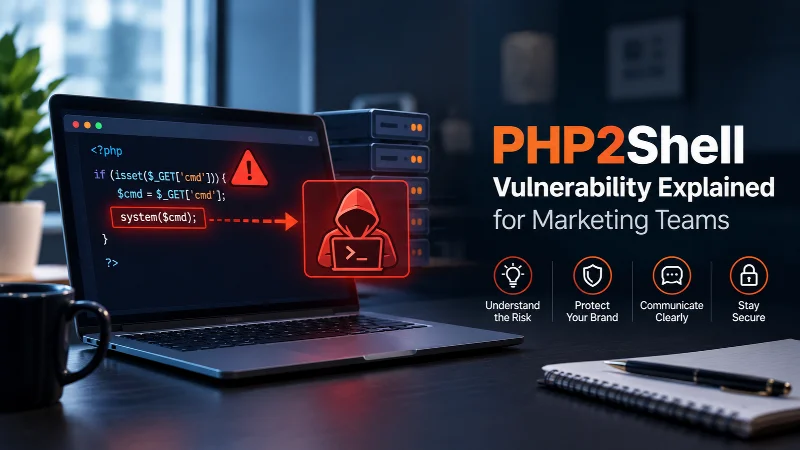
The PHP2Shell vulnerability is a pair of bugs in the PHP programming language that let an outsider run their own code on your web server without logging in. The PHP team shipped emergency fixes on 21 October 2026, and the official 8.5.12 release note says updating is the only safe choice.
You can’t out-design this one. A beautiful site on an old PHP version is still exposed. And if your team’s plan is “we’d notice if something was wrong,” I’d retire that plan, because as you’ll see below, this attack can be quiet.
TL;DR
- What it is: Two critical flaws in PHP itself (CVE-2026-109618 and CVE-2026-109619) let an attacker run code on your web server with no password.
- Who’s affected: Any site running an unpatched PHP version. That includes WordPress, Drupal and custom portals. PHP powers nearly 70% of websites where the language can be identified, according to W3Techs figures cited by Paperjam.
- The fix: Update PHP to 8.5.12, 8.4.27, 8.3.36 or 8.2.35 (or a newer release). Updating WordPress or plugins alone does nothing.
- Why marketers should care: Many organizations switched sites off to be safe. A dark website means dead ad clicks, broken forms and lost leads.
- Do today: Find your PHP version, ask your host or developer to patch, then check for admin accounts or files nobody recognizes.
Why it matters beyond the IT department
When a flaw this size lands, the safe response is often to switch things off. According to reporting syndicated by Ground News, the NSA told organizations to patch immediately or take systems offline. Government sites followed. Per ARY News, the Dutch cybersecurity agency itself went offline, along with the Port of Rotterdam, the Overheid.nl government portal, the national football association and several hospital sites. Finland’s state IT provider took public network services offline as well.
That’s governments. Now picture your own situation: paid ads still spending, email links still going out, a webinar form that no longer submits. The security team made the right call, and the marketing team found out from a customer.
What PHP is, in plain English
PHP is a programming language that builds web pages on demand. When someone visits your site, the server often doesn’t have a ready-made page. It runs a small program that assembles one with the visitor’s name, cart or post, then sends it back.
Think of a restaurant kitchen cooking each plate to order. WordPress, many online stores and plenty of agency-built portals use that kitchen. The bug sits in the kitchen’s own equipment, not in your recipes, which is why nothing you built on top can fix it.
What are CVE-2026-109618 and CVE-2026-109619?
They’re two separate flaws, tracked together under the nickname PHP2Shell. A CVE is a catalogue number for a publicly known security flaw. Remote code execution (RCE) means someone far away can make your server obey their instructions. A “shell” is the command line they get once they’re in. Both flaws score 9.2 out of 10 on the CVSS v4.0 scale, per the Coolify advisory.
Both bugs come from the same habit: PHP stops a request mid-job and doesn’t clean up safely.
Bug one (CVE-2026-109618) is about running out of memory. Every request gets a limited chunk of memory, usually 128 megabytes by default. When a request exceeds it, PHP halts on the spot. If it was halfway through building something, it leaves a half-finished record behind, and cleanup code later trusts that record as if it were complete. According to NextWork’s technical walkthrough, an attacker can trigger this with a small upload stuffed with empty file fields that PHP expands into huge memory demands. BleepingComputer describes the result as out-of-memory corruption that can give code execution as the web worker account.
Bug two (CVE-2026-109619) is about leftovers. A PHP worker handles one visitor after another without starting fresh each time. If a request crashes, a note it left behind can still point at memory that’s been thrown away. A second request landing on the same worker can fill that memory with its own data, and PHP then reads the old note and trusts it. This flaw enables memory disclosure and code execution with the worker’s privileges. The NextWork walkthrough adds that it can also leak sensitive values from memory, such as passwords and API keys from other people’s requests.
Put them together and one bug helps the attacker find where things sit in memory, while the other lets them act on it.
How was it found, and why did it take this long?
This part is the one I keep thinking about. Wiz said its research used its autonomous AI vulnerability research tool, Wiz Atlas, alongside Google’s Gemini 4 Argon and OpenAI’s GPT-5.6 Sol, according to a wire report carried by the Newcastle Herald. The same report states that the flaws had remained in PHP’s codebase for more than a decade, despite being extraordinarily difficult for human attackers to exploit. Calif and Wiz coordinated their efforts with the PHP team and OpenAI. According to PPC Land, Calif.io, Wiz, OpenAI, and Quarkslab were among the parties involved in disclosing the vulnerabilities.
Memory crashes in PHP had been reported for years, but a crash alone does not establish a security vulnerability. Researchers must prove that a flaw can be exploited to compromise a server, a process that traditionally requires considerable time and expertise. AI can shorten that gap, helping researchers identify and validate serious vulnerabilities faster. As explored in our coverage of AI and cybersecurity, increasingly capable AI systems are changing how security risks are discovered, tested, and understood. The PHP2Shell case offers a striking example of how quickly that shift is becoming tangible.
As one expert quoted in the AP report put it, the lesson isn’t that AI is inherently dangerous or inherently protective. It changes how fast flaws get found, by everyone.
What happened, in order
| Date | Event |
| August 2026 | Researchers find the flaws using AI-assisted methods |
| Around 20 to 21 Oct | Details leak ahead of schedule; the PHP team moves its release forward |
| 21 Oct, about 3 a.m. UTC | Cloudflare turns on protective WAF rules for all plans, per PPC Land |
| 21 Oct, about 2 p.m. UTC | PHP 8.5.12, 8.4.27, 8.3.36 and 8.2.35 released |
| 21 Oct onward | Agencies urge patching or going offline; government sites in Europe and elsewhere go dark |
As of reporting by Paperjam, no major infrastructure had publicly documented a successful intrusion conclusively attributed to PHP2Shell. That’s reassuring, and also not the same as “nothing happened.”
Why this attack is so hard to spot
Most break-ins leave a mess: a defaced homepage, a strange file, an angry email. This one may not. CrowdStrike says exploitation may leave only an ordinary-looking memory-limit error
The Endor Labs write-up also notes that attackers were already changing their payloads to evade blocking rules, which is why even firewall-protected sites are told to patch. And itdaily reports that exploitation began before the patch was available.
Which setups are most exposed?
The highest-risk scenario involves mod_php, where PHP runs directly inside the web server, commonly Apache. In this setup, the vulnerable cleanup process runs before application code executes, meaning even a simple “Hello, world” page could be exposed. PHP-FPM, another common configuration, typically discards a failed worker, making exploitation more difficult. However, the PHP team says it remains vulnerable.
If you’re unsure which setup your website uses, don’t wait to find out. Patch PHP immediately, regardless of your configuration.
The 6-Step Response Framework for Marketing Teams
Responding to PHP2Shell requires coordination between marketing, IT, developers, and hosting providers. The goal is to identify exposed websites, apply the necessary security updates, investigate potential compromise, and minimize disruption to campaigns and lead generation.
Use the six steps below as a practical guide to help your team prioritize actions and track progress.
Step 1: Take Inventory of Every Website You Own
What to do: Create a complete inventory of your organization’s websites, landing pages, microsites, and portals.
Why it matters: Forgotten or unmanaged websites can remain unpatched because no one is responsible for maintaining them.
How to do it:
- Ask marketing operations, IT, and your development agency for their website inventories, then consolidate the lists.
- Include websites used for events, campaigns, acquisitions, and legacy projects.
- Record each property’s URL, platform, hosting provider, PHP version, and designated owner.
- If your developers use Docker, ask them to include relevant containerized applications in the review.
Common mistake to avoid: Relying on one person’s memory or an incomplete list of active websites.
How to measure progress: Track the percentage of websites with a named owner and a verified PHP version. Aim to complete the inventory within 48 hours.
Example: A B2B company discovers that a webinar microsite created in 2021 is still running PHP 7.4 and has no assigned owner.
Step 2: Check the PHP Version Running on Each Website
What to do: Verify which PHP version each website and application is using.
Why it matters: Remediation depends on the PHP version and the security updates available for that environment. The PHP releases identified in this advisory are 8.5.12, 8.4.27, 8.3.36, and 8.2.35. Confirm the appropriate fixed version against the official PHP advisory and your hosting provider’s guidance.
How to do it:
- Check the PHP version in your hosting dashboard.
- For WordPress, navigate to Tools → Site Health → Info → Server.
- If you cannot access these settings, ask your hosting provider or developer to confirm the active PHP version in writing.
- Verify the version used by the live website, rather than relying on the version listed in your CMS documentation.
Common mistake to avoid: Assuming that an updated WordPress installation automatically runs a patched PHP version.
How to measure progress: Track how many websites have a verified PHP version and how many still require a security update.
Example: A marketer shares a screenshot of the WordPress Site Health information with the development team, helping them confirm the version without unnecessary back-and-forth.
Step 3: Patch PHP, Not Just WordPress
What to do: Upgrade to an appropriate fixed PHP release, working with your hosting provider or developer when necessary.
Why it matters: PHP2Shell affects the PHP runtime itself. Updating WordPress, themes, or plugins alone does not fix the underlying vulnerability. Temporary mitigations are not a substitute for applying the appropriate security update.
How to do it:
- Contact your hosting provider or developer and request the relevant PHP security update.
- Confirm the installed version after deployment.
- If your applications run in containers, ensure the container images are rebuilt using an appropriate patched PHP image and redeployed.
- Review platform-specific updates where relevant. For example, Coolify’s release notes document a release associated with the PHP security fixes.
- If a website runs PHP 8.1 or an older upstream branch, ask your provider whether a vendor-maintained build includes a backported fix. If not, plan a migration to a supported, patched version.
Common mistake to avoid: Assuming that an end-of-life PHP version will receive an official upstream patch. Check with your vendor rather than assuming that a fix is available—or unavailable.
How to measure progress: Track the time between vulnerability disclosure and verified remediation. For a critical, unauthenticated vulnerability, aim to patch within 72 hours or sooner for public-facing systems, following your incident-response policy.
Example: An agency rebuilds a client’s container image using an appropriate patched PHP release, redeploys it, and verifies the version running in production.
Step 4: Apply Temporary Safeguards While Preparing to Patch
What to do: Use appropriate temporary security controls to reduce exposure while the permanent fix is being deployed.
Why it matters: Temporary safeguards can buy time, but they do not eliminate the underlying vulnerability.
How to do it:
- Enable relevant PHP2Shell protection rules in your web application firewall (WAF), if available.
- Review your hosting provider’s mitigation guidance. For example, Sevalla’s security advisory discusses PHP configuration measures and their potential trade-offs.
- Confirm that public traffic passes through the intended security controls.
- Coordinate the temporary mitigation with a scheduled PHP update.
Common mistake to avoid: Treating a firewall as a permanent solution. As noted in Coolify’s release information, WAF protections may not cover requests that reach the server directly or bypass the firewall.
How to measure progress: Track WAF coverage, outstanding exceptions, and whether direct-to-server access has been reviewed.
Example: A team enables available WAF protections in the morning and coordinates with its developer to deploy the PHP patch that evening.
Step 5: Investigate Signs of Potential Compromise
What to do: Check for unfamiliar administrator accounts, unexpected file changes, suspicious processes, and unusual outbound connections.
Why it matters: Patching closes the vulnerability but does not automatically remove an attacker who may have gained access before the update. Malicious files, unauthorized accounts, or other changes may persist after remediation.
How to do it:
- Ask your developer or security team to review server logs for suspicious activity, including relevant memory-limit errors around the reported exploitation period.
- Inspect administrator accounts and remove unauthorized access only after preserving the evidence needed for investigation.
- Review recently modified or unfamiliar files and investigate unusual outbound connections.
- If suspicious activity is found, follow your incident-response process and involve qualified security professionals.
- Use cyber-resilience best practices to help inform your broader response and recovery planning.
Common mistake to avoid: Declaring the website secure immediately after installing the patch without investigating possible earlier exploitation.
How to measure progress: Track suspicious accounts, files, and activities identified and investigated. Any unexplained findings should trigger further review under your incident-response procedures.
Example: During a post-patch review, a team identifies an unfamiliar administrator account created the previous week and escalates it for investigation.
Step 6: Protect Campaigns and Measure Downtime
What to do: Prepare a response plan for keeping marketing operations manageable if a website or landing page becomes unavailable.
Why it matters: Website downtime can interrupt lead generation, waste advertising spend, and disrupt campaign measurement. The financial impact can extend beyond the period when the website is offline.
How to do it:
- Decide who has authority to pause paid campaigns if landing pages become unavailable.
- Prepare alternative destinations for email links and campaign traffic where appropriate.
- Identify a backup process for capturing leads if website forms stop working.
- Coordinate outage communications between marketing, IT, sales, and customer-facing teams.
- Establish a process for checking campaign performance and conversion tracking after service is restored.
Common mistake to avoid: Allowing paid campaigns to continue sending visitors to broken landing pages or forms.
How to measure progress: Track downtime, advertising spend directed to unavailable pages, missed form submissions where measurable, and lead volume compared with the previous week.
Example: A marketing team pauses affected paid search campaigns within 15 minutes of an outage and redirects email traffic to an available backup lead form.
PHP2Shell response should not end when the PHP update is installed.
Marketing teams should work with IT and hosting partners to verify remediation, investigate potential compromise, and confirm that landing pages, forms, analytics, and campaigns are functioning correctly.
Clear ownership, timely patching, and a documented continuity plan can help your organization respond faster and reduce the impact of future website security incidents.
Quick checklist for this week
- Inventory of every site and owner, with PHP versions recorded
- Written confirmation of PHP version from each host
- Patched to 8.5.12, 8.4.27, 8.3.36 or 8.2.35 (or newer)
- Container images rebuilt, not assumed updated
- WAF rules on, with direct-to-server traffic reviewed
- Logs checked for memory-limit errors, 17 to 22 October
- Admin accounts and recent file changes reviewed
- Paid campaign pause and email-link swap plan written down
- One named owner for future PHP updates
Stopgap versus patch
| Temporary mitigation | Patch | |
| Stops the underlying flaw | No | Yes |
| Speed | Minutes to hours | Hours to days |
| Side effects | Possible (for example, removing the memory limit lets one request use all available memory) | Test for compatibility |
| Covers every attack path | No | Yes |
| Use it when | You can’t patch yet | Always |
DIY or professional help?
| Situation | DIY | Bring in a professional |
| One WordPress site on managed hosting | Ask the host to update PHP and confirm | Optional |
| Several sites, mixed hosts | Build the inventory yourself | Have a developer verify versions |
| Custom portal or containers | Not advised | Yes |
| End-of-life PHP (8.1 or older) | No | Yes, for migration or backport |
| Signs of compromise | No | Yes, immediately |
Common mistakes and their fixes
- Updating WordPress and calling it done. It happens because “update” feels like one action. The damage is a fully exposed site that looks maintained. The fix is to update PHP itself, then verify the version.
- Trusting the firewall alone. It happens because a rule on a dashboard feels like protection. The damage comes from direct-to-server requests that skip it and from attackers modifying payloads. The fix is to patch, and use the WAF as a second layer.
- Skipping the forgotten sites. It happens because nobody owns them. The damage is that an old microsite can be the way in. The fix is the inventory in Step 1, with an owner for each entry.
- Not looking back after patching. It happens because the patch feels final. The damage is a backdoor that survives the update. The fix is Step 5: review accounts, files and logs.
- Leaving campaigns running into an outage. It happens because marketing isn’t in the incident channel. The damage is wasted spend and lost leads. The fix is a short, pre-agreed pause-and-redirect plan.
- Waiting for an end-of-life PHP version to be patched. It happens because people assume “latest fix” covers everything. The damage is indefinite exposure. The fix is a supported version or a vendor backport.
What marketers should take from this
Three habits will remain important long after this patch.
First, treat your website like a critical business utility. Your campaigns depend on infrastructure managed by people you may never meet. Website security, hosting, and maintenance are not just IT concerns; they directly affect campaign performance, lead generation, and revenue.
Second, don’t confuse speed with understanding. Creating dozens of landing pages and launching campaigns has become easier, but knowing what powers those assets is just as important. Marketers should understand their website’s underlying technology, identify outdated software, and ensure someone is accountable for security updates.
Third, trust a system only as far as you understand its limitations. AI tools, hosting providers, security platforms, and automated workflows can all fail. Build processes that include regular checks, clear ownership, and contingency plans. Efficiency matters, but resilience is what keeps campaigns running when something goes wrong.
Six questions to ask your tech team today
- Which PHP version does each of our sites run?
- Have we moved to a patched release?
- Is anything on an end-of-life version?
- Who owns PHP updates, and how do they hear about emergencies?
- If the site goes offline for a day, what happens to ads, email and forms?
- Are we depending on a firewall, or have we patched?
The patch will go in and the headlines will move on. What’s worth keeping is a habit: knowing what your marketing stands on, who owns it, and what you’ll do the day it wobbles. Version check first, patch second, look-back third, and a continuity plan so the next scare doesn’t land on you unannounced.
Frequently asked questions
1. What is the PHP2Shell vulnerability?
PHP2Shell refers to two critical PHP vulnerabilities, CVE-2026-109618 and CVE-2026-109619, that may allow unauthenticated attackers to execute code on web servers. Both reportedly have a severity score of 9.2 out of 10. Immediate patching is essential to reduce security risks and protect websites from potential exploitation.
2. Is my website affected?
Your website may be vulnerable if it runs an unpatched PHP version. This includes WordPress, Drupal, Magento, and custom-built websites. The underlying PHP runtime determines exposure, not the content management system. Check your current PHP version and contact your hosting provider to confirm whether security updates are installed.
3. Which PHP versions fix this vulnerability?
The stated patched versions are PHP 8.5.12, 8.4.27, 8.3.36, and 8.2.35, reportedly released on October 21, 2026. Upgrade to the appropriate patched release or a newer supported version. Confirm compatibility with your applications and plugins before updating, and verify the fix with your hosting provider.
4. Will updating WordPress or plugins fix PHP2Shell?
No. Updating WordPress, themes, or plugins alone will not fix a vulnerability within the PHP runtime. Your hosting environment must run a patched PHP version. Coordinate with your hosting provider, test compatibility, and verify the active PHP version after upgrading. Keep your CMS and plugins updated for additional protection.
5. Does Cloudflare or a firewall protect my website?
A web application firewall, including Cloudflare, can help block malicious requests, but it cannot guarantee protection. Attackers may bypass these defenses if they can reach your server directly. Apply the official PHP security patch, review firewall rules, restrict unnecessary server access, and monitor logs for suspicious activity after updating.
6. What should I do if my website is vulnerable?
Contact your hosting provider immediately and request a patched PHP version. If you cannot patch quickly, consider temporarily restricting public access. After remediation, review administrator accounts, modified files, and server logs for suspicious activity. Marketing teams should also monitor downtime, advertising spend, form submissions, and lead volumes.