
5 Best Digital Signage Software Platforms in 2026
Compare the best digital signage software of 2026, with pricing, key features, and Capterra ratings for Rise Vision and four more platforms.

Quick Summary
Rise Vision is our top pick for digital signage software. It runs digital signage, screen sharing, and emergency alerts on one platform, and it works with the hardware you already have. If HR or internal comms runs your screens, Screenfluence is a good match. And Pickcel suits brands running timed promotions across many locations.
Why the Software Behind Your Screens Matters
Some teams run one screen in a front lobby, and others run 500 across a school district. Either way, the software behind those screens decides how much work each update takes. If your screens still run off a USB stick or an old laptop looping slides, every change means a walk across the building.
Good signage software turns that walk into a few clicks from your desk. That’s true whether you’re posting a lunch menu, a sales dashboard, or a lockdown alert. So which platform makes those updates quick for your team, on the screens you already have?
What Is Digital Signage Software?
Digital signage software is the program you use to create, schedule, and send content to screens from one online dashboard. A full setup has three parts. You’ll need a screen, a media player, and the software that tells each player what to show. A media player is the small box that plays your content, a bit like a streaming stick for a TV.
Cloud-based tools let you update a lobby in Chicago and a break room in Dallas from the same laptop. It’s a lot like an email campaign, since you build the message, pick which screens get it, and schedule it. So it fits right in with the rest of your martech stack.
Why Is Digital Signage Software Important?
- Reach beyond the inbox: A hallway or break room screen reaches people who aren’t at a computer, from students between classes to frontline and deskless workers.
- Live data on the wall: A Power BI KPI dashboard on a TV puts the same numbers in front of a whole team, every day.
- Consistent messaging everywhere: You can push one campaign or announcement to every location at once, which makes screens a dependable part of your omnichannel marketing.
- A stage for your culture: Screens are a natural home for student achievements, work anniversaries, and employee recognition.
- Faster emergency response: Signage connected to your emergency notification system can take over every screen with clear instructions during a lockdown or evacuation.
5 Best Digital Signage Software Tools
We ranked these five on how easily non-technical staff can update them, what hardware they run on, and how pricing grows.
- Rise Vision
- Screenfluence
- Pickcel
- Kitcast
- Visix
| Tool | Best For | Starting Price | Capterra Rating |
|---|---|---|---|
| Rise Vision | Signage, screen sharing, and emergency alerts on one platform | $132 per display per year | 4.7/5 (304 reviews) |
| Screenfluence | HR and internal comms teams | $18 per screen per month, billed annually | 4.9/5 (100 reviews) |
| Pickcel | Timed promotions across many locations | $13.50 per device per month, billed annually | 4.7/5 (20 reviews) |
| Kitcast | Small offices with Apple TVs | $7 per screen per month, billed annually | 4.6/5 (54 reviews) |
| Visix | Large campuses that also need room and desk signs | Custom quote | 3.9/5 (14 reviews) |
1. Rise Vision
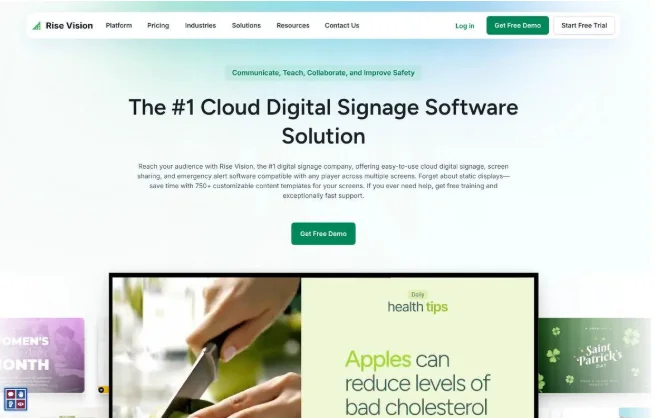
Rise Vision is the all-in-one platform for digital signage, screen sharing, and emergency alerts. Since 1992, Rise Vision has been empowering organizations worldwide to communicate, teach, and collaborate better, and 12,300+ organizations use it today.
It works for schools, businesses, and any organization that’s outgrown managing multiple tools for digital signage, screen sharing, and emergency alerts. With one platform, you can improve communication, collaboration, and safety from a single account. And its easy-to-use software lets you delegate the management of your digital signage to anyone in your organization in just a few minutes.
That means a teacher, a front-desk admin, or a marketing coordinator can keep their own screens current without filing a ticket with IT. At Jacksonville City Schools in Alabama, non-technical staff, including a bookkeeper, manage content across 14 screens in two schools. And Angie Nett, Director of Human Resources at Sorenson Engineering, uses it “to streamline communication across our 19 buildings at two separate locations.”
For IT teams, Rise Vision maintains its SOC 2 Type 2 Attestation and puts privacy, security, and reliability front and center.
Key Features
- 750+ Templates: Save hours of content creation time with professionally designed, animated, and customizable templates.
- AI Presentation Design Tool: Turn a short prompt into three customizable, animated presentation options in seconds.
- Brand Settings: Add your logo and colors once, and Rise Vision adds them to all of your templates automatically.
- Company-Wide Scheduling Overrides: Take over every screen with a priority message, instantly or on a schedule.
- Data Dashboards: Show your Power BI and Domo dashboards, plus Google Workspace and Microsoft Office content, on any display.
- Account Hierarchy: Nest each location under your main account, so every site runs its own screens and the main account can push to all of them.
Pricing
Rise Vision keeps pricing simple and transparent, with volume discounts at 11, 70, and 200 displays, plus a 30-day money-back guarantee. For businesses and government, the plans are:
- Basic: $132 per display per year, with monthly billing also available.
- Advanced: $156 per display per year, billed yearly. It adds emergency alerts, brand settings, and calendar integrations.
- Enterprise: $180 per display per year, billed yearly. It adds Power BI dashboards, screen sharing, content approval, and single sign-on.
Schools, higher education, and non-profits get their own pricing, like the K-12 Advanced plan at $138 per display per year.
Rating
Capterra rating: 4.7/5 (304 reviews)
Pros
- One platform covers signage, screen sharing, and emergency alerts, so you’re not paying for three separate tools.
- Support replies within one business hour by phone, email, or remote desktop.
- It runs on Windows, ChromeOS, Android, Linux, Apple TV, and Raspberry Pi devices you may already own.
Cons
- For businesses, Power BI dashboards and screen sharing need the Enterprise plan, at $180 per display per year.
- Basic is the only plan you can pay for monthly.
- Interactive touchscreen templates are a $1,200 per display per year add-on that needs the Advanced plan.
2. Screenfluence
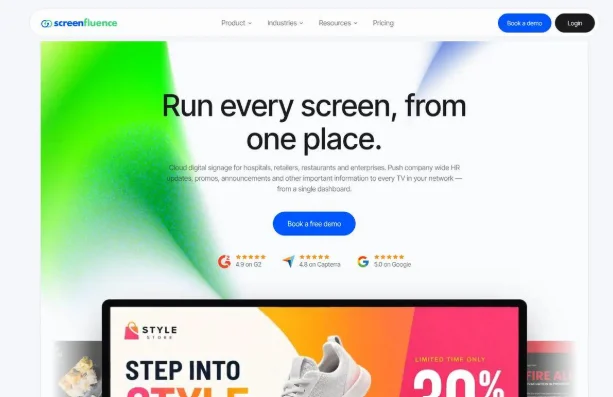
Screenfluence is cloud digital signage software from a Canadian company. It’s mainly for pushing company-wide HR updates, promos, and announcements to every TV in your network. That makes it a natural fit when HR or internal comms runs the screens. You pay by screen count, so a five-screen office gets the same core platform as a 400-screen network.
Key Features
- System-Wide Alerts and Takeovers: Broadcast urgent content across your whole screen network in a few seconds.
- Role-Based Access Control: Assign Manager, Contributor, and Org Admin roles to control who can change what.
- Integrations: Pull content from Canva, Slack, Instagram, and Google Slides, Sheets, and Docs.
- Analytics and Logs: See when, where, and how often your content played, then export it to CSV.
Pricing
- Starter (one to nine screens): $20 per screen per month, or $18 billed annually.
- Growth (10 to 499 screens): $15 per screen per month, or $13.50 billed annually.
- Scale (500+ screens): $10 per screen per month, or $9 billed annually.
But media players are extra, at about $100 to $200 per screen, according to Screenfluence’s blog.
Rating
Capterra rating: 4.9/5 (100 reviews)
Pros
- Your per-screen price drops from $20 to $10 a month as your network grows.
- Every plan lists a dedicated customer success manager.
- It works with any HDMI-compatible TV or commercial display.
Cons
- Each screen needs a Screenfluence media player, which is a one-time hardware cost.
- Single sign-on is for enterprise clients only.
- There’s no separate publish button, so saving a change publishes it right away, and a typo can reach every screen fast.
3. Pickcel
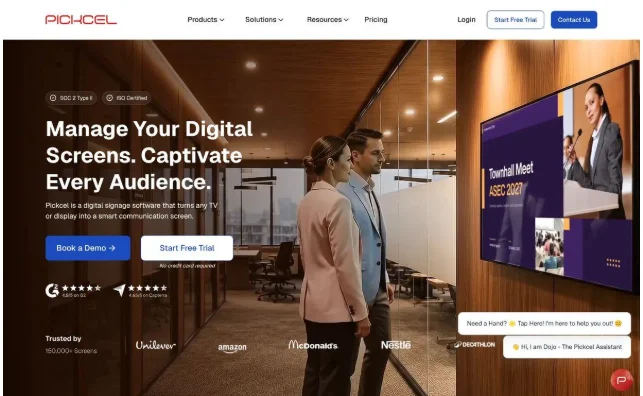
Pickcel is digital signage software that turns any TV or display into a smart communication screen. It suits brands running promotions across many locations. That’s because its Campaign feature schedules promotional content for a set time frame and targets specific screens with tags. But you’ll need at least the Business plan to use Campaign.
Key Features
- Proof of Play Reports: Download playback, uptime, and audit log reports as CSV files on any plan.
- Integrations: Connect to Microsoft Teams, Outlook, SharePoint, and Slack, with Power BI and Tableau on Business and up.
- Emergency Alerts: Override all screens instantly with an emergency message.
- Wide Device Support: Run it on 10 operating systems, including Android, Windows, Samsung Tizen, and LG webOS.
Pricing
- Professional: $15 per device per month, or $13.50 billed annually.
- Business: $25 per device per month, or $22.50 billed annually.
- Enterprise: Custom pricing.
The 14-day free trial covers one screen and doesn’t require a credit card.
Rating
Capterra rating: 4.7/5 (20 reviews)
Pros
- Every plan includes proof-of-play reports, so you can show exactly what ran and when.
- It runs directly on Samsung Tizen and LG webOS displays, with no extra player.
- Every plan comes with 24×7 chat support.
Cons
- Professional allows only one user, which won’t suit a shared team.
- Single sign-on and content approval are Enterprise-only, and Enterprise is quote-based.
- Pickcel’s pricing FAQ says it doesn’t offer refunds.
4. Kitcast
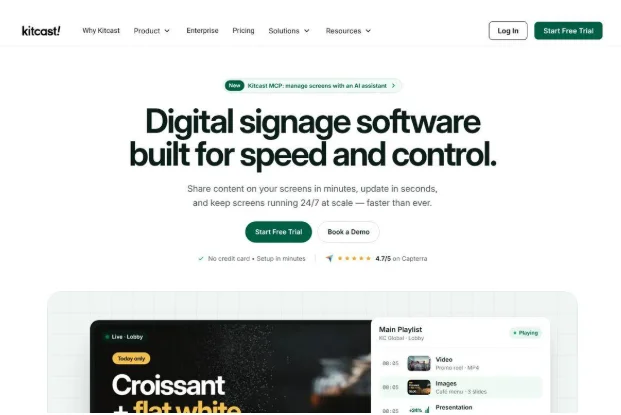
Kitcast is cloud-based digital signage software that started on Apple TV, and it’s a good fit for offices with a handful of TVs. If your meeting rooms already have Apple TVs, you won’t need new players. On the Pro plan, IT teams can also use zero-touch deployment through Apple device management tools like Jamf Pro and Kandji.
Key Features
- Presentations: Show PowerPoint and Google Slides decks, even on the Starter plan.
- TV Dashboards: Display Power BI and Tableau dashboards on the Pro plan.
- Emergency Alerts: Push CAP emergency alerts to your screens on the Pro plan.
- Kitcast MCP: Let AI assistants like Claude and Gemini CLI manage your screens, with the Pro plan.
Pricing
- Starter: $9 per screen per month, or $7 billed annually ($84 per screen per year).
- Pro: $14 per screen per month, or $10 billed annually ($120 per screen per year).
- Enterprise: Custom pricing.
There’s a 14-day free trial of Pro features and a 30-day money-back guarantee.
Rating
Capterra rating: 4.6/5 (54 reviews)
Pros
- Starter’s $7 per screen per month, billed annually, is the lowest published entry price here.
- Native Apple TV, Android TV, and Fire TV apps let you reuse streaming devices you own.
- Starter’s presentation and AI tools are enough for a simple lobby welcome loop.
Cons
- You’ll need Pro for dashboards, single sign-on, approvals, and screen monitoring.
- Dashboards behind a login, like Salesforce or Jira, need a public or share-by-link version.
- The only free option is the 14-day trial.
5. Visix
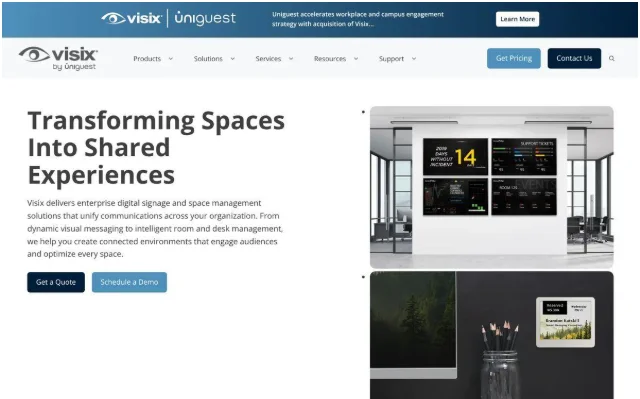
Visix is an Atlanta-based company that sells digital signage, wayfinding, and space management products. It’s best for large campuses that want lobby screens, meeting room signs, and desk signs from one vendor. Its Touch room signs show schedules from Microsoft 365, Exchange, and Google Calendar. So it’s also an option if you’re comparing desk booking and hybrid workplace tools.
A larger digital engagement company acquired Visix in August 2026, but the Visix brand is still active.
Key Features
- AxisTV Signage Suite: Publish content to screens of all sizes, websites, and Microsoft Teams from one CMS.
- Alert Management System: Override every screen manually or through CAP-compliant triggers from systems like Rave Mobile and Singlewire.
- Data Integration: Pull live data from calendar apps, Excel, Google Sheets, XML, and JSON.
- ePaper Desk and Room Signs: Show reservations on battery-powered signs that can run five years or more on one battery.
Pricing
Visix doesn’t publish list prices, so you’ll need a custom quote for a subscription, perpetual licenses, or Hardware as a Service. But its 2024 pricing guide gave a single-screen example of $90 per month on subscription, or $3,250 with perpetual licenses.
Rating
Capterra rating: 3.9/5 (14 reviews)
Pros
- Signage, meeting room signs, and ePaper desk signs come from one vendor.
- Visix sells its own Windows 11 IoT Enterprise media players, including multi-output models.
- Visix can host it in its Microsoft Azure cloud, or you can run it on your own servers.
Cons
- The player and design apps need Windows.
- The Alert Management System isn’t available on the One and Team editions.
- On-premise customers need an annual support subscription after the first 30 days.
Selection Criteria
How We Evaluated
We looked at each platform through the eyes of whoever updates the screens each week, with IT weighing in on hardware. Prices come from each vendor’s own site and ratings from Capterra, as of October 2026. We weighed five factors:
- Ease of updating: Can someone outside IT change a screen in minutes?
- Hardware fit: Does it run on players you already own?
- Content options: Does it support dashboards, calendars, approvals, and alerts?
- Pricing as you grow: What happens to the per-screen price at 10, 50, or 200 screens?
- Security and support: Is there single sign-on, a security attestation, and a fast way to reach a person?
And for a longer checklist, see this digital signage buying guide.
How to Choose
Start with who’ll update the screens, then find your closest match:
- You want signage, emergency alerts, and screen sharing in one place: Rise Vision covers all three on the hardware you own.
- HR or internal comms runs the screens: Screenfluence keeps its core features on every plan.
- You run timed promotions across many locations: Pickcel’s Campaign feature schedules them, and its proof-of-play logs tell you what ran where.
- You have a few TVs with Apple TVs behind them: Kitcast is the cheapest way to start.
- You manage a large campus that also needs room and desk signs: Visix has all three, but you’ll need a quote.
Whichever way you lean, ask each vendor about data security early. A signage player connects to your network like any other device, so IT will want to see the vendor’s security documentation first.
FAQs
What Is the Best Free Digital Signage Software?
XOGO and PosterBooking both have free plans, with limits. XOGO’s free account runs a single media player with up to 15 library items in 1080HD. PosterBooking runs up to 10 screens free, but they get a small watermark after the three-month trial. For anything bigger, you’re better off testing a paid tool on its free trial, like Kitcast’s or Pickcel’s 14-day trial.
Does Microsoft Have a Digital Signage Solution?
Yes, though it’s limited. Microsoft Teams Rooms has a signage mode that shows company news and events on meeting room screens when no meeting is running. You’ll need a Teams Rooms Pro license, plus a web URL or a supported third-party signage provider. But for lobbies, hallways, and break rooms, you’ll still want dedicated signage software.
What Is the Best Operating System for Digital Signage?
The best operating system for digital signage is one that runs a locked-down, single-purpose player your IT team can manage remotely. The Rise Vision Media Player, for example, runs Android 14 and only runs Rise Vision, which reduces the risk of unauthorized network access. If you’d rather reuse devices you own, pick software that supports them.
How Can I Create My Own Digital Signage?
Plug a media player into your screen’s HDMI port, connect it to your network, and pair it with your signage software account. Then pick a template, add your text, images, or a live dashboard, and schedule it. Keep slides short, since people read them in passing, and borrow the visual storytelling habits your marketing team uses online.